Blacklist is live
Published:
September 16, 2026
This one took a while. Long enough that some of the people who first asked for it have changed roles, changed companies, and in at least one case changed continents. We're not going to pretend that was fast.
But it's here now.
Blacklist is exactly what it sounds like. Filter out leads and companies you never want to reach out to. Add them once, and every campaign in that workspace skips them. No scrubbing lists by hand before every launch. No need to rely on exclusion filters in campaigns only. No message landing in the inbox of your client's biggest account.
Let's walk through it.
Blacklist lives under Settings → Blacklist
Two tabs: Leads and Companies. Leads are individual people you don't contact. Companies are entire organizations you don't touch — every employee, every campaign, no exceptions.
Hit Add a lead and identify them in one of three ways:
- LinkedIn profile URL — the most precise option, and the one we'd pick
- Email address — we reverse-look-up the profile behind it (☝️ will cost you one credit)
- Full name — no URL, no email, just a name (broad match, every new lead added with the exact name will be excluded)
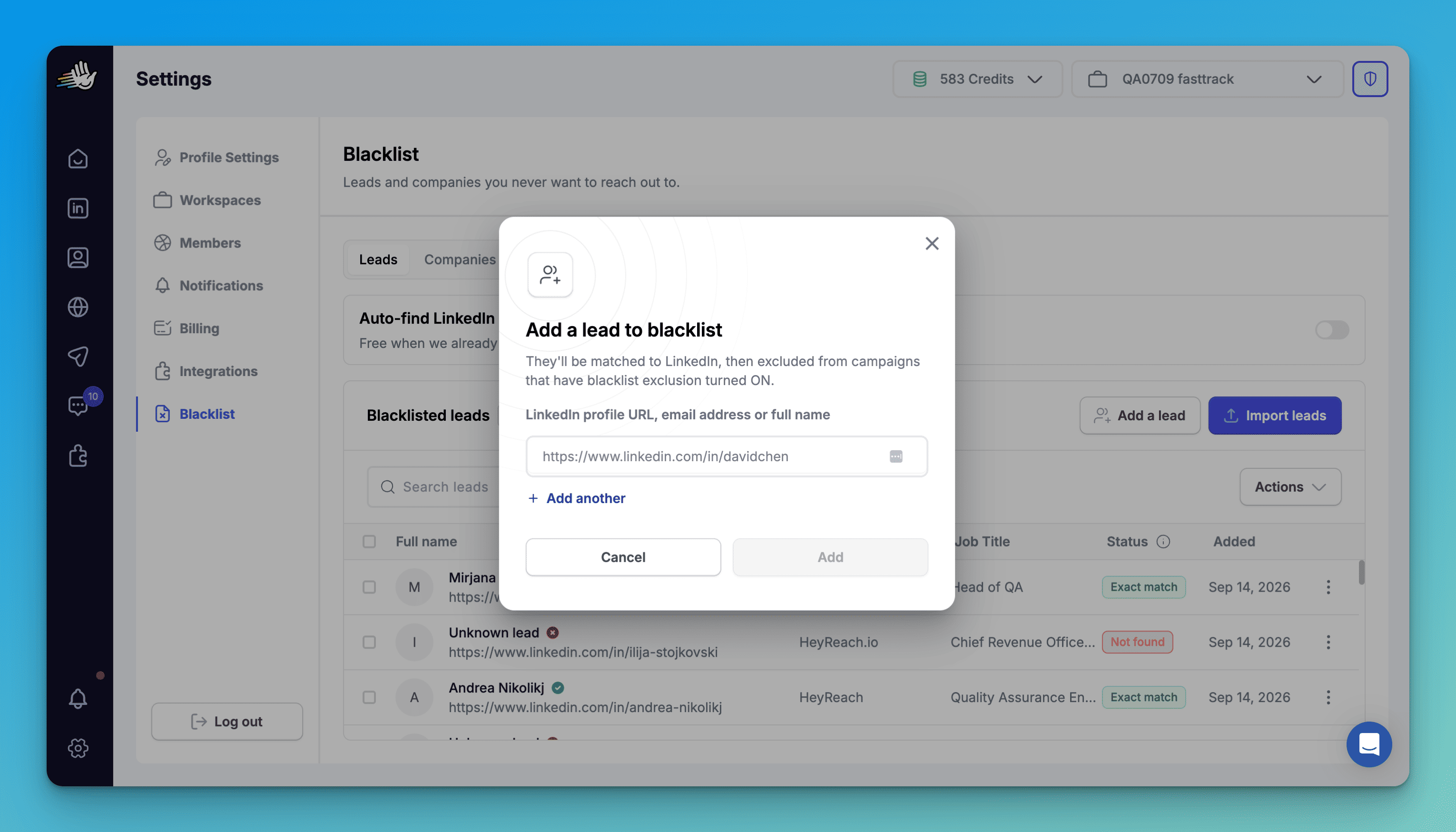
One note on emails. Turn on Auto-find LinkedIn profiles from email addresses and we'll match the email to a profile for you. If we already know that profile, it's free. If we have to go looking, it costs one credit.
Hit Add a company if you wanna exclude leads on organizational level. Same flow, different tab. Add a company by LinkedIn company URL or company name.
Blacklist the company and you've blacklisted everyone who works there. Useful for a client's accounts, your own customer base, competitors you'd rather not poke, and the one enterprise logo your CEO has asked you twice to leave alone.
Import in bulk
Nobody is adding 400 people one at a time. Upload a CSV of up to 1,000 rows for leads or companies and they all land at once.
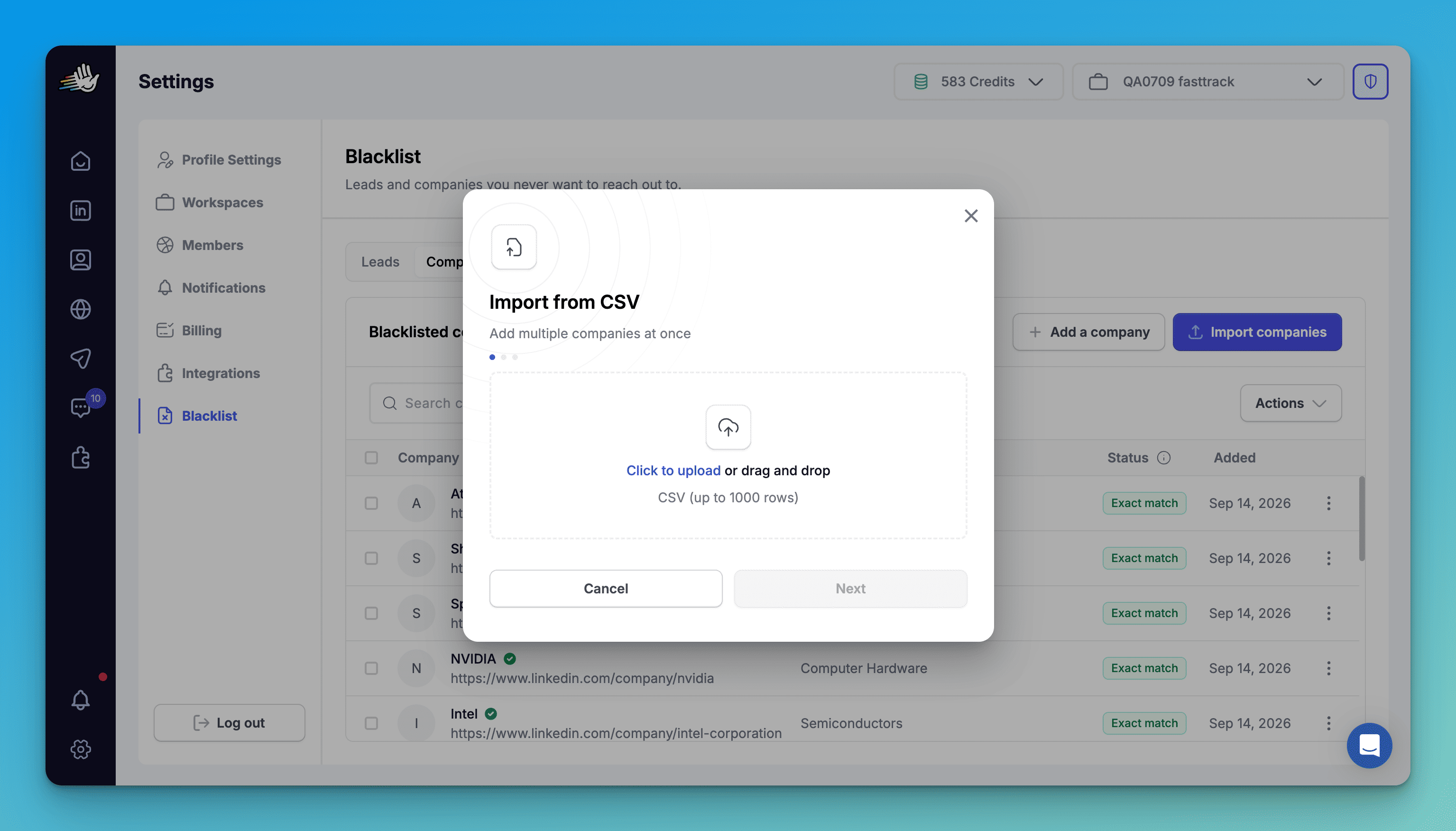
If you need more than 1,000, drop a line at support@heyreach.io or to your Account Manager.
Blacklist someone without leaving the leads tab
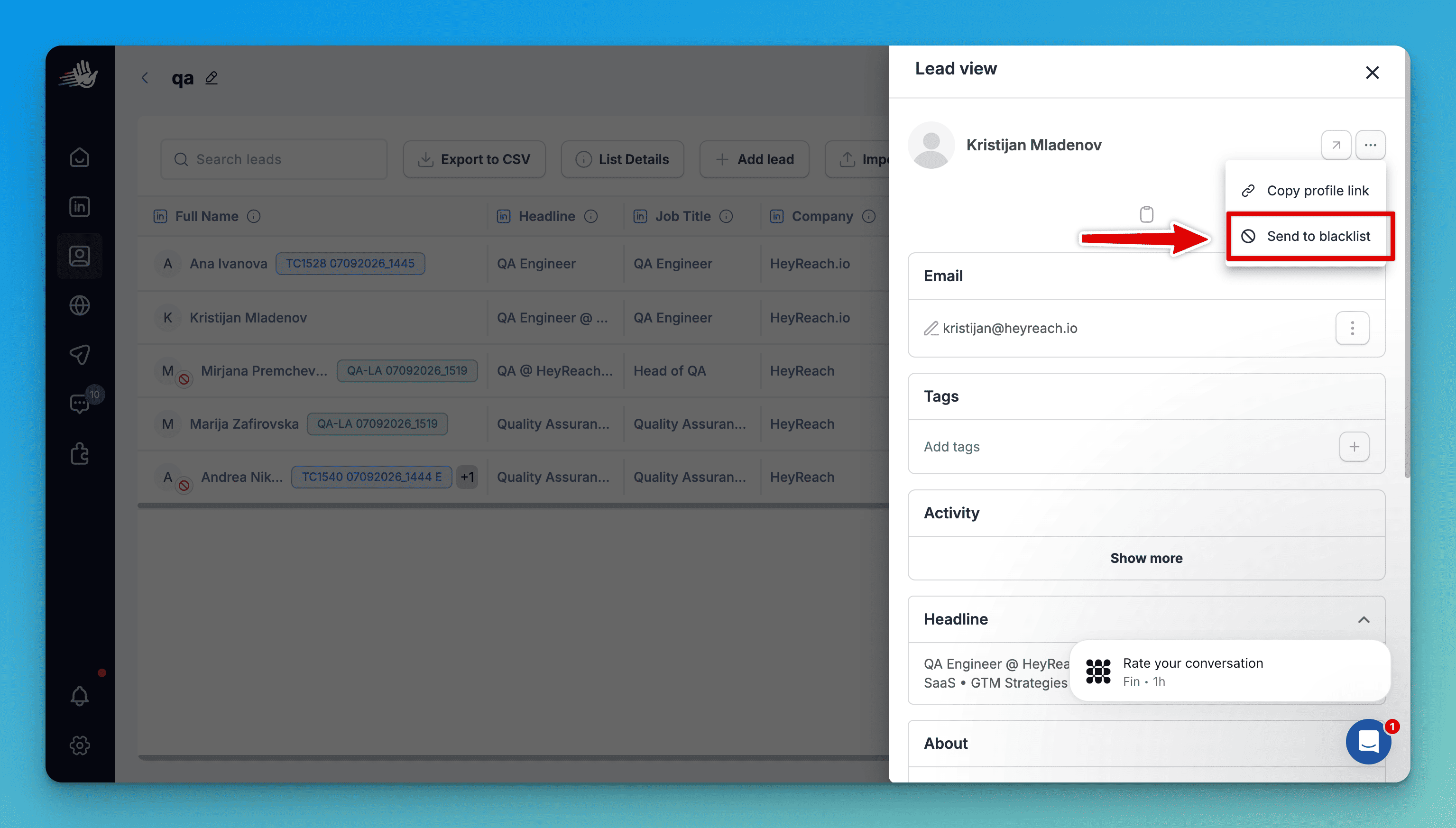
Found someone mid-review who should never have been in the list? Open the lead, click the three dots, hit Send to blacklist. They're in Settings a second later.
Campaign walkthrough
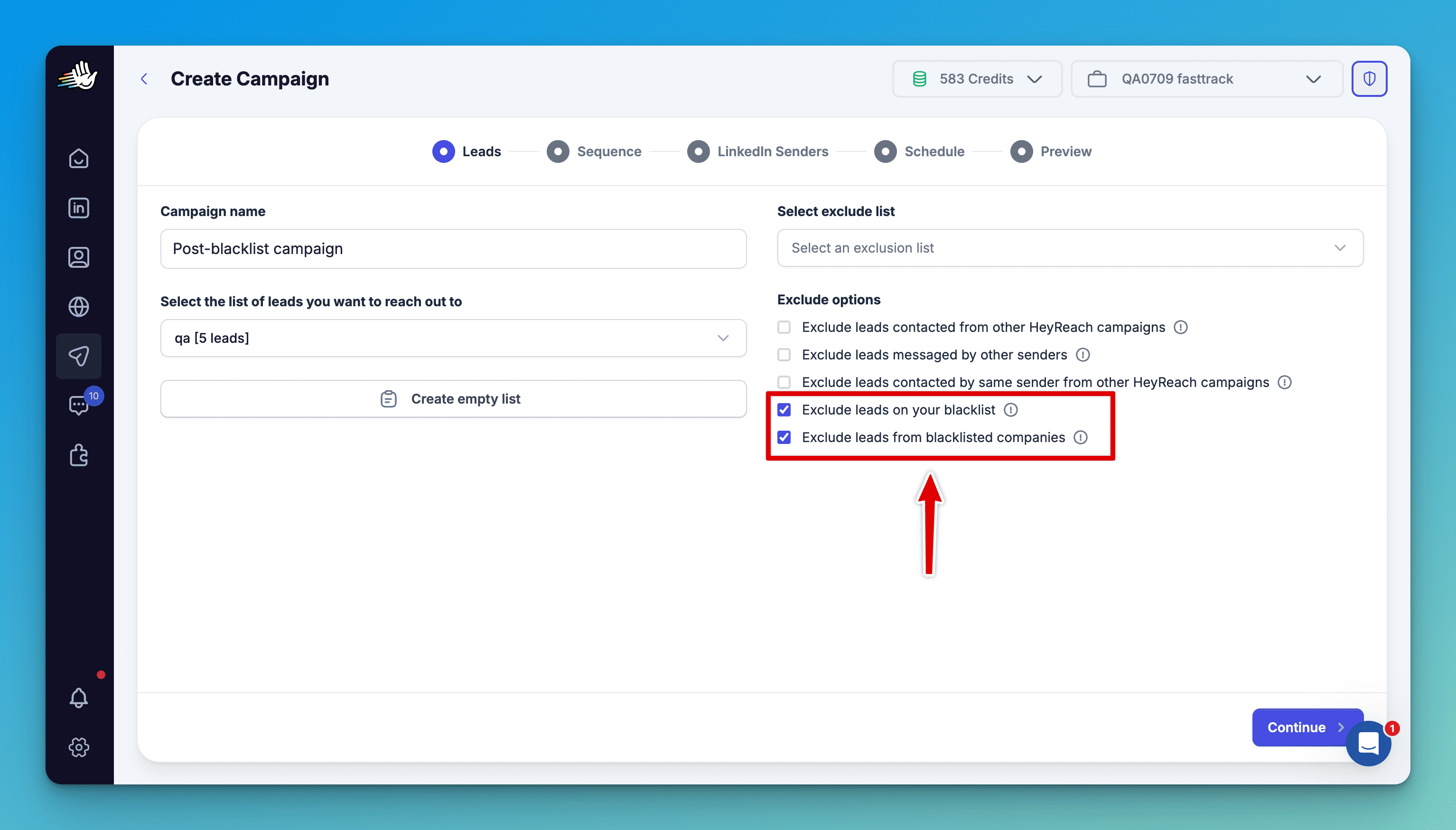
Two new exclude options in campaign creation, both ticked by default:
- Exclude leads on your blacklist
- Exclude leads from blacklisted companies
Build the campaign like you always do and hit start. Anyone on your blacklist — or working at a blacklisted company — never enters the sequence.
See exactly who got skipped, and why
Open the campaign, go to Leads analytics, and your excluded leads are listed with a reason attached.
- Excluded because they're on your blacklist
- Excluded because their company is on your blacklist
- Excluded because a blacklist entry matches their name
The limits, up front
- 1,000 leads and 1,000 companies per blacklist
- Each blacklist is specific to the workspace you're in. Switch workspaces, different blacklist
- API and MCP are capped at 100 rows per request
Add them once. Never message them again.
Blacklist feature is available to all users.

Try it for free