Unibox just got sharper: bulk Actions, faster inbox & cleaner UI
Published:
April 22, 2026
Managing LinkedIn conversations across multiple accounts just became simpler. We've rebuilt Unibox with a cleaner interface, faster performance, and bulk actions so you can handle replies at scale and book more meetings.
✨ Here's what's new in HeyReach Unibox:
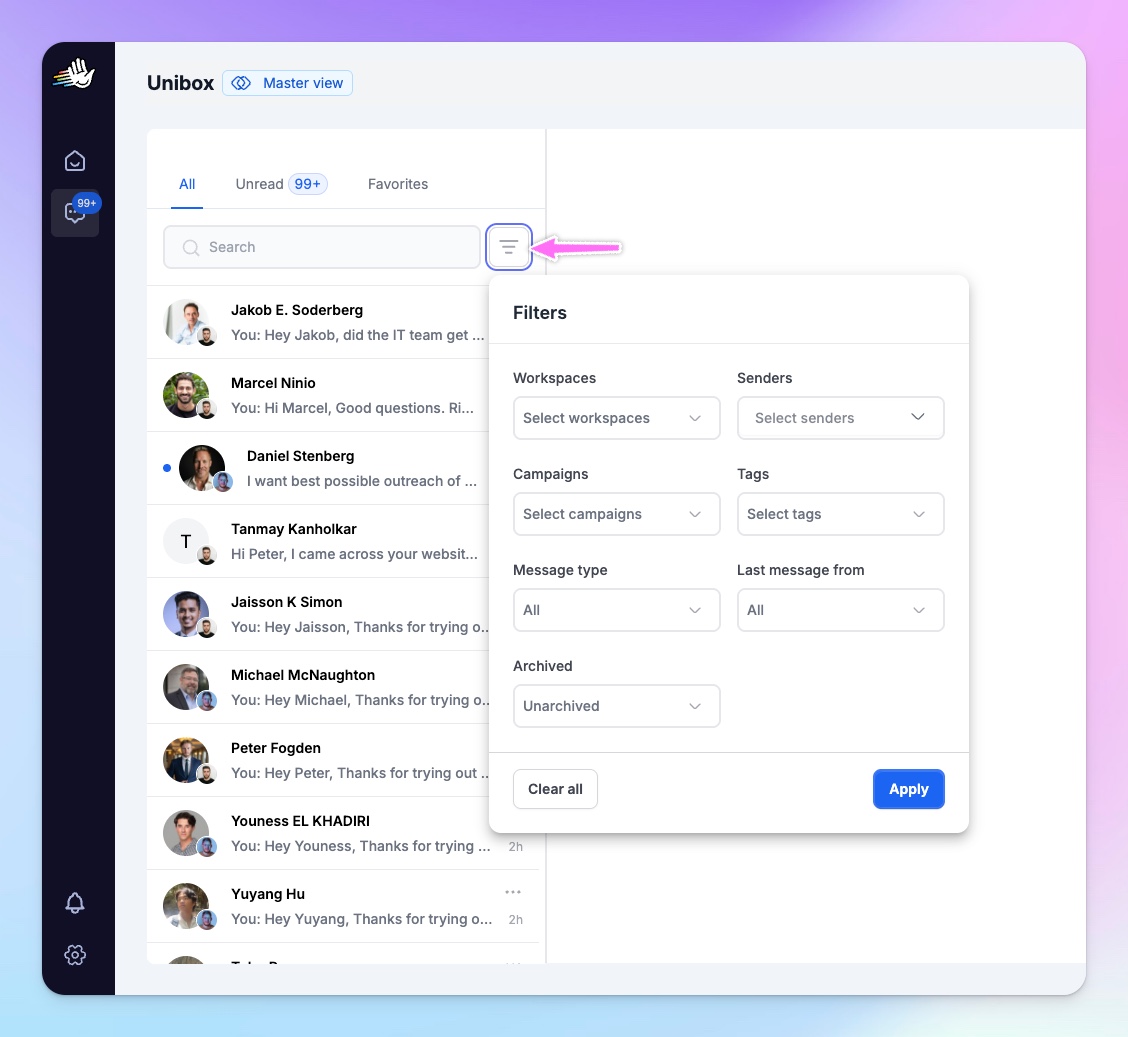
- Simplified Master View -> Workspaces and Senders dropdowns are now merged into a single Filters menu
- Reduced UI clutter for better focus on conversations
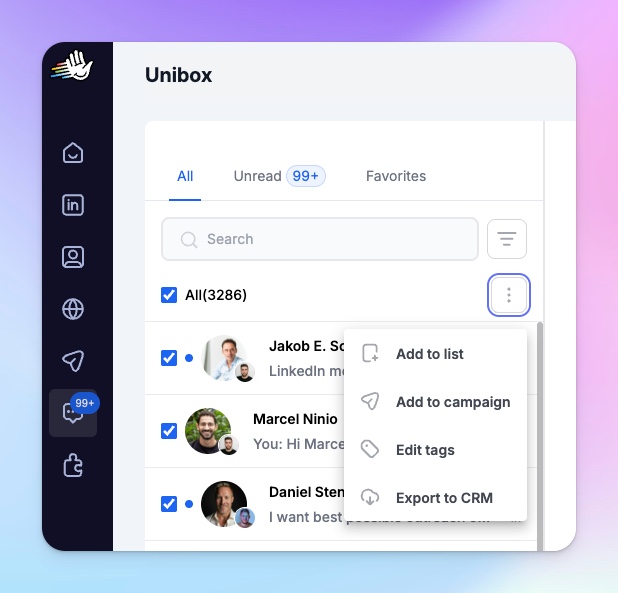
- Improved Bulk Actions -> Bulk actions moved into a three-dots menu
- Available actions:
- Add to list
- Add to campaign
- Edit tags in bulk
- Export to CRM
- Available actions:
- Conversation-Level Actions -> Full action set available inside each conversation (campaigns, lists, tags, CRM export, etc.)
- Refreshed side menu icons
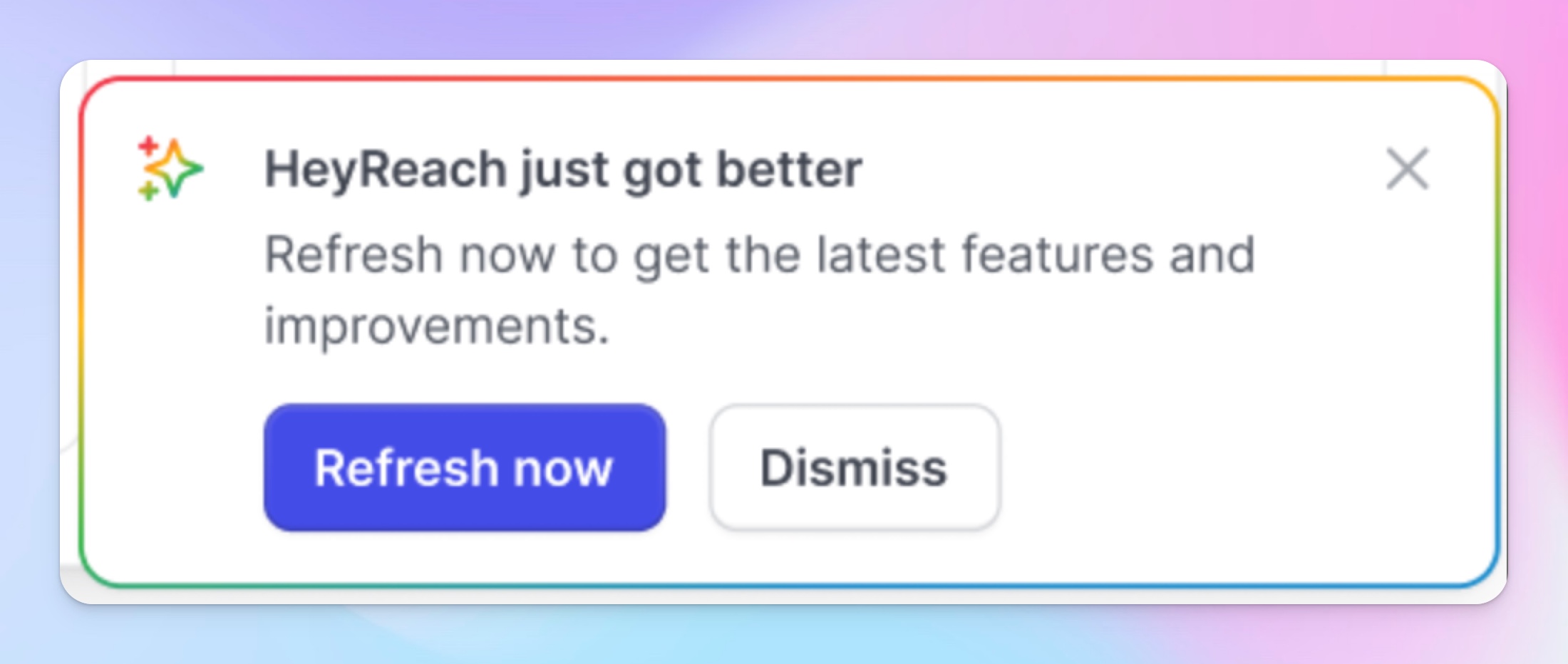
- We redesigned also the New update modal
How to get the most from Unibox update
1. Cut down the operational time with bulk actions
Select multiple conversations and take action instantly:
No more clicking through conversations one by one. Select what you need, choose your action, done.
- Add to list conversations you need to circle back next quarter
- Add to campaign all those conversations that need new touch
- Edit tags in bulk on the hottest leads for faster team sync
- Export to CRM all conversations worth mentioning in one click
2. Get the cleanest Master View with multiple workspaces
For users managing multiple workspaces, we've merged the Workspaces and Senders drop-downs into a single Filters menu. Cleaner look, same control.
No more guessing which sender account is active or switching tabs to find context.
3. Speed matters, so you can go full maxxing
Unibox is now significantly faster. Loading messages, switching conversations, and navigating your inbox should feel instant.
The new Unibox changes are live for all users. Just open your inbox and you'll see the new interface.
What should we add next to the Unibox? Tell us here.
Questions? Hit up support@heyreach.io or ping us in your dedicated Slack channel.

Try it for free