LinkedIn deleted HeyReach company page. Here's what it didn't delete.
Published:
August 7, 2026
On March 25, 2026, LinkedIn removed the HeyReach company page and restricted the personal profiles of our CEO, CTO, CRO, and CMO. No notice, no communication. We just couldn't get in anymore.
It's easy to assume our LinkedIn restrictions meant something was wrong with HeyReach.
That’s 100% not the case.
The restrictions were limited to our own LinkedIn presence. Customer accounts, campaigns, and the platform itself continued operating normally.
If you were sending connection requests through HeyReach on March 25th, you kept sending them on March 26th. As you are today. The dashboard did not blink. HeyReach ban and us losing our personal accounts doesn’t have anything to do with you, with our tool, or LinkedIn outreach campaigns.
It’s just us not being able to advertise on LinkedIn anymore. That’s it.
But since then, there's been a lot of content out there about what happened and what it means for your account. Some of it kept our legal team busy. Most of it missed the point entirely. A few ones were legit.
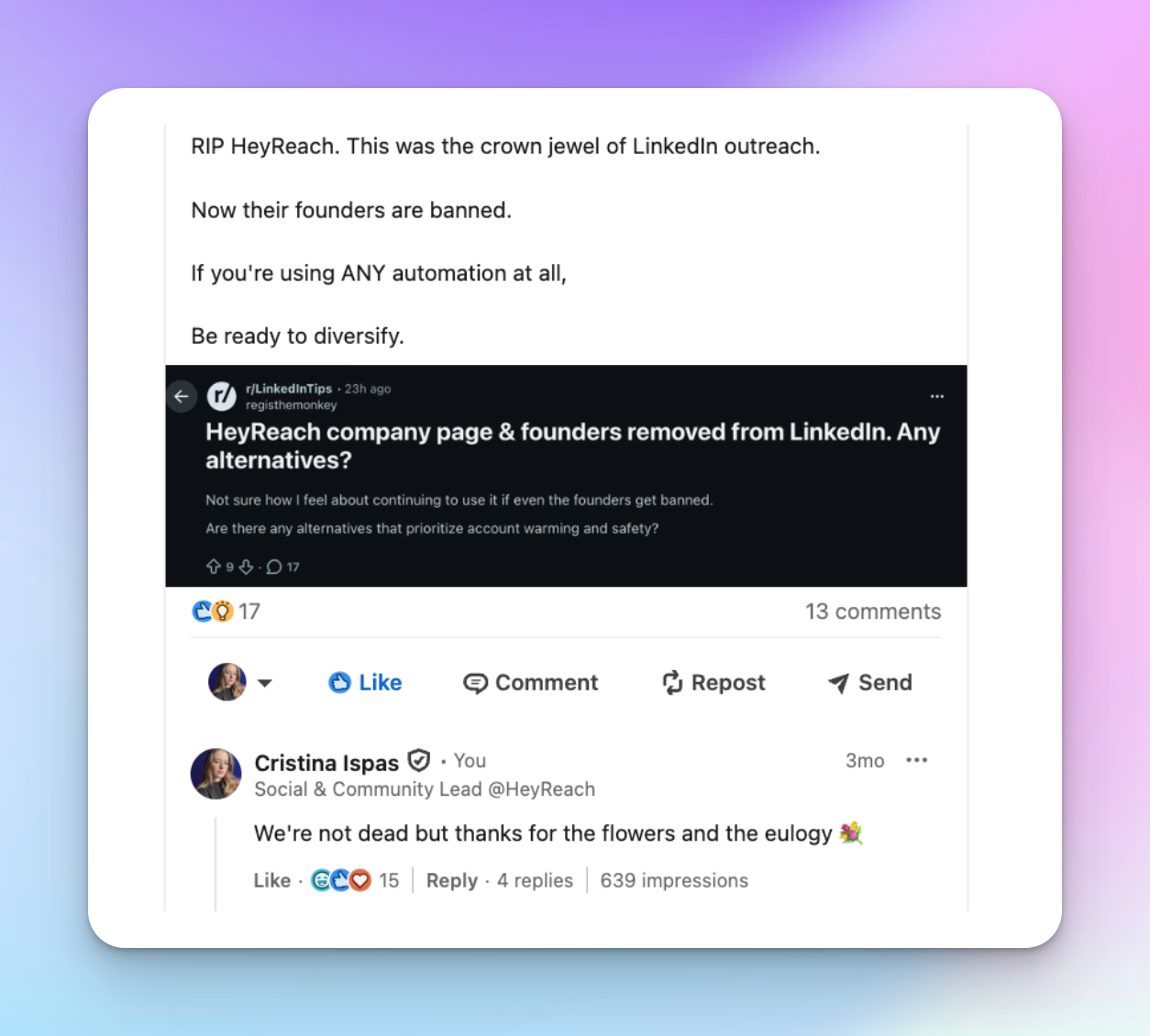
So here's ours — no sales pitch, no half-truths, no spin. Just everything, point blank, the way we'd want someone to tell it to us.
What happened after March 25
We could tell you this part of the story with words. Instead, here are the numbers. Between March 25, 2026 and the day this article was first published, HeyReach users kept working:
- Connected with 10,721,715 people from 50,406,739 total connection requests sent. 21.3% average acceptance rate.
- Received 2,693,577 replies. 1,039,349 of them positive aka 38.3% interested rate. 30.7% average reply rate.
The product didn't blink. The numbers didn't either.
Today, companies like ClickUp, Ahrefs, and Chili Piper, and agencies like Frontal, Sales Captain, and Top of Funnel run their LinkedIn outreach on HeyReach. They and many more are breaking all kinds of GTM records. This makes us insanely proud and grateful.
But I guess the question you have is…
What the HeyReach ban means for your account
Let's get the anxiety out of the way first: your account is not at risk because we lost our company page.
We know that's easy to say. Here's why it's true.
Our page was removed as an advertiser on the platform. In plain English: we can no longer post to our 16,400 followers, Nick, Stefan, Ilija, and me are temporarily without access to our profiles, and we can no longer run LinkedIn ads.
Which, for the record, were working extremely well — I was actually planning to spend more on them. LinkedIn kindly made that decision for us.
But page ban and account ban are two different things entirely. And they get conflated constantly, usually by people with a reason to conflate them.
- A vendor brand takedown means LinkedIn removes a company's ability to maintain a presence on the platform — company page, executive profiles, advertising, organic content. It's an action against a business's marketing surface. It says nothing about the customers of that business.
- An account restriction means LinkedIn has flagged an individual account's behavior — sending too fast, too much, getting ignored too often. It happens to accounts running automation and to accounts sending everything manually.
The first happened to us. The second is what you should actually care about, and it's governed entirely by how your account behaves.
Third-party tools losing brand presence is a standing enforcement pattern. We were not singled out, and the pattern will continue. LinkedIn has done this to every major tool in the space — Apollo, Seamless, Evaboot, Lemlist, LGM — sometimes more than once. None of them skipped a beat. They're all still here, still growing, still thriving.
So are we. And so is your account.
The real question worth asking — the one that actually matters for you — is: how do you keep your LinkedIn account safe while running outreach?
How to protect your LinkedIn account
Think of LinkedIn's detection system as a bouncer who's seen every trick in the book. It's not looking for a specific tool. It's looking for behavior that doesn't feel human. These are the signals it watches — and how to stay on the right side of each one.
Volume and pace
There's a difference between 25 well-targeted connection requests a day and 150 spray-and-pray blasts. LinkedIn's systems feel it immediately. It watches pace, not just totals.
Forty requests in ten minutes reads completely differently than forty spread across a working day. LinkedIn's hard ceiling sits at roughly 100 invitations per week, and it applies identically across Free, Premium, and Sales Navigator. Paying more does not raise the cap.
Daily action limits
LinkedIn allows roughly 200 actions per day per account. And an action is anything — viewing a profile, sending a connection request, sending a message. Every click counts.
In HeyReach, these limits are baked into the product. We did that intentionally, to protect you.
You cannot exceed them by changing a setting, and you cannot exceed them by accident. Accounts approaching LinkedIn's daily threshold are automatically frozen before they cross it. The guardrails are in the software, not in a warning you might miss.
Even if you’re using 5 accounts in a campaign, not one account will ever breach any LinkedIn limit. We’re careful like that.
Proxies and location consistency
Every time you log into LinkedIn, it registers where you're logging in from.
Picture it this way: if your bank suddenly saw your card being used in three different countries in one day, it would freeze your account. LinkedIn thinks the same way. A location that changes constantly looks like a compromised account. A location that's consistent looks like a person.
HeyReach gives each LinkedIn account its own dedicated static residential proxy — a real IP address that never rotates and is never shared with another account. Same location, every time, permanently.
This is one of the most important safety decisions in how we're built. When evaluating any LinkedIn tool, ask them directly: do you give each account a dedicated, non-rotating residential IP? The answer will tell you a lot.
Account age and health
A profile with a photo, real history, and genuine connections absorbs automation far better than a bare account that suddenly starts sending at scale. LinkedIn's systems treat these two profiles very differently — one looks like a real professional, the other looks like a tool created yesterday.
Imagine someone who's created an account with a fake avatar yesterday and suddenly starts sending 100 messages a day. Going from zero to full speed overnight with a suspicious profile is one of the clearest deadly signals you can send.
Treat your profile the right way, that’s the last piece you need for long-term success.
Is LinkedIn automation dangerous on its own?
We're not going to tell you automation is risk-free. It isn't, and anyone who says otherwise isn't being straight with you.
LinkedIn's User Agreement explicitly bans software that automates connecting, messaging, liking, and commenting. There is no approved outreach automation tool — ours included. The only official LinkedIn integration covers ads and page publishing. It cannot send connection requests or messages.
Every tool in this space operates in the same reality. The only variable is how much detectable signal each one leaves.
What I can tell you is this: risk is an engineering problem, and we've engineered against every signal above. So you can run outreach the right way, automate the parts that don't need you so you can focus on more important stuff (e.g. meeting cool people). Build LinkedIn into a predictable revenue engine — without your account being the thing keeping you up at night.
We knew our turn was coming
Losing the company page was never an if. It was a when.
So there was a plan, and the plan was honesty.
Before we said anything publicly, our community heard it directly from our CEO. Users got an email within the hour. The people closest to us were not going to find out from a competitor's blog post.
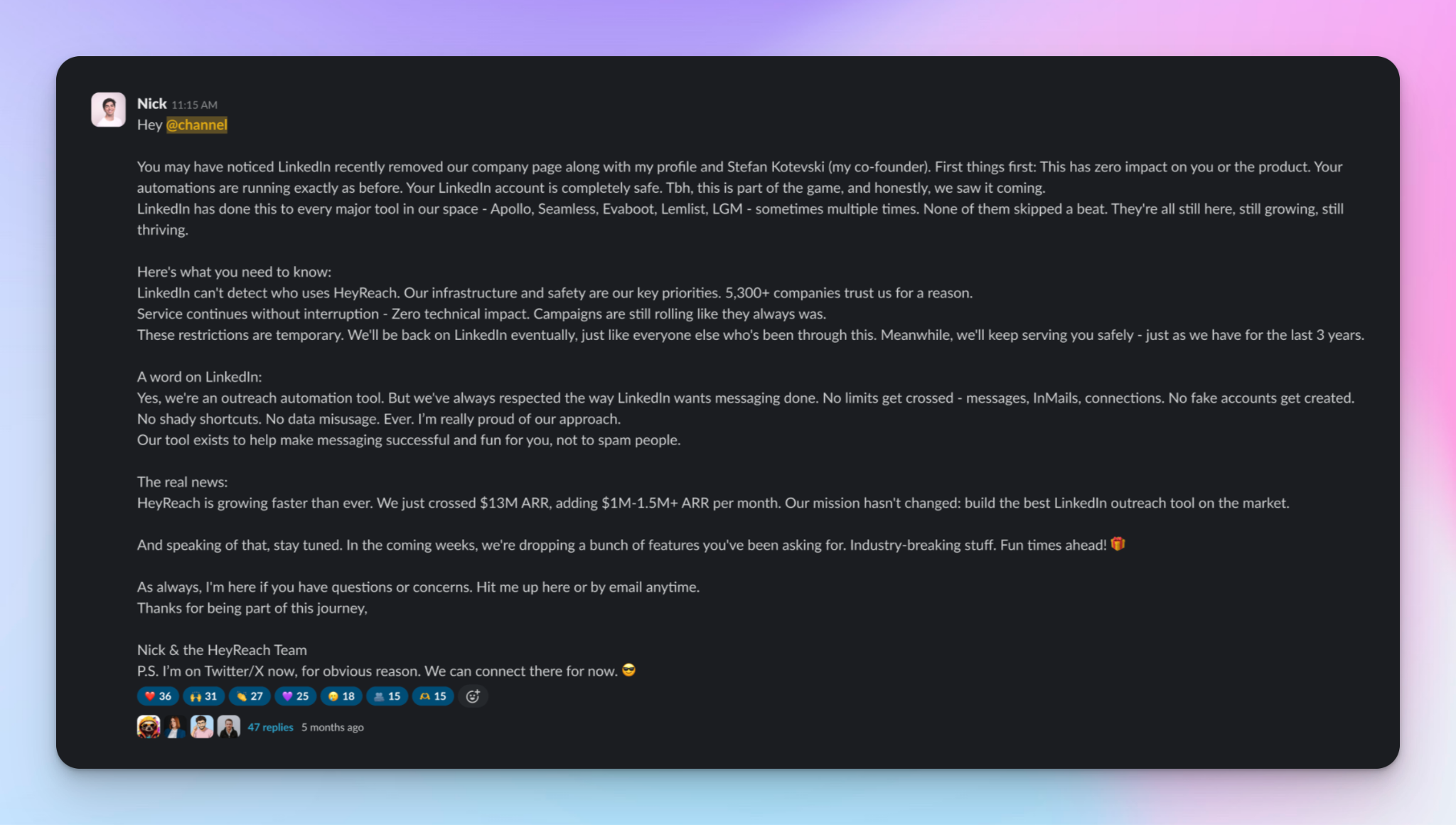
By morning there were roughly 25 posts live. We replied to every one — supportive and opportunistic alike — with the same three facts: the page is gone, no customer account or campaign is affected, and we saw it coming. No blame, no spin, no crisis framing.
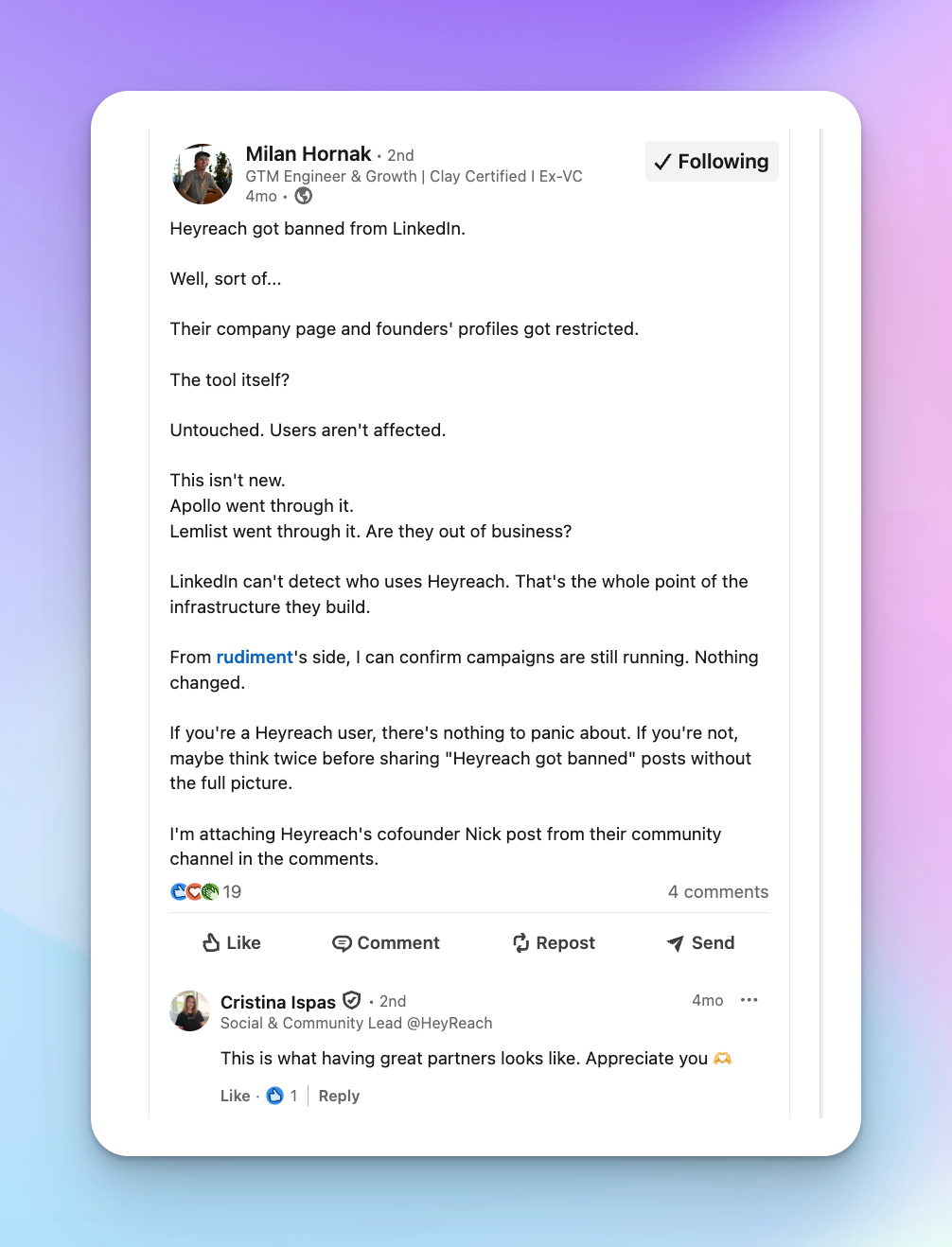
What happened next, we did not plan for.
Hundreds of customers and industry peers stood with us publicly. Branded search exploded. Signups that month were 1,000+ above average. Our Google Ads CPC dropped 79.5%, with CTR jumped 131.7%. We ran a limited-edition merch drop for the users who showed up for us — it sold out.
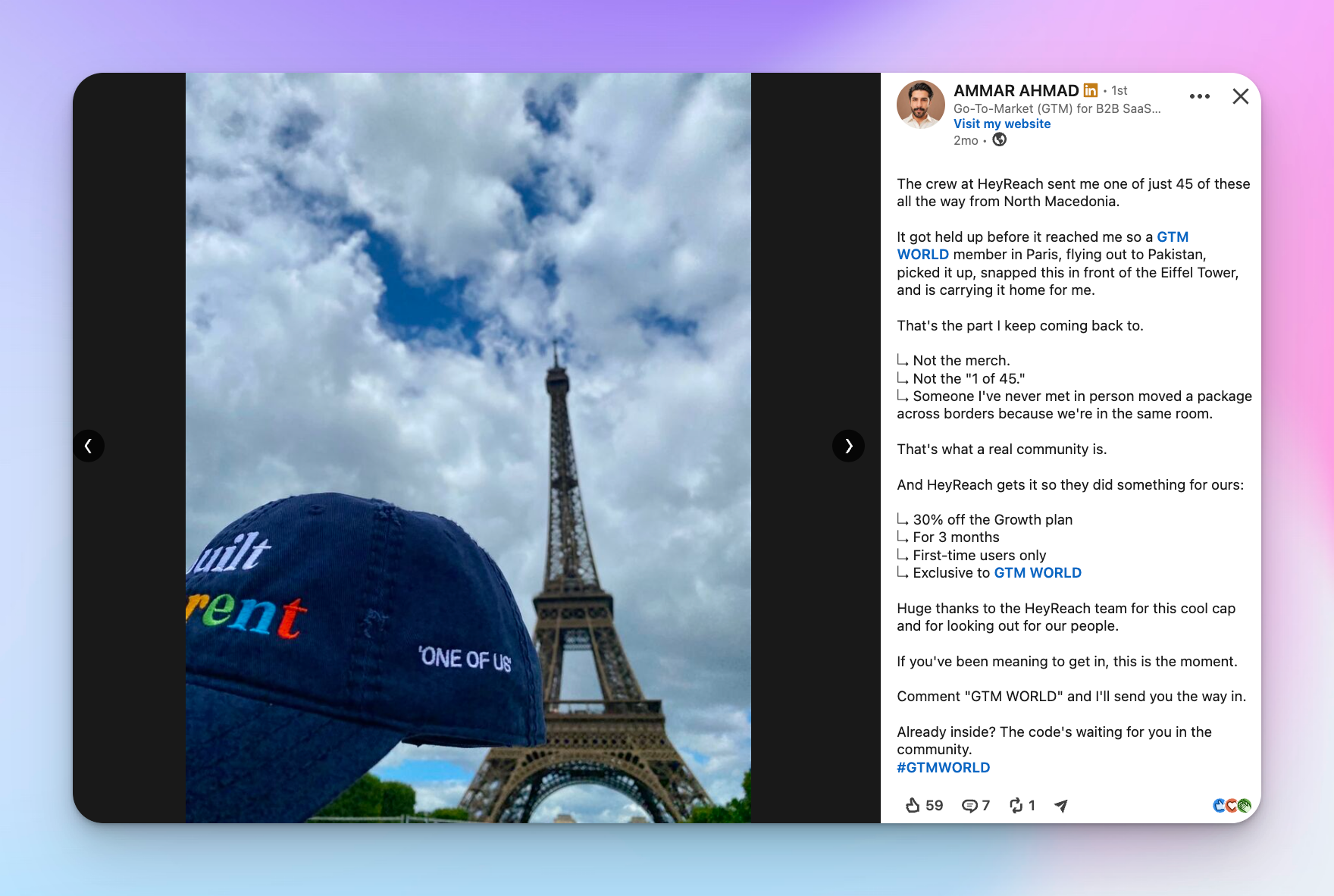
And competitors — real ones — publicly stood with us when it mattered. That turned a bad morning into a good day.
The bottom line
Our page was removed. Our CEO's, CTO’s, CRO’s, and my profiles were restricted. The product kept running, customers kept sending, and 50M+ connection requests later, nothing about customer account health has changed.
Is LinkedIn automation risk-free? No, and anyone who tells you otherwise is hoping you do not ask a follow-up question. Is a vendor losing its own company page the same as your account being restricted? Also no.
Last but not least, until we're back on LinkedIn that is, you'll find us on X. Nick and Vuk are both building there, and so is the HeyReach company page for product updates. Come say hi — we don't bite, and we're clearly not hard to find.

Try it for free
Frequently Asked Questions
Did LinkedIn ban HeyReach?
No. LinkedIn removed HeyReach's company page and restricted the personal profiles of our CEO, CTO, CRO, and CMO on March 25, 2026. This affected our ability to post content, run ads, and maintain a company presence — it did not affect the HeyReach platform, customer accounts, or campaigns.
Is my LinkedIn account at risk because of the HeyReach page ban?
No. A vendor page ban and an individual account restriction are two separate things. Losing our company page had no impact on customer accounts. Your account's safety depends entirely on your own account's behavior — sending volume, pace, and consistency — not on what happens to HeyReach's brand presence.
How does HeyReach protect my LinkedIn account from restrictions?
HeyReach builds safety limits directly into the product: daily action caps aligned with LinkedIn's own thresholds, a dedicated non-rotating residential IP proxy per account, and automatic freezing before any account approaches a risky limit.
What's the difference between a page ban and an account restriction?
A page ban targets a company's marketing surface — its company page, executive profiles, and advertising. An account restriction targets an individual's behavior on the platform, like sending too many connection requests too fast. The first happened to HeyReach. The second is what actually determines whether your account is safe.