HubSpot integration is live: sync outreach activity automatically
Published:
May 18, 2026
LinkedIn outbound is one of your highest-performing channels. It's also the only one that lives entirely outside your CRM.
That changes today.
Connection requests, messages, and replies sit in a separate tool with no record of previous activity. When a rep leaves, that history walks out the door. When leadership asks how LinkedIn is contributing to pipeline, there's no answer in HubSpot.
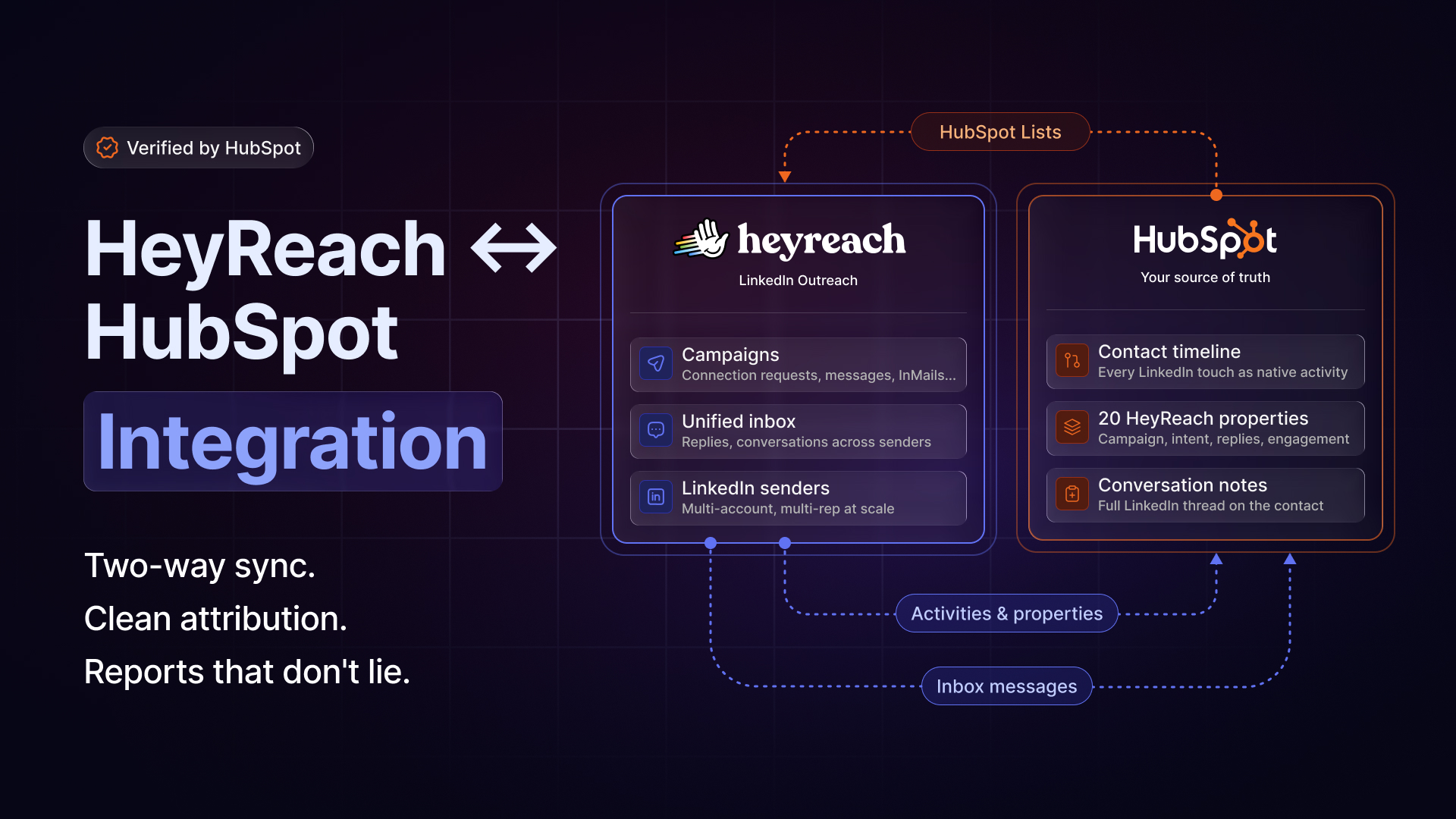
Today we're launching native HubSpot integration — bringing every LinkedIn touchpoint your team makes directly into the contacts you already have in your CRM. Approved and verified by our partners at HubSpot.
Launch campaigns straight from HubSpot lists
Pull any HubSpot contact list — static or dynamic — directly into HeyReach as a campaign source.
HeyReach reads the HubSpot field you select for each contact's LinkedIn URL. No URL? Contacts get enriched through reverse email lookup directly in HeyReach. Done in seconds.
Every LinkedIn action becomes a HubSpot activity
From the moment your campaign runs, every action your team takes inside HeyReach is logged as a native activity on the matching HubSpot contact:
- Connection requests sent and accepted
- Messages sent and replied
- InMails sent and replied
- Campaign enrolments
- List assignments
Conversations are stored as notes on the contact — one per sender — so the full LinkedIn thread sits right next to the email thread. When a rep leaves, the conversation history stays.
Built for admins who own the data
You control everything.
Sync triggers let you decide when contacts update — on first reply (default and recommended) or when added to a HeyReach campaign. Activity logging lets you choose which actions get recorded and which stay quiet.
On install, a dedicated HeyReach property group is created in HubSpot with 20 properties covering:
- Campaign attribution
- First and last touch dates
- LinkedIn Sender
- Reply sentiment — positive, neutral, or negative classification used for auto-tagging warm leads
- Engagement metrics
All of it ready to filter, segment, and build views against.
LinkedIn becomes a tracked layer on your existing contacts. The outbound history stays. The contribution shows up where leadership already looks.
Useful links:

Try it for free