AI outbound workflows break after launch? Here's how to fix them
Published:
May 30, 2026
Updated:
June 1, 2026
AI outbound campaigns start strong. Week one: 32% acceptance, solid replies, clean conversations in Unibox. Week four: acceptance drops, replies weaken, "not interested" shows up more often.
Nothing changed. No errors. No alerts.
So you do what most sales teams do: rewrite the copy, automate a new follow-up, refresh the lead list, blame the tool. But that never fixes the problem.
Because when outbound moves from single tools to AI + enrichment + execution systems, this kind of drift pretty much becomes the default failure mode for B2B sales outreach at scale.
I'll walk you through a Clay → MCP → HeyReach setup, but you can use the same logic for any enrichment + AI + execution stack.
My tech stack: Clay → MCP → HeyReach
- Clay: enrichment and targeting — controls who enters your outreach campaigns
- MCP: AI-powered orchestration — controls what messages are generated
- HeyReach: execution and signals — surfaces performance and breakdowns
Diagnostic rule: symptoms appear in HeyReach. Root causes live in Clay and MCP.
Why AI-driven outbound workflows degrade after launch
Performance drops gradually over 2–3 weeks. This is how outbound sales automation fails. No clear trigger. No system error. No failed automation. So you diagnose it wrong:
Low acceptance → "bad list"
Low replies → "bad copy"
Broken personalization → "tool issue"
What's actually happening: Your system is drifting across layers — targeting, messaging, and execution.
HeyReach benchmark data across 96,051 campaigns shows the typical campaign converts just 18% of accepted connections into replies (one of the key conversion rates worth tracking post-launch), and 10.7% of campaigns with accepted connections got zero replies at all.
The breakdown almost never happens at the connection stage. It happens after acceptance.
In my Clay → Claude(MCP) → HeyReach stack: Clay handles enrichment and targeting, Claude generates messages via MCP, and HeyReach executes campaigns and surfaces performance data. It shows you the symptoms: acceptance trends, reply quality in Unibox, and campaign performance. The cause lives upstream.
My rule: Never change copy until you've ruled out targeting and enrichment.
The 3-layer AI outbound QA model (targeting → messaging → execution)
Most outbound issues map to one of three layers. Not knowing which one is the problem is what wastes your time — every time.
This 3-layer model gives you end-to-end visibility across targeting, messaging, and execution.
Layer 1 — targeting degradation (Clay)
Targeting degradation is when ICP filters in Clay drift and lead qualification breaks down — non-ICP leads enter campaigns silently before the dashboard shows anything. Enrichment fields degrade.
One of the most common triggers I see: a Clay filter referencing job_title breaks when LinkedIn updates the field to headline — non-ICP leads flow in silently for days before acceptance rate moves.
What you see in HeyReach: Acceptance rate drops week-over-week. A manual spot-check of 15–20 recent leads shows a meaningful share that doesn't match your ICP definition.
Usually, the filter that broke was the one tied directly to your target persona — job title, seniority, or function.
Where the fix happens: Clay — not the campaign.
The campaign can only perform when it's receiving qualified leads — fixing targeting is what restores that.
Layer 2 — messaging degradation (AI layer/prompts)
Messaging degradation is when AI-generated variables become generic because enrichment inputs have gone stale — not because the prompt changed. The template stays the same, but the message quality drops.
In a Clay → MCP setup, an AI agent (ChatGPT/Claude) generates variables from enrichment data. Using AI to generate personalization at this layer is what makes the system scale — but it also means enrichment quality directly controls output quality.
When those inputs become stale or incomplete, the AI tool generates from thin context, and outputs become generic.
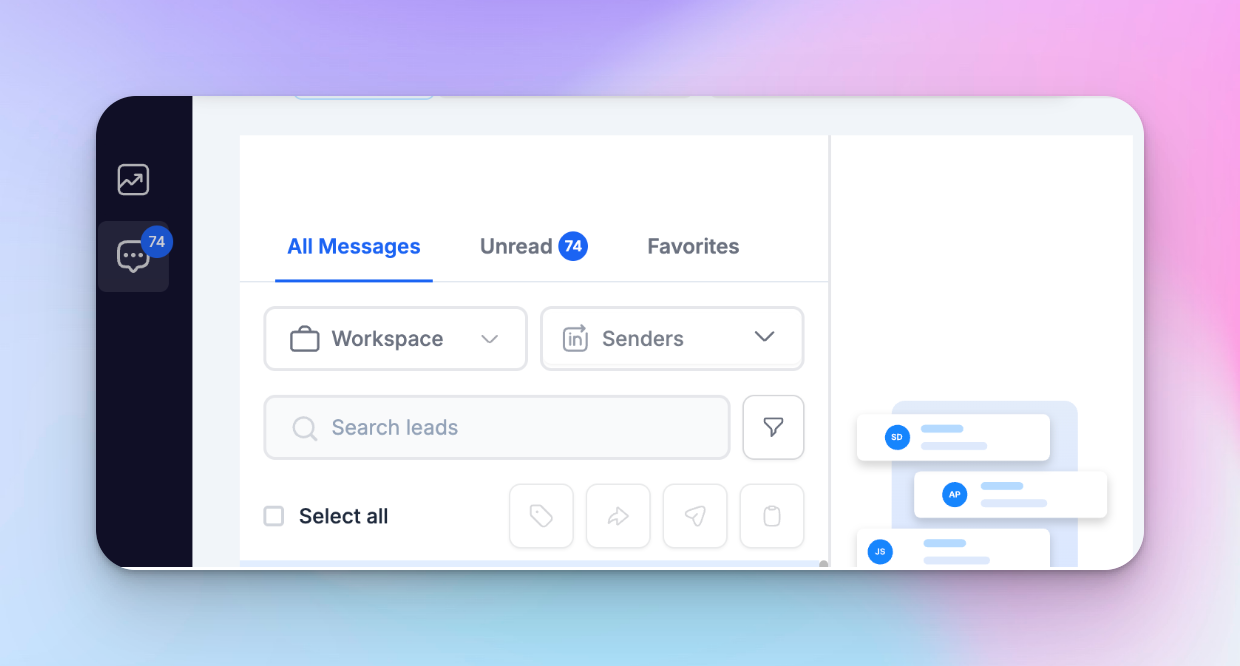
What you see in HeyReach: Reply quality drops. Messages feel longer, vaguer, less relevant.
Acceptance may still look healthy, which makes this easy to misdiagnose as a copy issue. Teams often respond by rewriting follow-up steps, which changes nothing if the enrichment input is gone.
If you're running an AI SDR setup where Claude handles message generation end-to-end, enrichment quality is the only thing separating a high-quality, relevant message from a generic one.
Where the fix happens: Enrichment inputs first, then prompt if needed — not the sequence — and definitely not the automation tools you used to build it.
Layer 3 — execution degradation (HeyReach layer)
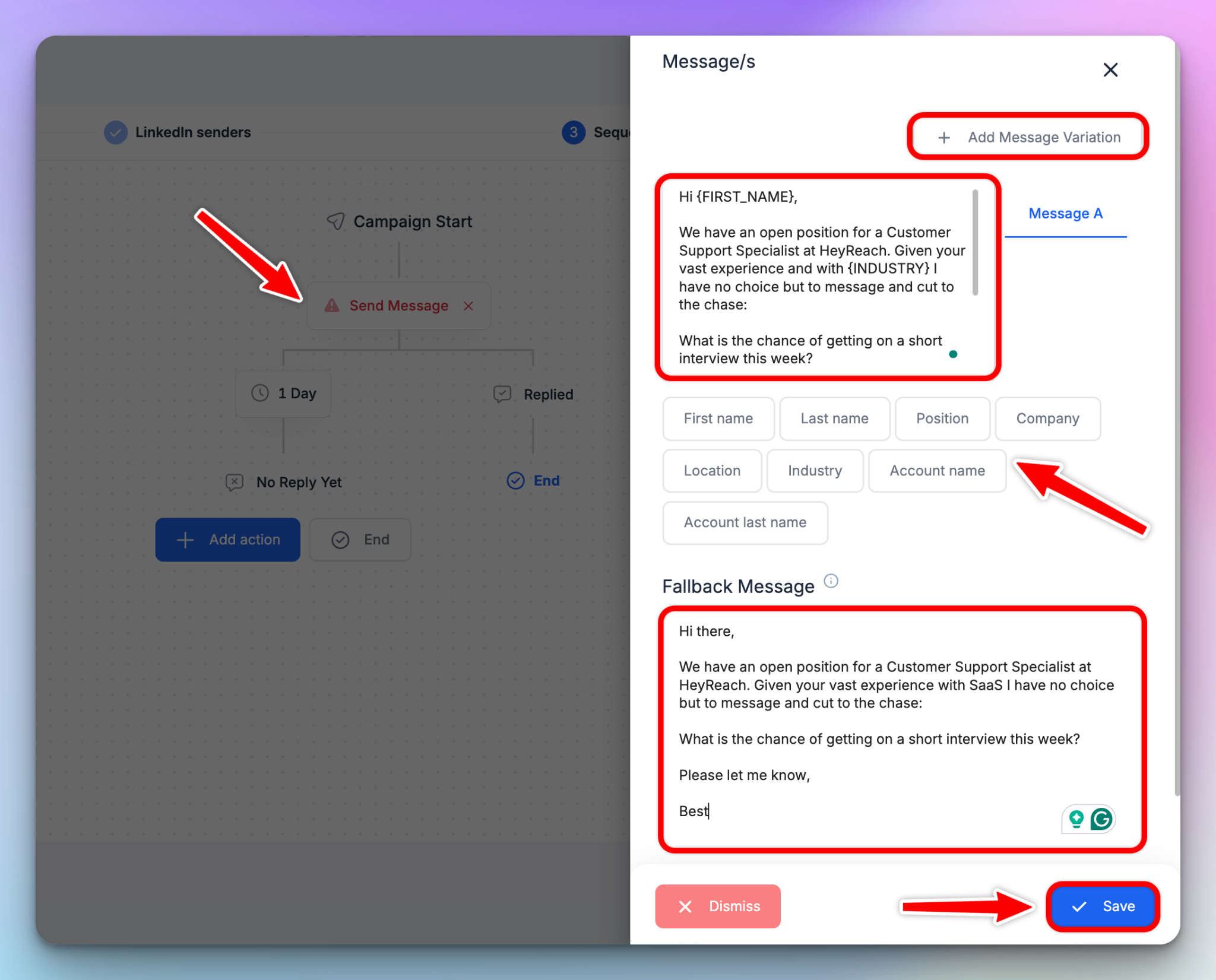
Execution degradation is when field mapping breaks between your orchestration layer and HeyReach, causing fallback messages to fire silently without triggering any alerts.
This is especially damaging when high-value leads are mid-sequence and already logged in your CRM as active.
Why it happens: A field mismatch between your orchestration layer and HeyReach. Variable names must match exactly. Even a one-character difference causes a silent failure — and the lead receives a generic message on LinkedIn with no indication anything broke.
What you see in HeyReach: Fallback or generic messages appear in Unibox where personalization should be. No errors, no alerts — just lower reply rates despite healthy acceptance.
Execution degradation affects every touchpoint in the sequence.
This is the most common silent failure in multi-step outbound workflows — nothing visibly breaks.
Where the fix happens: Field mapping between your orchestration layer and HeyReach. Variable names must match exactly — {variable_name} format, no spaces, consistent naming.
Why teams always fix the wrong layer
Because the signal shows up in HeyReach, you assume the problem lies there. That's why most outbound sales teams fix the wrong layer.
Use this table to map the signal before touching anything. Use it to identify the signal, map it to a layer, and take the guesswork out of decision-making — the default instinct is usually wrong.
Healthy acceptance with low reply rate is almost never a copy problem. Copy is not the first thing to change.
How to map outbound signals to the right fix layer
When a metric moves, you need to know which layer to look at — fast.
- Acceptance rate ↓ → Targeting issue (Clay): Wrong people entering campaigns. Fix filters and enrichment.
- Reply rate ↓ (with healthy acceptance) → Messaging issue (AI layer): Message doesn’t match intent signals. Usually caused by weak inputs, not just copy.
- Personalization breaks or fallback messages appear → Execution issue (HeyReach): Variables or routing failing. Fix field mapping and campaign setup.
If you only remember one thing: Acceptance moves → check Clay Replies move → check Claude inputs, not copy Personalization breaks → check HeyReach field mapping.
Diagnose and fix — three real scenarios
These three use cases cover the most common failure patterns — map the signal to a layer, then use the matching scenario to verify and fix.
Scenario 1 — targeting degradation (Clay)
Symptom: Acceptance drops from ~32% to ~19% over two weeks. Nothing in the sequence changed.
Check:
- Sample ~20 recent leads from the campaign
- Compare them against your ICP definition — if multiple don’t fit, targeting has drifted
- Open your Clay table and review filters referencing LinkedIn fields
What you find: A filter referencing job_title broke after LinkedIn updated the field label to headline. Non-ICP leads have been entering campaigns silently, accepting your LinkedIn connection requests, and skewing your data before acceptance dropped.
Fix:
- Re-map the broken field in Clay
- Re-enrich affected leads
- Do not change messaging yet — the issue is upstream
Scenario 2 — messaging degradation (AI layer)
Symptom: Acceptance holds steady. Reply rate drops, and Unibox conversations feel colder and more generic.
Check:
- Pull 5 recent messages from Unibox
- Compare them with 5 from launch week
- If they’re longer, vaguer, or less specific → inputs have degraded
- Check enrichment fields in Clay (company news, role context, recent activity) for null or stale values
What you find: The AI is generating from thin or stale context. Enrichment inputs degraded without triggering alerts, so message quality dropped even though targeting stayed stable.
Fix:
- Restore the missing or degraded enrichment source
- Re-test outputs against your launch-week baseline before scaling
- Only adjust messaging after inputs are fixed
Tip: If you're running HeyReach MCP, prompt your AI assistant (Claude/ChatGPT) to analyze recent Unibox conversations, automate repetitive tasks, and summarize output patterns — faster than manual sampling when outbound campaigns are running at volume.
The HeyReach MCP Prompt Playbook has ready-to-use prompts for inbox analysis and campaign health checks.
Scenario 3 — execution degradation (HeyReach)
Symptom: Metrics look fine, but personalization is broken — generic fallback messages appear in Unibox where variables should be. No errors are triggered.
Check:
- Open 5–10 recent Unibox conversations
- Look for fallback messages (“Hi there”) or unresolved placeholders ({variable_name})
- Compare against expected variable outputs
- Verify field mappings between Clay and HeyReach
What you find: A field mismatch: Clay uses AI_icebreaker, while HeyReach expects {AI-icebreaker}. One character difference. Silent failure. Fallback fires on every affected lead.
Fix:
- Match field names exactly ({variable_name} format, no spaces, consistent separators)
- Verify routing logic so leads enter the correct campaign
- Monitor Unibox over the next 24–48 hours to confirm personalization is restored
- Re-message leads who received fallback text and update their status in your CRM to reflect the gap
Next steps: your weekly outbound QA system (15 minutes)
Run this once per week after the first 7 days of a live campaign. It's the fastest way to optimize without rebuilding and is enough to catch issues before they affect the pipeline. The goal isn't to add process — it's to streamline how you catch and fix drift before it compounds.
Step 1 — Classify the signal
Before pulling any data, classify the signal using the diagnostic map above. Pick the dominant signal — don't debug all layers at once.
In most cases, one layer is the primary cause, even if others are affected downstream.
Step 2 — Verify the layer (5–7 minutes)
- Targeting → spot-check 20 leads from the HeyReach campaign against your ICP definition
- Messaging → compare 5 recent Unibox messages against 5 from launch week
- Execution → review 5–10 recent conversations in Unibox for missing or generic personalization, then cross-check campaign export data to confirm inconsistencies
Step 3 — Fix at the correct layer (5–7 minutes)
- Targeting → fix Clay filters + re-enrich affected leads
- Messaging → fix enrichment inputs feeding the prompt (not the copy)
- Execution → fix field mapping between orchestration layer and HeyReach
Step 4 — Confirm recovery (2–3 minutes)
Re-check the relevant metric after 48 hours. If it doesn't recover, you fixed the wrong layer. Re-classify the signal: acceptance down → Clay, replies down → Claude inputs, personalization broken → HeyReach field mapping.
Your mid-week check (if something looks off):
- Pull one campaign with stable volume
- Check acceptance trend + reply-to-acceptance conversion
- Identify the weakest signal
- Fix one variable only
- Let it run 24–48 hours
What this looks like week-to-week
Real system → real outbound workflow:
- Week 1–2 → no changes (baseline)
- Week 3 → acceptance drops → fix targeting (Clay)
- Week 4 → replies drop → fix messaging inputs (Claude)
- Week 5 → personalization breaks → fix mapping (HeyReach)
Optional — automate alerts
Connect HeyReach webhooks to Slack via n8n or Zapier. Pipe connection event data into n8n to calculate acceptance rate and trigger a Slack alert when it drops. HeyReach webhooks are configurable by campaign and event type via Integrations → Webhooks.
If you're building a custom alert layer, HeyReach's API gives you direct access to campaign and connection event data without needing a third-party connector
Plus, HeyReach's native integrations with n8n and Zapier make this straightforward to set up without custom code.
The alert flags movement between weekly checks. Classification still requires human intervention — alerting your human reps where to look, not what to fix.
How to keep your outbound system stable as you scale
One rule per layer is all you need.
Targeting (Clay) — lock your ICP definitions: Treat targeting logic like version-controlled code. Document the exact Clay filter conditions that define your ICP. If your CRM integration feeds Clay (via HubSpot or Salesforce), lock the field mapping there too — filter drift often starts at the CRM sync layer.
This discipline matters even more when your Clay → MCP → HeyReach stack is one layer of a broader multichannel outbound system.
Review any change to those conditions before the next campaign run — not after results drop.
Messaging (AI layer) — standardize your prompts
Keep a named baseline prompt version for each campaign type. Before any edit, save five sample outputs. Think of it as version control for your AI agent — same principle as locking a Clay formula. That's your comparison reference for message output drift — you're comparing against something real, not guesswork.
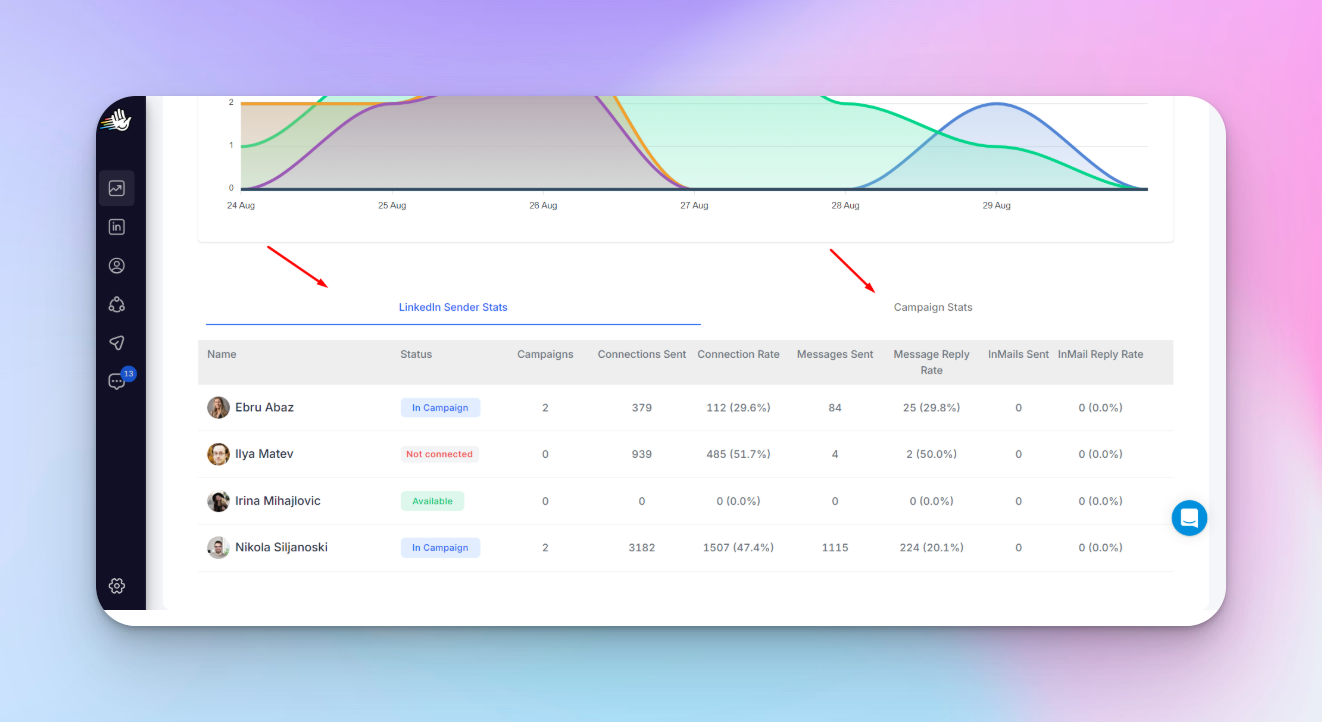
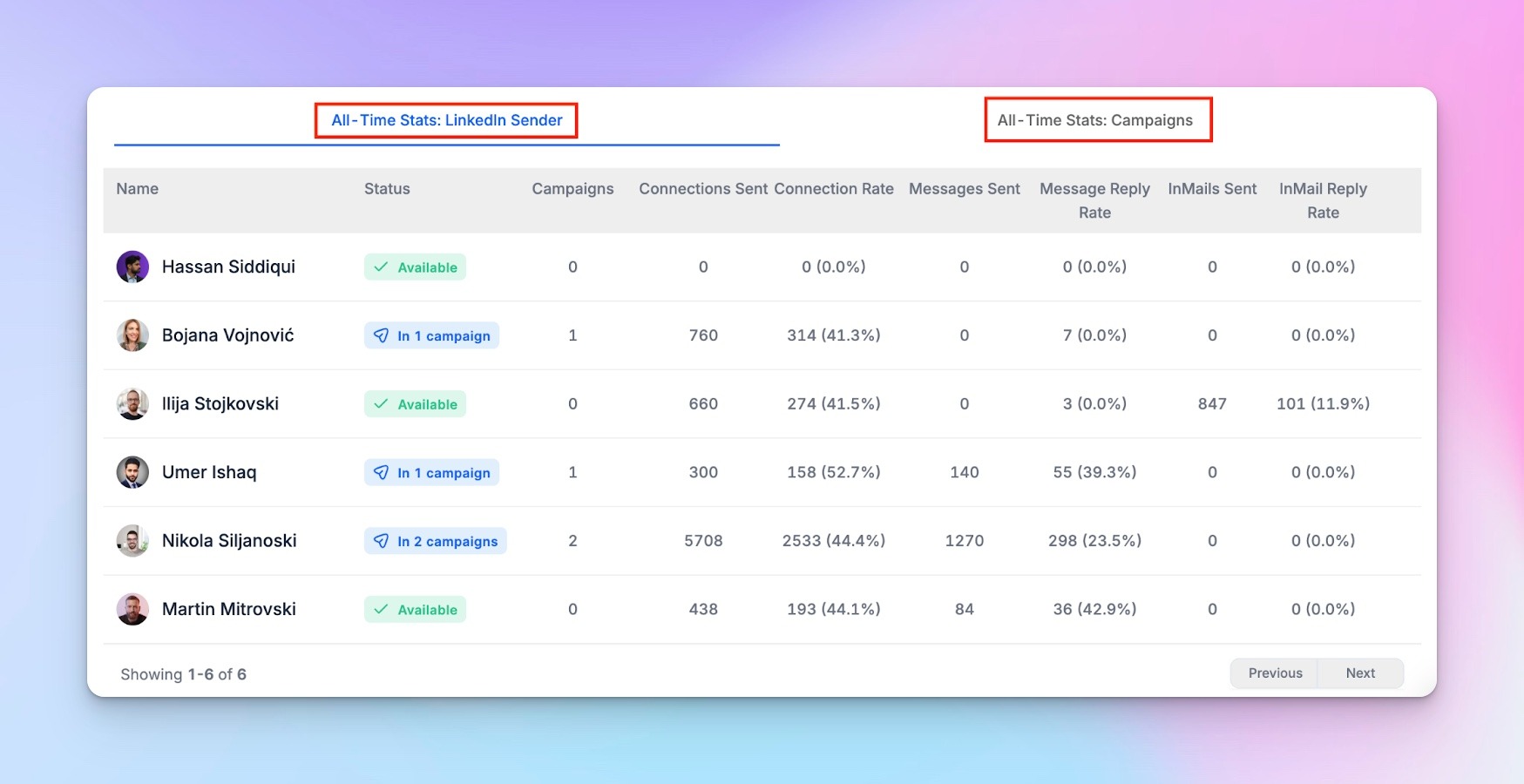
Execution (HeyReach) — monitor centrally: As you scale your lead generation across campaigns, senders, and workspaces, use HeyReach Master View before pulling individual workspace exports.
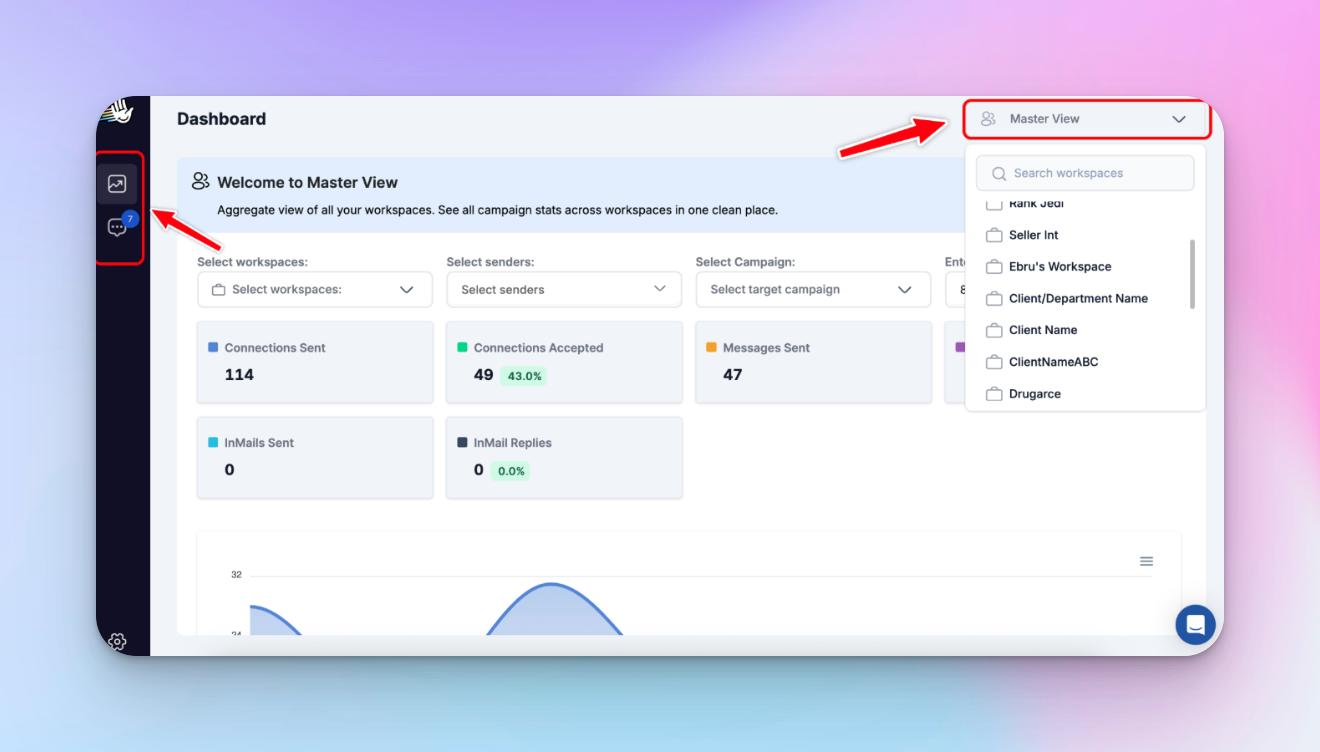
It gives you cross-workspace visibility in one place — identify where attention is needed, then drill down. Don’t audit everything. Start where the signal is strongest, fix that layer, then optimize from there.
Fix AI outbound workflows before they break — again
Outbound doesn't break all at once. It drifts.
The outbound teams that catch it early don't react faster — they diagnose better.
They don't rewrite copy. They don't rebuild campaigns. They trace the signal, fix the layer, and let the system recover.That's how you keep the sales process running without constant firefighting.
I use Clay to control targeting, MCP to control message quality, and HeyReach to observe and act on signals.

Try it for free
Frequently Asked Questions
Why do AI outbound workflows degrade 2-3 weeks after launch?
Because the system keeps running while the inputs quietly break underneath it. It’s rarely a copy problem. What actually happens: targeting filters drift, enrichment data goes stale, and field mappings break silently — and by the time you see it in the dashboard, the issue has been compounding for weeks.
How do I diagnose what's broken in my AI outbound workflow?
Start with one question: which metric moved? Acceptance down → targeting issue (wrong leads entering from Clay) Acceptance stable, replies down → messaging inputs degraded Metrics fine, personalization broken → execution issue (field mapping) That’s your fastest path to the root cause — before changing anything else.
How do you QA a Clay → HeyReach outbound workflow after launch?
Once a week. 15 minutes. Classify the signal first, then verify: Spot-check ~20 leads for targeting Compare 5 recent messages to launch week Scan conversations for fallback text Fix only the layer the signal points to. Recheck after 48 hours. My rule: never change copy until targeting and enrichment are ruled out.
Why do AI-generated LinkedIn messages become generic over time?
Because the inputs degrade, not the prompt. When enrichment fields (company context, role data, activity) return stale or missing values, the AI agent generates from thin context — so messages become longer, vaguer, and more templated. Most teams rewrite the copy. That’s the wrong move. Fix the inputs. Start with the enrichment source, then check whether your CRM data feeding Clay has gone stale.
Why is personalization breaking in my AI outbound workflow?
Almost always a field mismatch. The variable in HeyReach must match your source field exactly — character-for-character. Even a small difference triggers fallback messages silently. Format: {variable_name} — no spaces, consistent naming. Fastest check: open a few Unibox conversations and see if personalization actually fired.