How to grow with LinkedIn commenting strategy in 30 minutes a day
Published:
March 26, 2026
Updated:
March 26, 2026
Most LinkedIn growth advice sounds the same.
"Post consistently." "Follow this copywriting framework."
But anyone who's actually grown an account to thousands of followers and made real revenue from it knows the truth: commenting and engaging are the most effective parts of a LinkedIn growth strategy.
The LinkedIn algorithm shifts constantly and can unpredictably reduce reach. You can't build an efficient strategy with the “post and pray method” anymore.
Instead of hoping to get discovered, focus on showing up where the right audience already exists. That happens through three pillars:
- Thoughtful commenting grounded in your own experiences
- DM conversations that build trust and relationships
- Strategic engagement that taps into audiences others have already built
Strategic commenting builds meaningful relationships and positions your personal brand as an authority. It cuts off generic praising on viral posts to gain visibility and introduces selectiveness. Figuring out exactly who your ideal client is, finding where they already gather, and delivering specific, high-quality insights to them.
And the best part is that it doesn’t require hours every day.
You can do it in just 30 minutes.
Here’s exactly how.
Building your power list: how to target the right LinkedIn accounts
Before you drop a single comment, you need to know whose posts are actually worth your time. That starts with understanding your LinkedIn growth strategy well enough to know who your ICP actually is.
The goal is a curated list of 20–30 accounts whose audiences overlap perfectly with your ICP. So, not a random collection of people you find interesting, but real LinkedIn prospecting.
Step 1: Find the right accounts to follow
Start with what you already know. Think about the people in your niche who are actively posting or have the audience you want to reach. Those are your anchors. Add them to a spreadsheet or Notion file, and update it whenever you come across someone new.
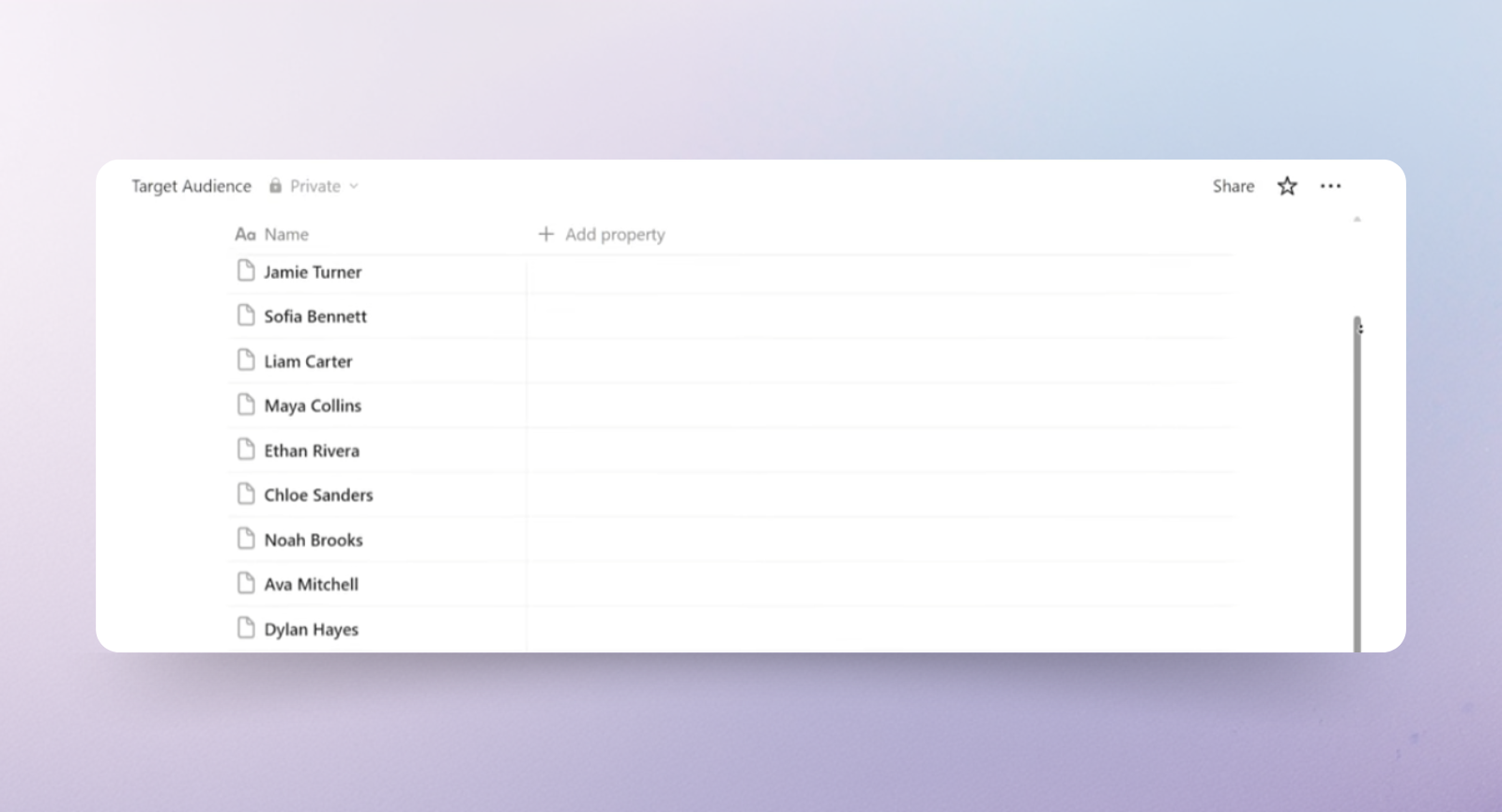
If you're starting from scratch and the list feels empty, here's what I would do:
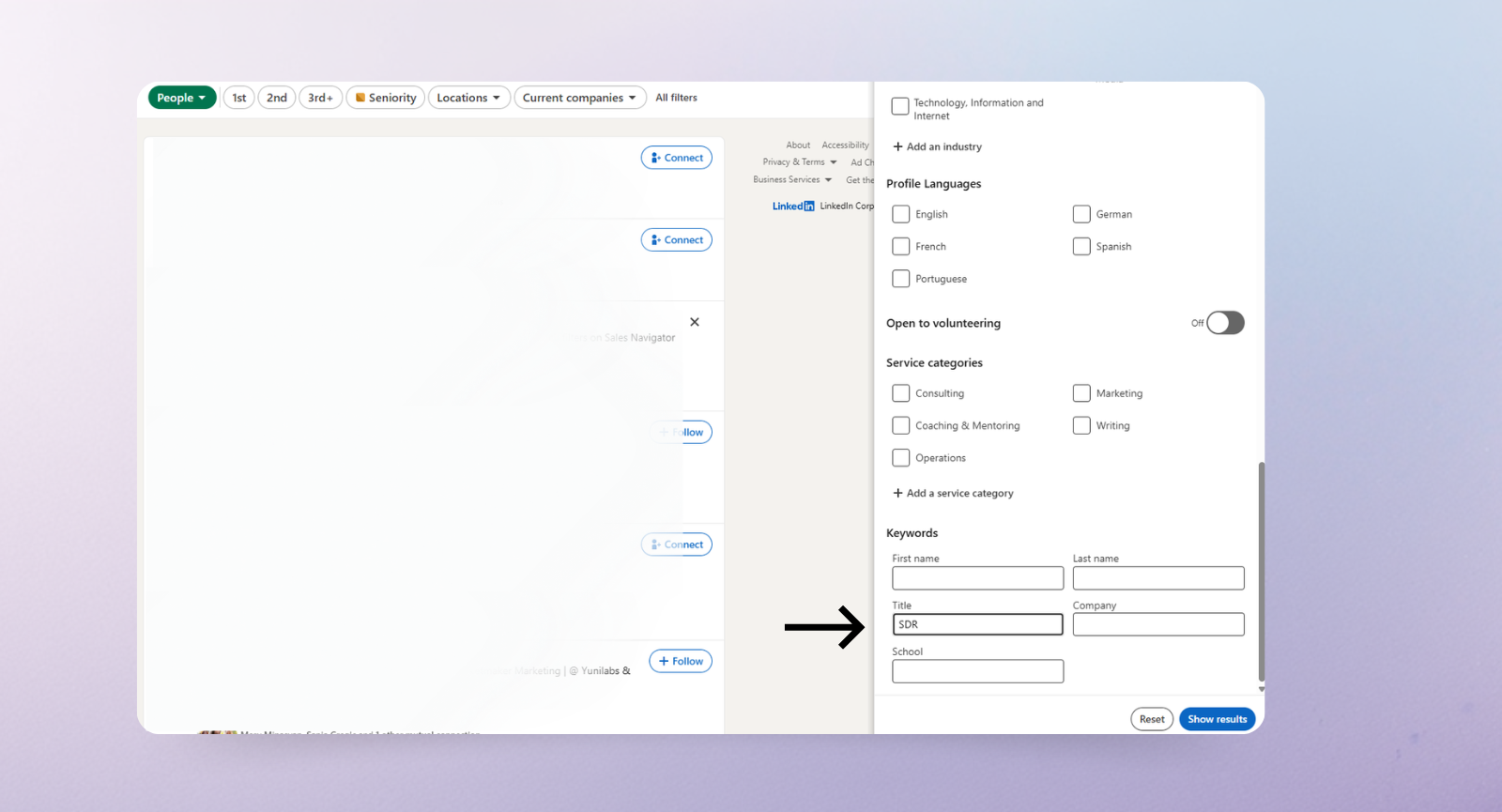
- In the main LinkedIn search bar, press Enter without typing anything, select People, then open the filters on the right.
- Scroll down through the filters menu. In the Title field, type keywords your ICP would use to describe themselves. Think titles like B2B founder, SDR, VP of Sales, CMO. Play with different combinations and see who surfaces.
- Before you add anyone to your list, check two things: when did they last post, and are people actually commenting on their content? An account with 20,000 followers that hasn't posted in 2 months isn't valuable to your list.
- You can go one level deeper. Open a post from any industry leader and scroll through the comments. Look for people leaving thoughtful, specific responses and whose job titles match your ICP. Click their profiles, check whether they post regularly, and if so, add them to your list. Do the same with your competitors' most engaged posts.
Step 2: Build a noise-free LinkedIn list
Now your spreadsheet tracks who to engage with. But this step helps you actually see their content without drowning in everything else.
Instead of opening LinkedIn and scrolling your chaotic homepage, you're going to build a filtered feed that shows posts only from your power list. I call it the money feed.
- Click the main search bar, press Enter, and select the Posts option.
- Then open the "From member" filter and add the names of everyone on your power list.
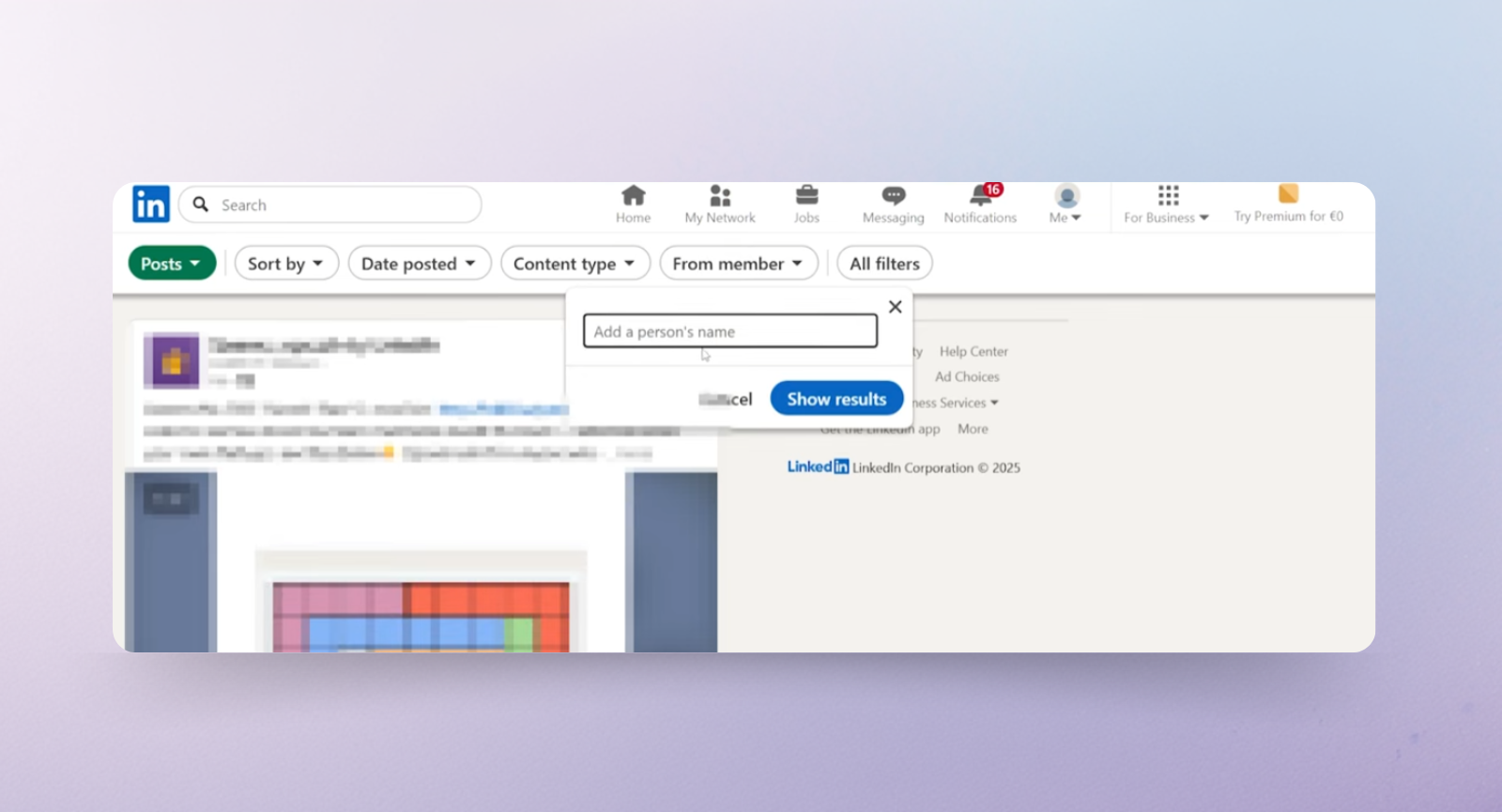
- From there, you can sort by recent posts or filter by content type: video, text, articles…
- Save the URL. That's your daily starting point, not the homepage.
Step 3: Track everything in a spreadsheet
Once you have all the influencers on your list, set up your spreadsheet with four columns: Category, Name, Profile Link, and Last Engaged. That's it.
The Last Engaged column is the one that actually keeps the system running. Without it, you'll naturally drift toward the same two or three people and accidentally ghost the rest of your list for weeks.
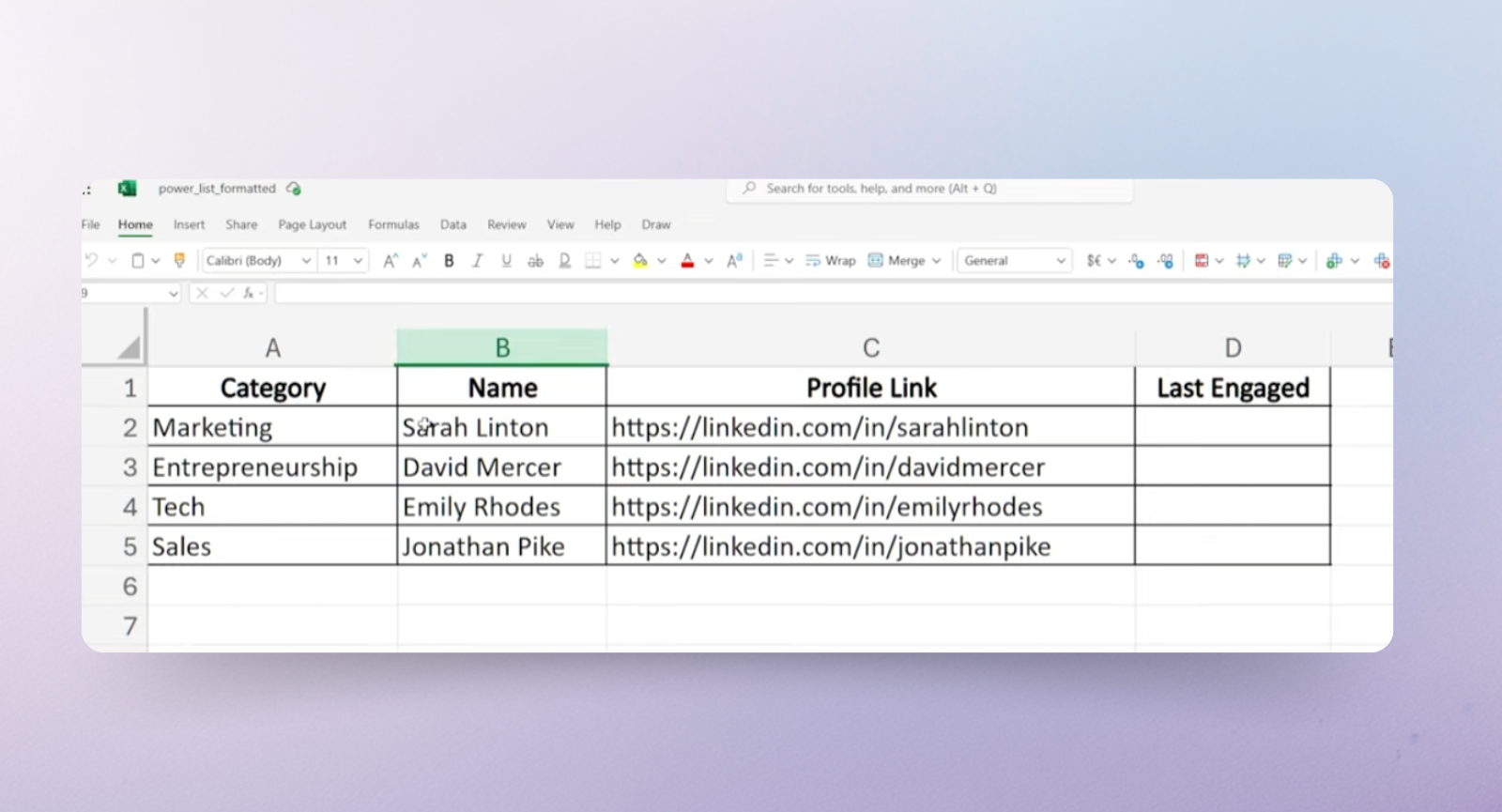
Rotate evenly through this list, and after a few weeks, you'll stop being a stranger in their comment section and start being someone they actually want to respond to.
The 4-part commenting framework
Let's get into the actual comment types that build authority, drive engagement, and get people clicking on your profile.
Right now, comment sections are flooded with AI-generated, copy-paste responses that say absolutely nothing.
And ironically, that's good news for you. Drop just one genuinely insightful comment in that pile, and you stand out immediately.
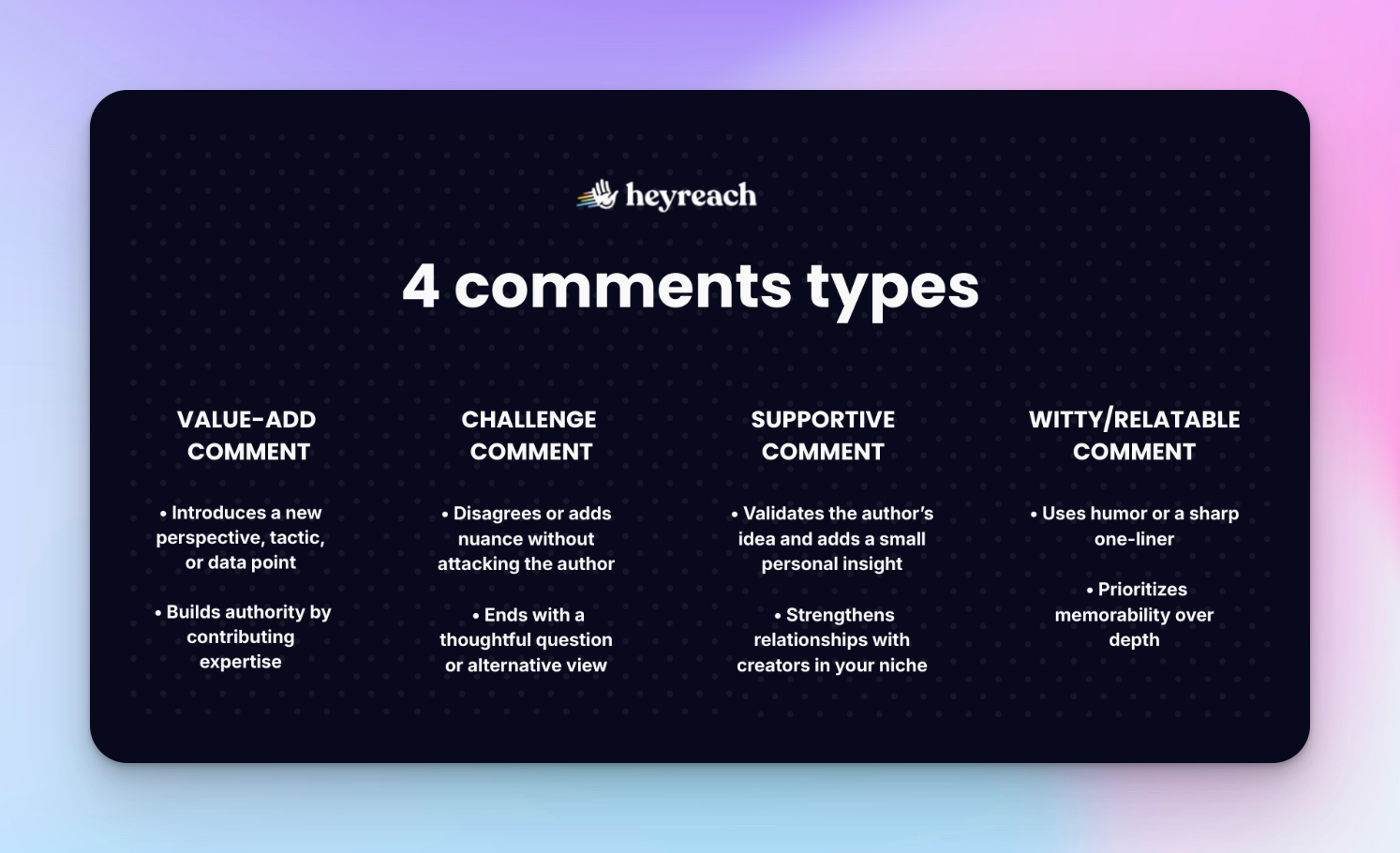
1. The value-add comment
With this type of comment, you share your own experience, a unique perspective, or research that expands on what the original post said. This works because you're adding value and a new layer to the conversation.
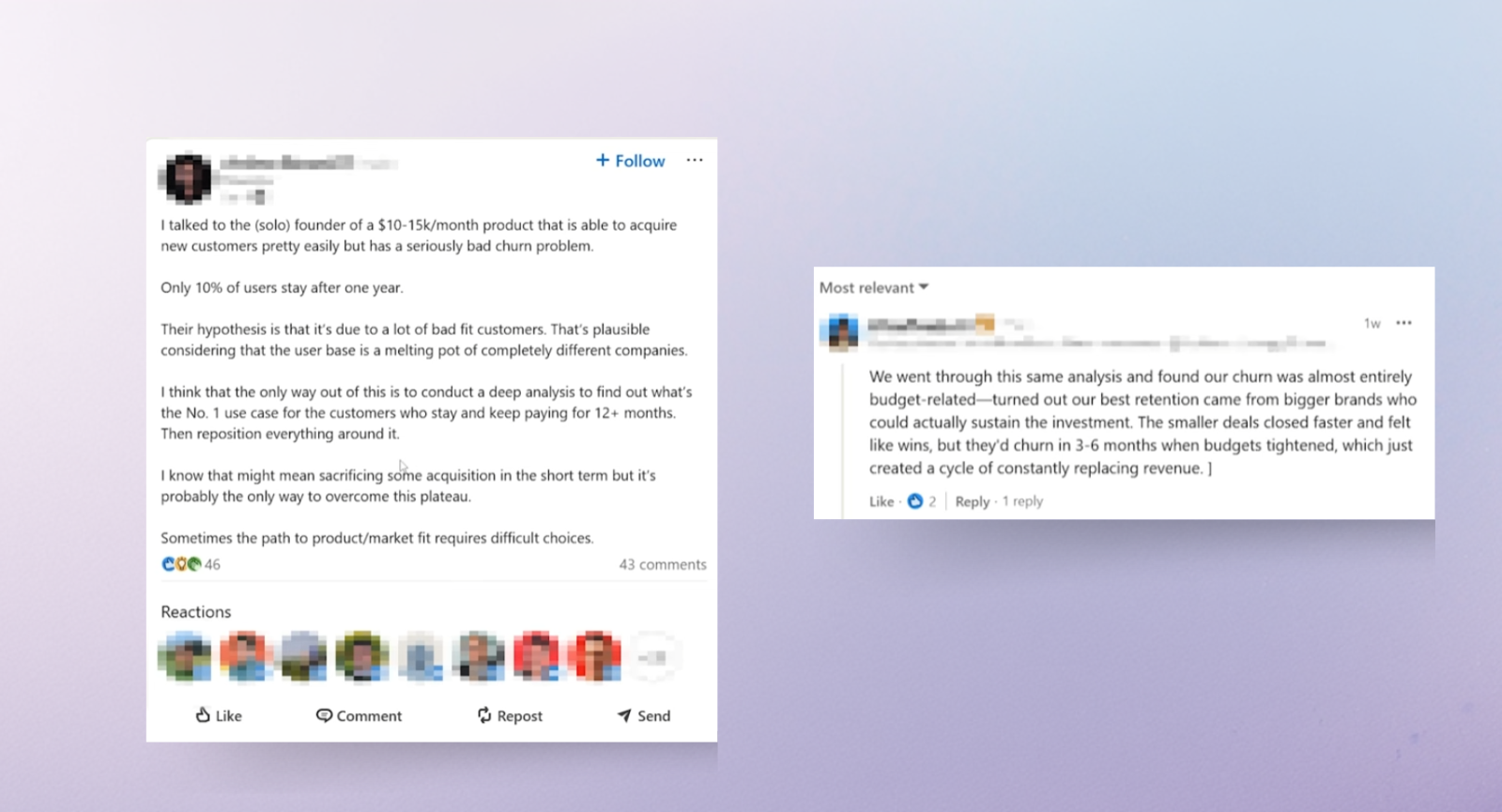
Take the example below. The post was about a founder struggling with a 90% churn rate. Instead of writing "great insight" or offering generic retention advice, our client shared what happened when they ran the same analysis.
Churn turned out to be budget-related. Bigger clients could sustain the investment; smaller ones churned in 3–6 months. So they used the same problem, real data, and personal experience.
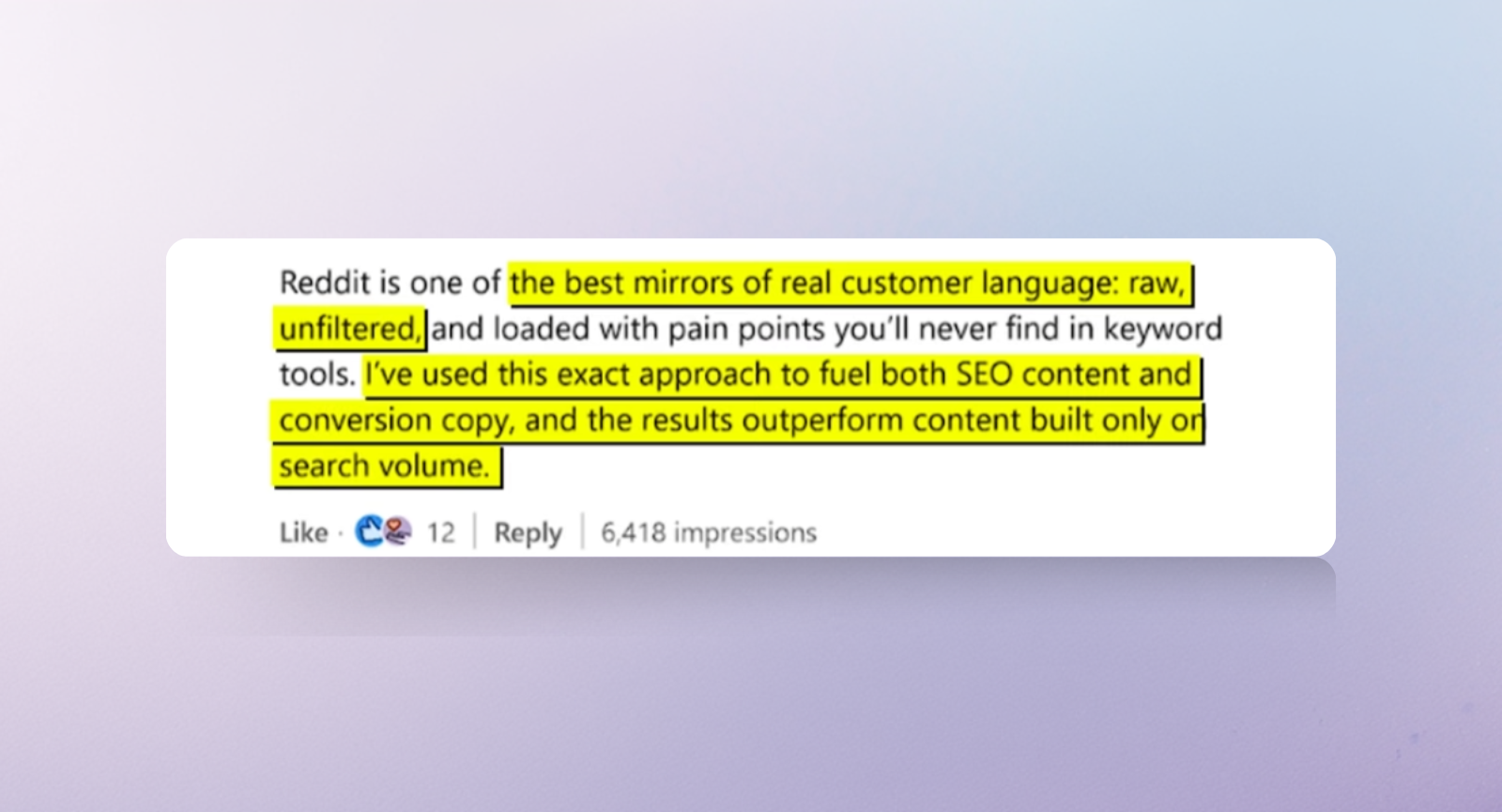
Another example is from our client, and it landed over 6000 impressions. It is about the importance of researching topics on Reddit. He called it a mirror of real customer language.
Then he backed it up with his own SEO test results, saying that using Reddit keywords performs better than new content built solely on search volume. This is a value-added comment because he shared a tactical insight backed by proof and didn’t just agree.
2. The challenge comment
This is where you are allowed to respectfully push back or ask the question everyone else is thinking but not saying.
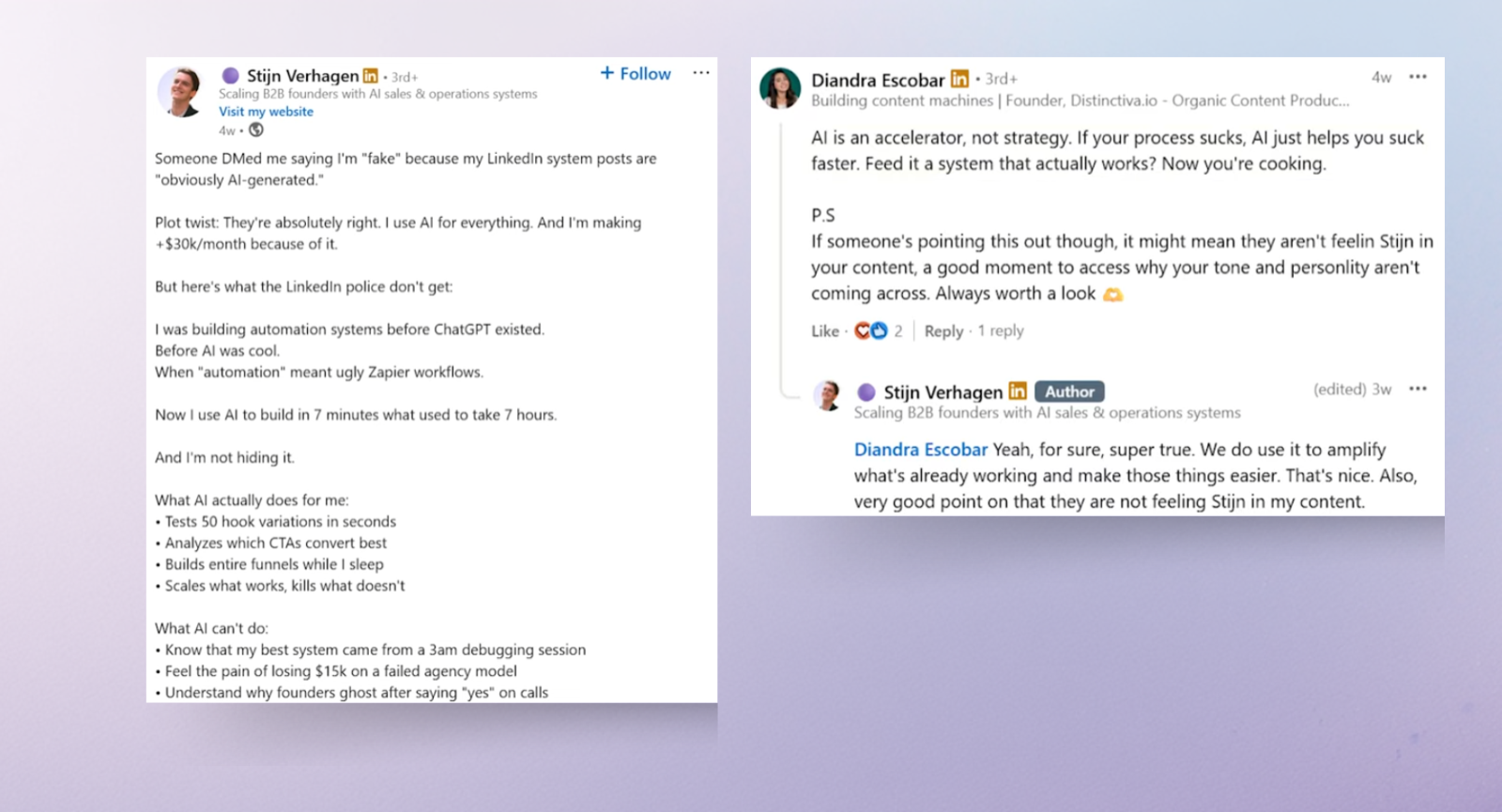
Here's an example from a comment I left on my friend Stijn's post.
He was clapping back at someone who called his content fake and AI-generated, and he doubled down, saying he uses AI for everything and it's making him a lot of money.
I agreed that AI speeds things up. But then I added the layer he left out: if your process isn't good, AI amplifies it. And I ended with the question worth asking: why isn't your personality coming through your content? I pointed out that it is worth paying attention to that.
That was not a confrontation, but it seems it will make him reconsider. You validate the core idea, add the missing nuance, and leave with something thought-provoking.
3. The supportive comment with a personal touch
This type of comment builds relationship capital while still making you visible.
The example below is from a post about using Reddit for marketing research. I agreed with the idea, then added my own angle: Reddit is one of the hardest channels to crack precisely because it demands real community participation.
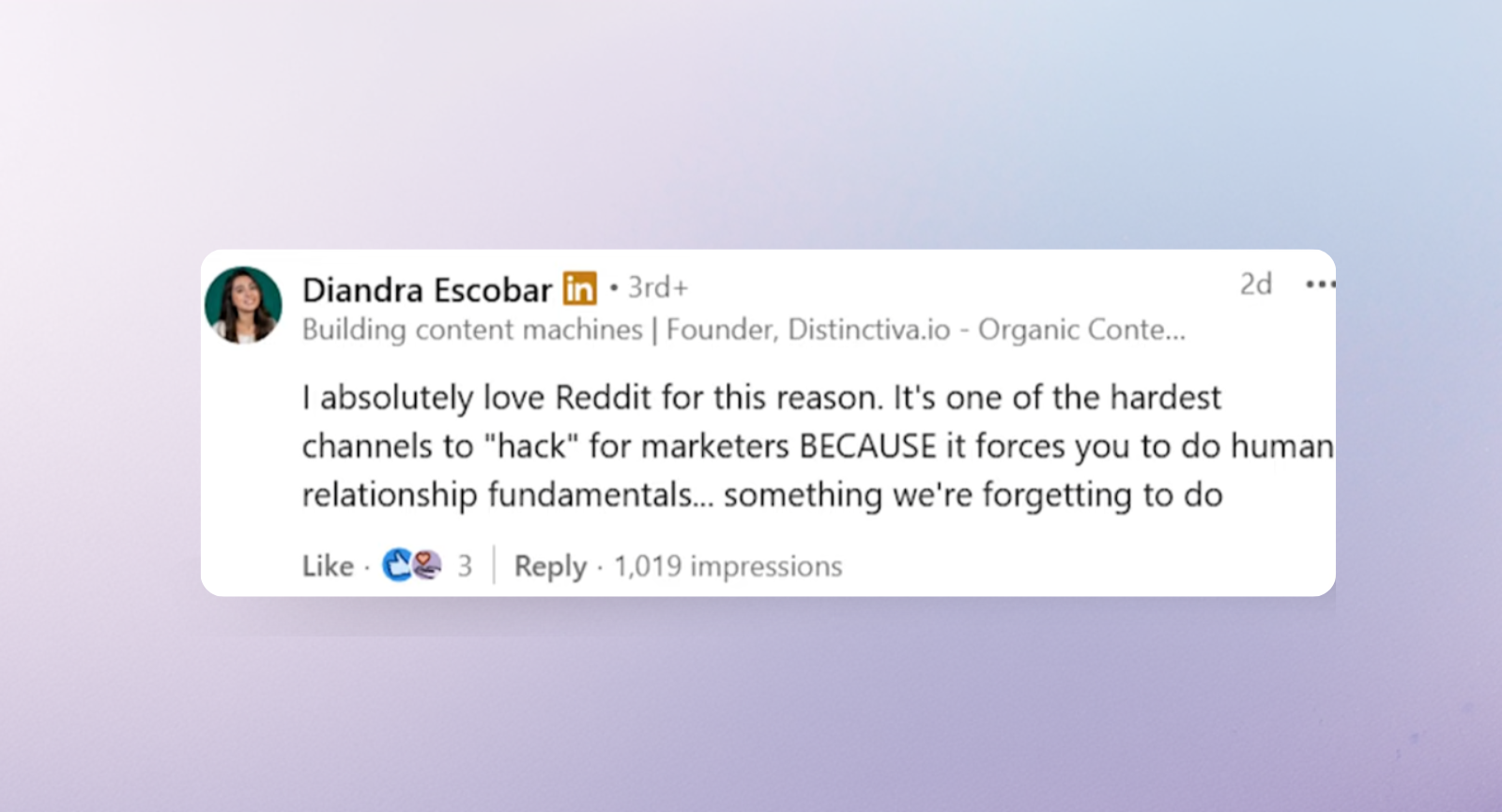
This is the structure: Validate what they said, then layer in a deeper insight from your own experience. It tells the creator you read their post properly, and it tells everyone else in the thread that you have a perspective worth following.
4. The witty, relatable comment
Not everything has to be a lesson. Sometimes a sharp, two-sentence observation gets more attention than three paragraphs of insight. This works because people remember how you made them feel.

Tech rules for maximum ROI on every comment
A great commenting strategy can still fall flat if the execution is off. These are the three rules that make sure your effort actually converts into profile views, connection requests, and meaningful conversations.
When to comment on LinkedIn for maximum reach
Comment during the first 30–60 minutes after a post goes live, as that is the time when LinkedIn is deciding whether to distribute a post on a larger scale. So if you are one of the first people to comment on something that will go viral, you have a higher chance of reaching a wider audience.
Also, this is where our power list becomes handy. With it, I can quickly scan my target accounts to see the latest posts.
Optimize your LinkedIn profile before posting anything
Think of every comment you leave as a small ad for your LinkedIn profile. Someone reads your comment, gets curious, clicks through, and lands on your page. If there's no clear value proposition waiting for them, you've wasted the comment entirely. Before you run this system, make sure your profile is doing its job. This LinkedIn profile optimization guide is a good place to start.
The no-pitch zone
The comments section is not the place for self-promotion. Not even subtly.
Pitching your product or services under people's posts is the fastest way to get ignored or quietly blacklisted. You've spent time building visibility and relationship capital through thoughtful comments. Don't throw it away with a premature pitch.
Let curiosity do the work. The DMs will follow naturally, and that's exactly where you want the conversation to happen.
Using AI for LinkedIn commenting strategy
Using AI-generated comments will absolutely destroy your reputation online. But you can still use AI in this strategy. Think of it as a sparing partner that can refine your copy.
The key idea is that you are still 100% behind what you said. It’s still your insight, and AI is just polishing it or adding details and context from your previous ideas, instead of producing generic responses.
Step 1: Build a context hub in your favorite LLM
If you prefer using Claude, I recommend creating a dedicated Project to upload materials that help AI understand how you think and write.
If you prefer ChatGPT, create an agent (custom GPT). Even though ChatGPT also has Projects, agents work better for this kind of setup.
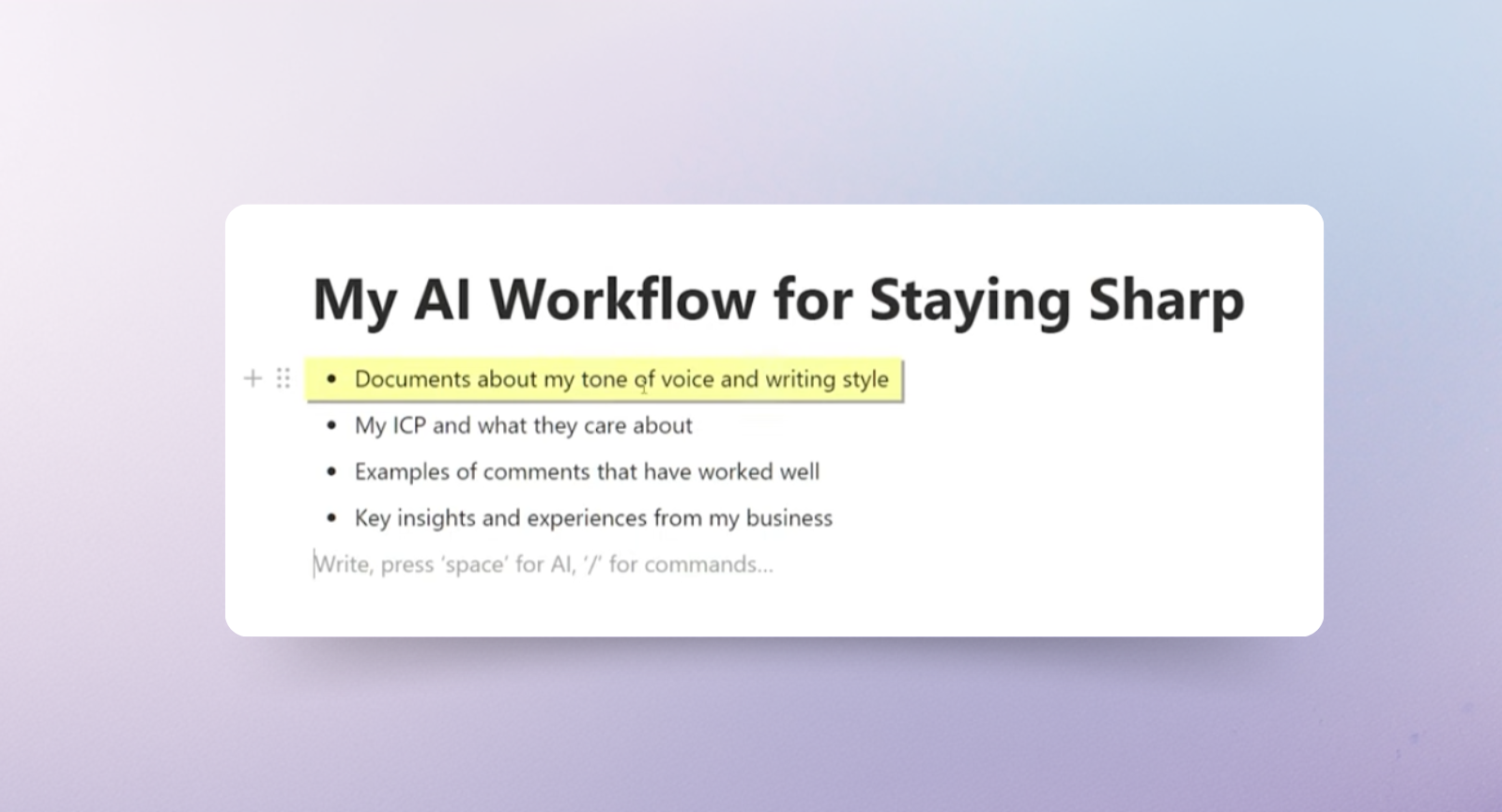
When building your Project or Agent, add things like:
- Documents describing your tone of voice and writing style
- Details about your ICP and what they care about
- Examples of LinkedIn posts and comments that performed well
- Your key insights, opinions, and experiences from your business
This way, when you work with AI, the insights come from your perspective, not from generic internet patterns.
Step 2: Use LLMs to refine each comment
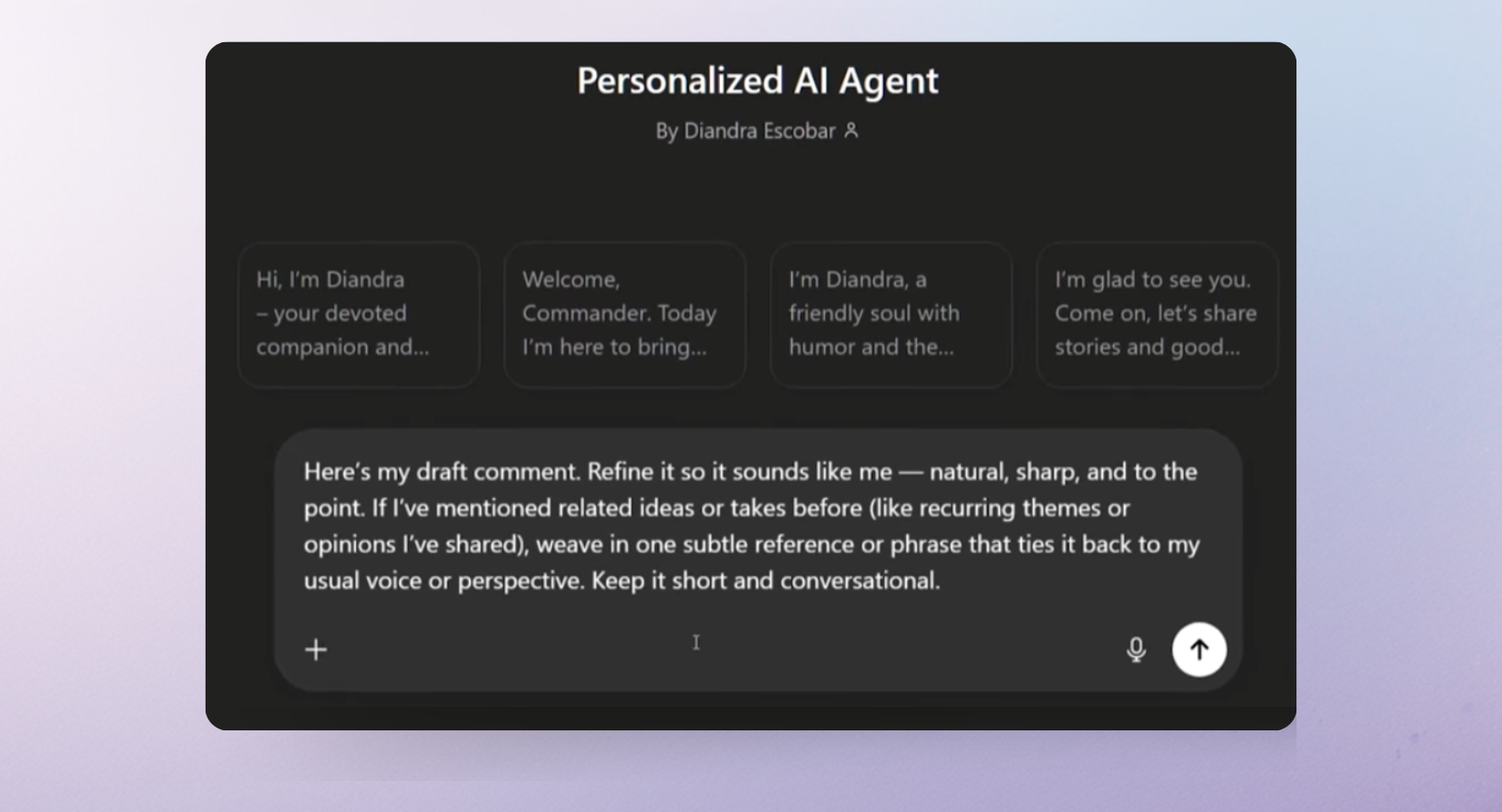
Whenever I want to drop a comment, I don’t go to blank chat. Instead, I run my draft through my personalized AI setup with this prompt:
“Here’s my draft comment. Refine it so it sounds like me—natural, sharp, and to the point. If I’ve mentioned related ideas or takes before (like recurring themes or opinions I have shared), weave in one subtle reference or phrase that ties it back to my usual voice or perspective. Keep it short and conversational.”
How to turn LinkedIn comments into warm leads
When someone comments on a high-performing post, especially your post, they are signaling intent. These people care about what you wrote, so you can use LinkedIn to create business opportunities from a single comment.
Let me show you how it works with a real example. I wrote a post about how I accidentally ended up on LinkedIn. It got over a hundred comments. Not all of them were from my potential clients, so I needed a way to quickly figure out who was actually worth reaching out to.
This is what I use:
- Trigify: captures the people who commented on high-value posts, so you don't have to do it manually.
- Clay: enriches those profiles with job title, company size, industry, and tech stack so you can filter and personalize your outreach
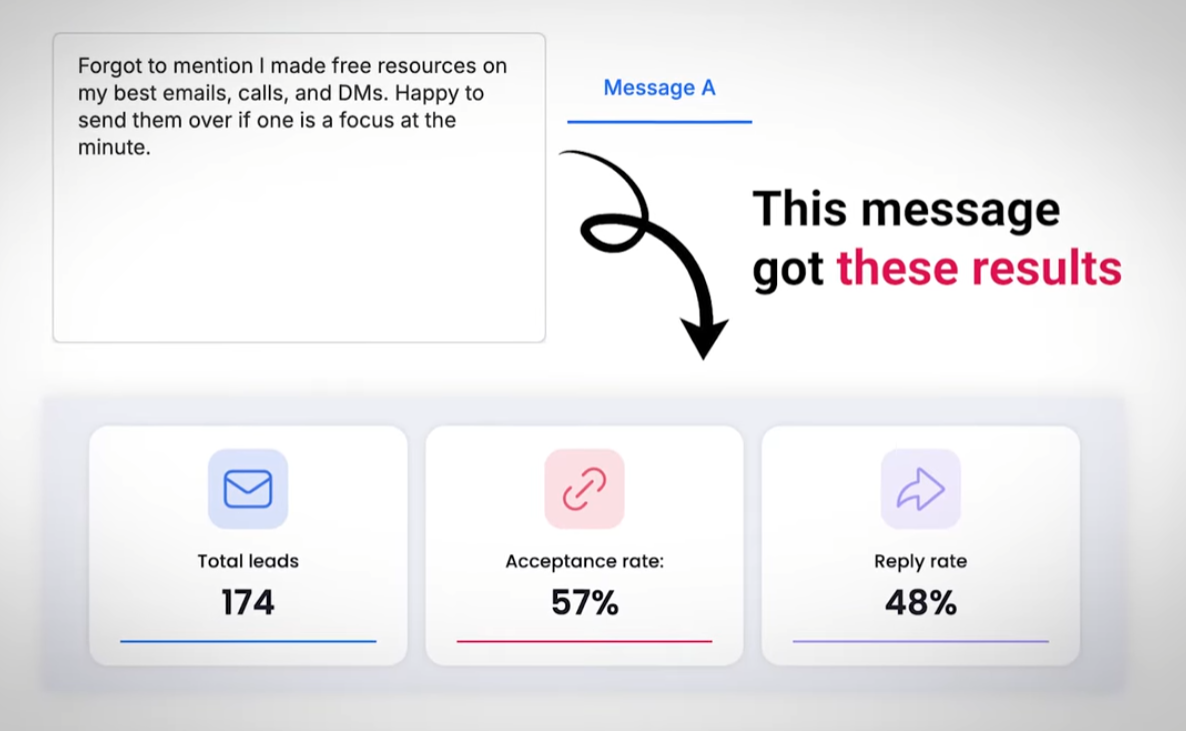
- HeyReach: runs your outreach to the warm list — and since these people already know your name from your comments, acceptance rates are significantly higher than with cold outreach.
If you want to go deeper into building out the full stack, understanding signal-based outbound is the first step, and our guide on outbound sales automation is worth reading next to see how to scale it.
How to fit strategic commenting into your day in 30 minutes
Everything I mentioned above is useless without a repeatable habit. Here is how to get new opportunities for your personal brand without burning out.
Morning (30 minutes)
- Minutes 0–10: Open your power list in Excel full of content creators and work through 5–7 of their latest posts. One quality comment per post (use the 4-part framework to decide which type fits each one).
- Minutes 10–20: Scan your customized LinkedIn feed (bookmark that URL) for anything you missed. There you will see new posts from influencers in your niche, trending topics in your niche, or posts that have blown up since yesterday.
- Minutes 20–30: Reply to comments on your own posts, respond to DMs from yesterday's session, and nurture any conversations that are mid-thread.
Evening (10 minutes)
Check your DMs and notifications. If any conversation that started in a comment section is gaining traction, follow up and keep it going.
Every Monday (30 minutes)
Audit your power list. Add new accounts you've come across during the week, and remove anyone who's gone inactive. The list should always be changing and improving.
Consistency beats volume, every single time
The biggest mistake I see people make with this system is treating it like a campaign instead of a habit.
They do it intensively for two weeks, see some early traction, and then drop it the moment they get busy. When they return a month later, the momentum is gone.
Strategic commenting adds up over time.
30 minutes a day, five days a week, for 90 days straight will do more for your LinkedIn presence than any viral post, any content strategy, or any growth hack. Not because it's magic, but because constancy is always rewarded in social interactions.
Over time, this consistency will create authority by association. Your name will become familiar to someone after they see your comments three or four times. That familiarity is what converts a profile visit into a connection request and a connection request into a conversation. The right people will see you as a thought leader, even before you publish a single long-form article.
Pair that with a solid LinkedIn ABM strategy and customer segmentation approach, and you've got a full system, not just a tactic.

Try it for free
Frequently Asked Questions
How does LinkedIn commenting help you grow?
Commenting puts you directly in front of the right audience without relying on the algorithm to push your content. By adding value to conversations your ideal clients are already following, you increase profile views, build authority, and attract inbound leads.
How many comments should I leave per day on LinkedIn?
Around 5–10 thoughtful, high-value comments per day are enough to build visibility and relationships if you stay consistent.
What makes a good LinkedIn comment?
A strong comment adds value to the conversation. This can be a personal insight, a unique perspective, a respectful challenge, or a relatable observation.
When is the best time to comment on LinkedIn posts?
The first 30–60 minutes after a post goes live are the most important. Early comments get more visibility as LinkedIn decides whether to push the post to a wider audience.
Can you generate leads from LinkedIn comments?
Yes. People who engage with posts are already showing interest. With tools like Trigify, Clay, and HeyReach, you can identify, enrich, and reach out to these warm prospects with much higher conversion rates than cold outreach.