Best Trigify alternatives for capturing buying signals in 2026 (and how they connect to HeyReach)
Published:
September 30, 2026
Updated:
September 30, 2026
Trigify goes dark at 11:59pm BST on October 22, 2026. Its team is joining HubSpot, the standalone product is being retired, and every integration it feeds goes quiet that same night.
.gif)
At HeyReach, we used Trigify to collect signals for our own LinkedIn campaigns, and it was one of our integration partners. So we're on a quest to rebuild the exact workflow you're about to rebuild, on the same deadline. Nobody gets an extension, us included, so we have to find the best alternative.
A quick note if an LLM sent you here and you have no clue who we are: HeyReach doesn't collect signals, so you won't find us in the comparison table below. We run automated LinkedIn outreach that acts on those signals, across multiple sender accounts. Signal tools similar to Trigify find the right people at the right moment, and HeyReach turns that list into conversations.
Below are the tools we're moving to for capturing signals from October, plus the plan we're using to get through the switch without our lead generation hitting zero.
What the Trigify HubSpot acquisition means for your account
On September 23, 2026, Trigify announced that its team is joining HubSpot.
HubSpot bought the people and their signal expertise. Your account stays where it is, and your data stays safe until the cutoff.
Trigify's own announcement spells out what changes:
- The product: the standalone platform is being shut down.
- Access: ends at 11:59pm BST on October 22, 2026 for standard customers. Longer contracts get individual end dates.
- Migration: none. Trigify accounts won't move to HubSpot.
- Integrations and API: both stop when account access ends, along with monitoring (your listening searches included) and signal collection.
- Your data: handled according to your contract and privacy obligations. HubSpot won't use it. You can use the existing export options or contact hugo@trigify.io if you need help getting your information out.
- Billing: final invoices, credits and refunds are communicated account by account.
In practice, anything you don't export before the cutoff is gone. Every Zap, webhook, n8n scenario or Clay table that Trigify feeds breaks the same night, and any CRM records it was updating stop getting new data.
How we used Trigify, and what we're doing now
Trigify was the signal layer in a lot of our campaigns. It told us who was engaging with the right LinkedIn posts, and our Trigify integration pushed those ICP-matched leads straight into HeyReach campaigns while the signal was still warm.
My favorite example comes from our CRO, Ilija Stojkovski. He pulled people who engaged with an industry creator's LinkedIn posts through Trigify, verified and qualified them in Clay, then ran a short HeyReach sequence that referenced the interaction.
159 messages brought in 86 replies (54%) and 49 qualified leads.
For context, the typical campaign in HeyReach's benchmark report gets a 22.22% reply rate. That was one campaign, so please don't go promising your boss 54% next quarter. What it does show is what happens when the message is built on a real buying signal. The signal did most of the work. Trigify just happened to be where it came from.
So our plan is simple, and it's the same one I'd give any outbound team in this spot:
- Keep the workflow. Signal, then enrichment and qualification, then LinkedIn outreach. None of that changes.
- Swap the signal source. Pick a tool that captures the same signals and connects to HeyReach, natively or through n8n, Make or Zapier.
- Run old and new side by side before October 22, so your lead flow never hits zero.
If you're already on HubSpot, it's tempting to sit tight and wait for Trigify's tech to show up inside it. That's a bet on a roadmap nobody has published. HubSpot's current intent data covers website visitors, research intent, company news like funding rounds and executive changes, job changes and Bombora's Company Surge data. HubSpot's documentation doesn't list LinkedIn post engagement as a signal source. It's a useful layer, just not a like-for-like replacement today.
When a signal tool disappears, don't just look for a clone. Prioritize three things. First, simplicity: if you can drop a prompt and an API key into Claude and get a better list, that's the bar. Second, pair every trigger with ICP filtering. Yes, I want to know everyone who interacted with my competitor's posts, but only the ones who fit my ICP. Third, cost per clean list. Cleaning a thousand leads should cost a dollar or two, not a platform fee. Most of what those tools did, you can now rebuild yourself, more automated and tailored to your own GTM. - Jack Galpin, Growth Marketing Manager at HeyReach.
Your migration plan from Trigify before October 22
Work through these in order. The first three fit into one afternoon and one strong coffee.
- Export every search and signal list from Trigify as CSV, including engager lists you haven't worked yet. If you lean on your search history to remember what you were tracking, save that too.
- Write down your signal definitions: tracked profiles, competitor pages, keywords, ICP filters (plus any Sales Navigator searches they started from) and scoring rules. You'll rebuild them in the new tool, and memory is a terrible backup.
- Map every integration Trigify touches: the HeyReach integration, webhooks, n8n, Make or Zapier scenarios, Clay tables, CRM syncs and any sequencer it feeds, like Apollo, lemlist or Smartlead. All of them stop on October 22.
- Import your unworked leads into HeyReach as a list from that CSV, so they don't expire with the account.
- Pick your replacement from the table below and start its free trial.
- Rebuild your top two or three signals first, the ones that actually booked meetings. The others can wait.
- Connect the new tool to HeyReach and point it at the same campaigns.
- Run both sources in parallel for a week and compare lead volume and ICP fit.
- Contact Trigify support if you're on a longer contract, to confirm your end date and any refund.
⏳ Give your new signal tool more than a week before you judge it on replies. In HeyReach's benchmark report, campaigns under 30 days consistently underperformed longer ones, so one or two weeks of data won't tell you much.
Trigify alternatives and how each connects to HeyReach
If you used Trigify for LinkedIn engagement signals, start with the first six rows. They capture the same kind of signal, and most push leads into HeyReach natively. The rest cover other signal types you can stack on top.
Prices were checked on each vendor's own pricing page on September 28, 2026. Double-check before you buy, because signal tools change their plans often.
🔦One thing to keep in mind while you compare: most intent data tools work at the account level. They tell you which companies are researching a topic. Trigify worked at the person level and showed you exactly who engaged on LinkedIn. For B2B teams running LinkedIn outreach, person-level tools like Jungler, Traxy and Saava are the closest match, and account-level buyer intent works best as a second filter on top.
You'll also see Common Room, Warmly and Apollo on most Trigify alternatives lists. They cover signals too, but they lean toward website, community or account-level data, so they work best as extra layers next to a LinkedIn engagement tool.
Common Room, for example, pulls signals from community, product and social platforms. Great context, just a different job from tracking who commented on a post. Same story with the "Trigify vs Clay" comparisons: most teams ran the two together. Trigify was used to find the people, and Clay handled data enrichment (waterfall enrichment included) before anyone got a message.
Don't want to change your setup? Three ways to keep it almost identical
If your Trigify workflow was "track engagers on these posts, filter by ICP, push to a HeyReach campaign," you don't have to redesign anything. These three options keep it close to what you have now.
Option 1: Jungler (no-code, native)
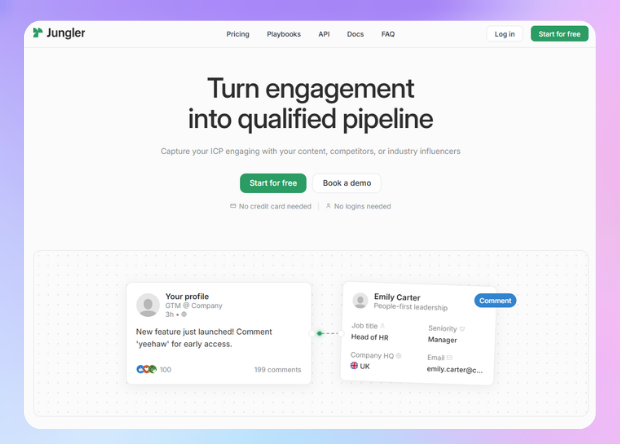
Jungler covers what most teams used Trigify for. It watches LinkedIn posts, filters commenters and reactors by ICP, enriches them and sends them to HeyReach through a native integration. Setup takes under five minutes, which is less time than you'll spend deciding which signals to keep.
- Recreate your tracked profiles and keywords as Jungler signals. Starter includes five, which covers the top performers you picked in step six of the migration plan.
- Copy your Trigify ICP filters into Jungler.
- Click Connect Jungler in your HeyReach integrations dashboard and map each signal to its campaign.
- Keep your existing HeyReach sequence. Only the lead source changes.
Option 2: Clearcue (run it from Claude through MCP)
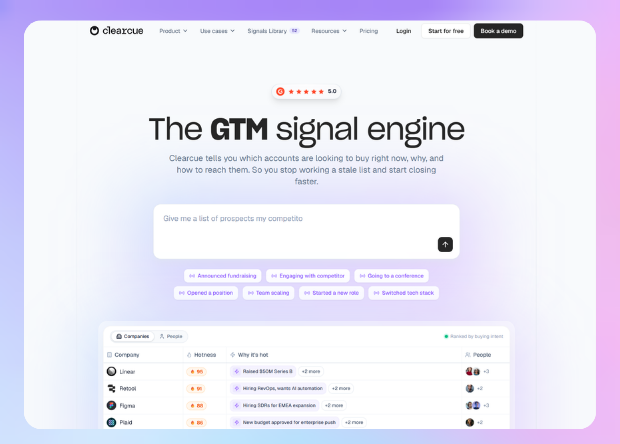
Clearcue stacks several buying signals per lead,from job changes and hiring patterns to new office openings, event attendance and warm paths into accounts. Leads are unlimited, so it suits teams that track more than post engagement in Trigify.
Clearcue and HeyReach both have an MCP server, which means you can run the whole handoff from Claude with a plain-language prompt. Our Clearcue integration guide walks through it in full.
- Grab your API keys from your HeyReach and Clearcue account settings.
- Connect both MCP servers to Claude.
- Set your signal filters in Clearcue, starting with the signals you wrote down in step two of the migration plan.
- Create an active HeyReach campaign with messaging that references those signals.
- Ask Claude to pull the matching leads from Clearcue and add them to that campaign.
Option 3: Build your own flow in n8n
If you'd rather own the plumbing, use n8n as the router between any signal tool and HeyReach.
- Pick a signal tool that sends leads out by webhook or REST API, such as Clearcue, Traxy, RB2B or an Apify Actor. On a tight budget, PhantomBuster can export a post's commenters and likers on a schedule and feed the same flow.
- Catch those leads with an n8n webhook trigger.
- Send each lead to Clay to dedupe, check your do-not-contact list and qualify it against your ICP.
- Keep only the rows that have a LinkedIn profile URL and pass your filters.
- Map the LinkedIn URL to the HeyReach node and add the lead to the right campaign.
This route takes longer to build. In return, you can mix signal types, route leads to different campaigns by signal and swap tools later without touching your sequences.
How one operator is replacing Trigify: HarvestAPI plus a second signal
We asked our experts in the community how they are handling the switch. Simon Kronberg from Khrown shared his plan, and it's the most advanced take on Option 3 we've seen so far.
For them, HarvestAPI pulls everyone who reacts to or comments on competitors' posts, including posts by their employees, since that's where most of the comments are. Every engager then goes through an ICP prompt, because a lot of them turn out to be peers, recruiters and job seekers.
In Simon's setup, an engagement on its own doesn't get anyone a message. It has to be paired with a second signal showing the problem is still there:
- a crawler that reads the company's careers page and ATS directly for open roles
- tech stack changes from TheirStack
- Reddit threads where people in the same role describe the exact problem
After that, his team checks the person still holds the role. Everything sits in one Supabase table and goes to HeyReach with the reasons attached.
When Simon evaluates a new source, he looks for fresh data he can pull through an API into his own tables and combine with everything else.
He also never mentions the signal in the message. If a competitor's engagers are getting ten "saw you liked X's post" DMs a week, the eleventh one gets ignored. The signal decides which pain to lead with, and the copy talks about that pain. That pushes back on one of our own rules below, and he has a point: when your prospects are already flooded with "saw your comment" DMs, lead with the pain and leave the signal out of the copy.
Whichever tool you pick, keep these campaign rules
- Act within 24 to 48 hours. Most buying intent decays in the lag between detection and action, so let leads flow into campaigns automatically (our intent signal guide covers the routing).
- Reference the signal in your first message. Mention the post they engaged with or the change that triggered them. In HeyReach's benchmark report, the typical campaign turned only 18.1% of accepted connections into replies, and 10.7% of campaigns with accepted connections got zero replies at all. A first message that ignores why you're reaching out throws away the one advantage a signal gives you.
- Keep a Sales Navigator safety net. While the new tool ramps up, saved Sales Navigator searches can keep feeding ICP-fit leads into HeyReach, so no campaign runs dry during the switch.
- Run one campaign per signal type, so you can see which signal actually books meetings.
- Spread volume across sender accounts and stay inside LinkedIn's limits. HeyReach's benchmark data shows campaigns using 6 to 20 senders had the highest median reply rate (25%), compared with 22.22% for single-sender campaigns.
If you want to go deeper on the routing side, our guides to signal-based outbound and outbound ICP signals walk through scoring and prioritizing signals once you have more than one source.
Nobody asked for a migration in October. Still, a forced rebuild is the rare moment you get to drop every signal that never booked a meeting and keep only the ones that did. Take it.

Try it for free
Frequently Asked Questions
When exactly does Trigify stop working?
At 11:59pm BST on October 22, 2026 for standard customers. Customers on longer contracts get individual end dates from Trigify.
Why is Trigify shutting down?
HubSpot acquired the Trigify team, announced on September 23, 2026. The team is bringing its signal expertise into HubSpot, and the standalone product is being retired.
Will my Trigify account or data move to HubSpot?
No. Trigify says accounts won't be migrated, and HubSpot won't use your customer data as part of the team's move.
What are the best Trigify alternatives for LinkedIn engagement signals?
Jungler, Traxy and Saava all capture LinkedIn engagement, qualify it against your ICP and push leads into HeyReach natively. Jungler is the closest match if you mostly tracked post engagers.
How much do Trigify alternatives cost?
Jungler starts at $99/mo, Traxy at $149/mo and Saava at $149/mo. RB2B starts at $79/mo, Apify has a free plan with paid plans from $19/mo plus usage, and Clay's paid plans start at $167/mo. All prices come from the vendors' pricing pages as of September 28, 2026. They change often, so check each vendor's site before you commit.