How to write AI-personalized linkedin messages at scale
Published:
August 31, 2026
Writing something genuinely relevant to every lead on your list takes forever, so most people default to variables and hope for the best.
That's no longer necessary. Handing a lead list to an AI tool and having it draft a personalized opening line for every single person, based on that person's actual profile, now takes minutes instead of hours. This guide walks through what real personalization looks like, how to feed the right data to AI, a five-step message framework that holds up at scale, and how to connect the output straight into HeyReach so it goes out safely.
The personalization gap
Real personalization means referencing something specific to that individual: their tech stack, a recent career move, something they posted, a trigger event tied to their company. That's the kind of detail that shows a prospect you actually looked at their profile before reaching out, and it's the single biggest lever for reply rates.
The unlock in 2026 is that AI can now do that research and drafting work across an entire list, not just one lead at a time.
What counts as personalization:
- Technographic signals — what tools a company runs (CRM, ad platforms, specific software), which shows you've done homework a competitor probably hasn't.
- Growth and traffic signals — visitor volume, recent funding, hiring activity in a specific department.
- Career signals — a recent role change, promotion, or an unusual career path worth calling out.
- Content signals — something the person posted recently that connects to your offer.
Individually, each of these is a minor detail. Together, six or seven of them about one person give an AI tool enough to write an opening line that reads as researched rather than templated.
This is also where it helps to know what's actually working right now, rather than guessing. In HeyReach, we looked at reply-rate data across a large set of outbound campaigns to see how much of a difference message-level personalization really makes versus generic templates — the full breakdown is in our outbound benchmarks report, and it's worth pulling a specific stat from there to back up this point rather than making the claim in the abstract.
The other reason this matters is prioritization. A single lead can trigger several signals at once — a career move, a tech-stack change, and a recent post, all in the same week. When that happens, not every signal deserves equal weight in the message.
A pricing-page visit or a direct technographic match is usually a stronger buying signal than someone simply liking a post, so when signals compete, the strongest one should win the opening line rather than trying to cram all of them in.
Feeding lead data to AI the right way
The quality of an AI-drafted message depends entirely on what you hand it. At minimum, that should include:
- Full name and LinkedIn profile URL
- Headline and about section
- Featured section
- Past work experience
- Recent posts or activity, where available
The about section and headline matter most for tone and angle. Past experience is where the more unusual, callout-worthy details tend to live, like a career switch. Recent posts let the message reference something timely rather than static profile information.
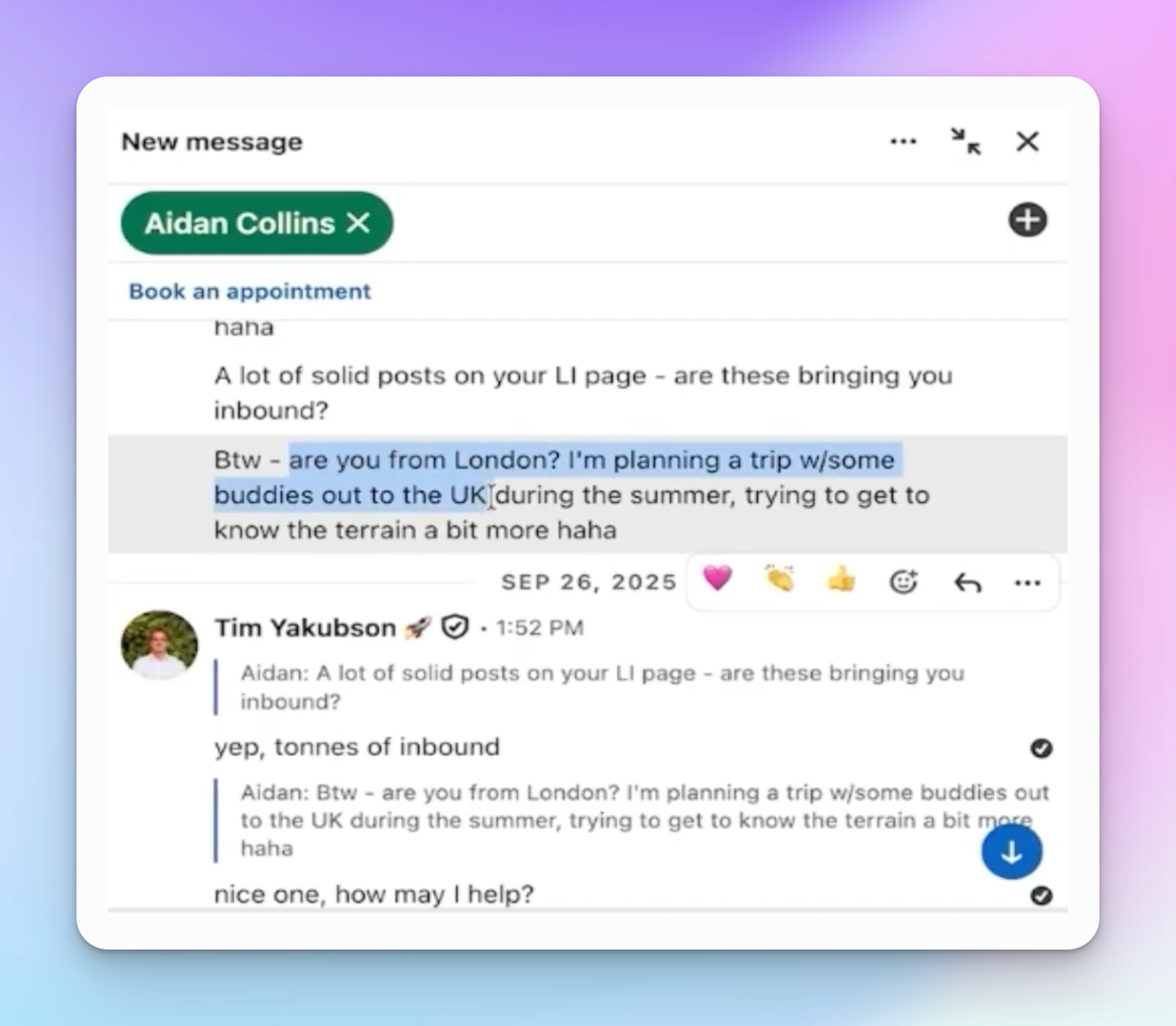
It's just as important to tell the AI what to avoid. Set exclusions up front: no "synergy," no "revolutionize," no other AI-sounding buzzwords, and no em dashes, which tend to be a giveaway that a message was AI-written. Without those guardrails, even well-researched messages can come out sounding generic again.
It also helps to review and lightly rewrite the first handful of AI-drafted messages by hand before running the rest of the list. That gives the model a clearer sense of tone, and it's much faster to correct a pattern early than to catch it after five hundred messages have already gone out.
The five-step LinkedIn DM framework
Once the AI has the right inputs, it can draft a message that follows a proven structure. This is the same basic framework most paid LinkedIn outreach programs teach, broken into five parts:
- The casual opener. Skip "great to connect" or "let's explore synergies" entirely — that's not how you'd greet a stranger at an event, and it reads as automated. A simple "hey, how's it going" works better and can go out immediately after connecting.
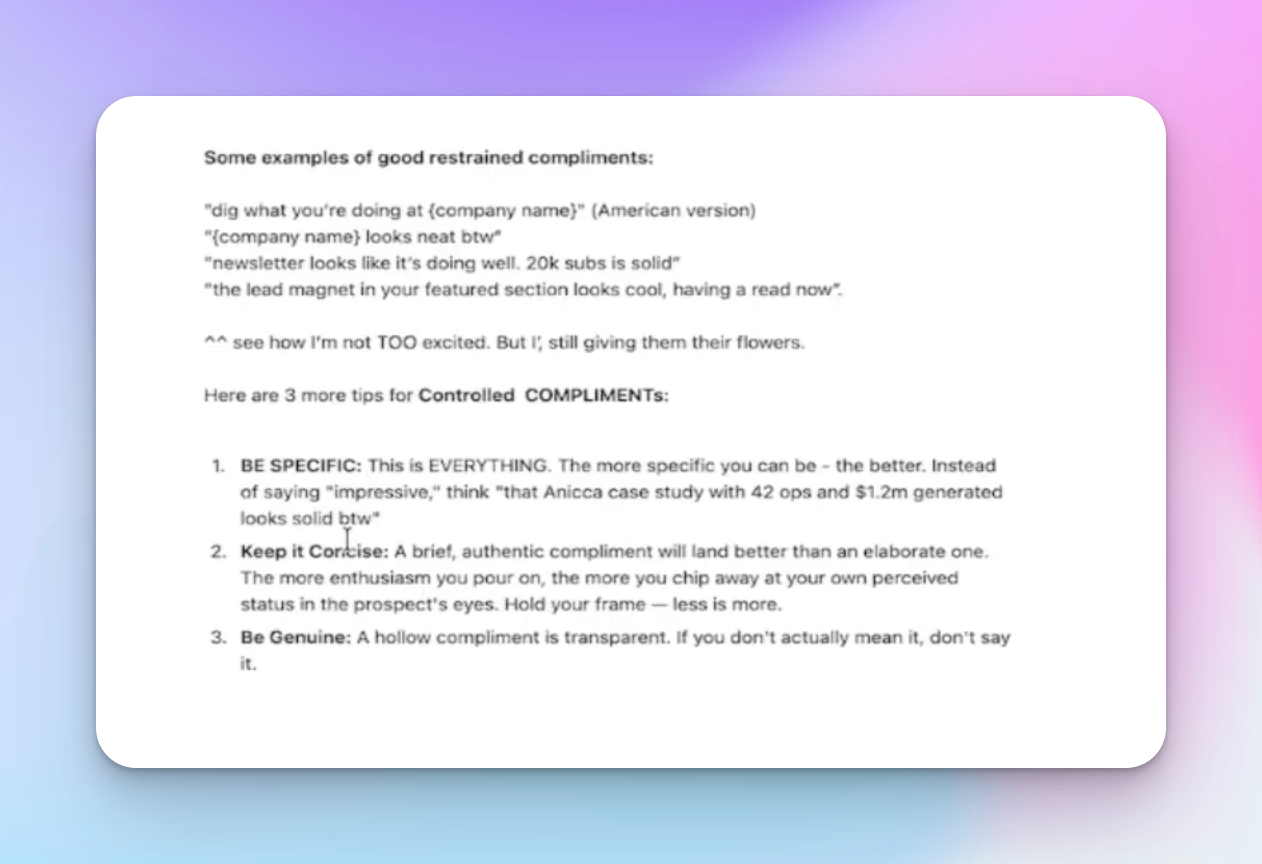
- The controlled compliment. A specific, researched observation about the person or their work, sent a short delay after the opener. This is where a detail like an unusual career path or a notable follower count pays off.
- The authority statement. A line that shows you understand their space and have relevant proof or experience, without turning into a pitch.
- The curiosity question. A low-friction question that invites a reply rather than a decision. The goal here is just to get the conversation moving.
- The ask. Once someone has replied to a question or two, the conversation can move naturally toward a meeting or next step, rather than jumping straight to a pitch from message one.
Drafting two variants of this sequence per lead, rather than one, also sets up A/B testing once the campaign is live — more on that below.
Worth noting: this structure is a starting point, not a script to follow word for word. Some of the phrasing that reads well in a template can come across as forced once it's applied to a real conversation — a curiosity question that sounds natural for one lead might feel like a stretch for another. Treat the framework as a shape for the conversation, and let the AI-generated specifics (the actual technographic detail, the actual career change) do the work of making each message feel individual.
From draft to sent: connecting AI output to HeyReach
Writing personalized messages is only half the job; getting them out safely and at volume is the other half. This is where connecting an AI tool directly to HeyReach saves the most time.
Tools like Claude Code can connect to HeyReach through an MCP (Model Context Protocol) integration. In practice, that means:
- Grabbing the HeyReach API key from account settings, under integrations.
- Connecting that key to the AI tool so it can create campaigns, add leads, and push message variants without leaving the chat interface.
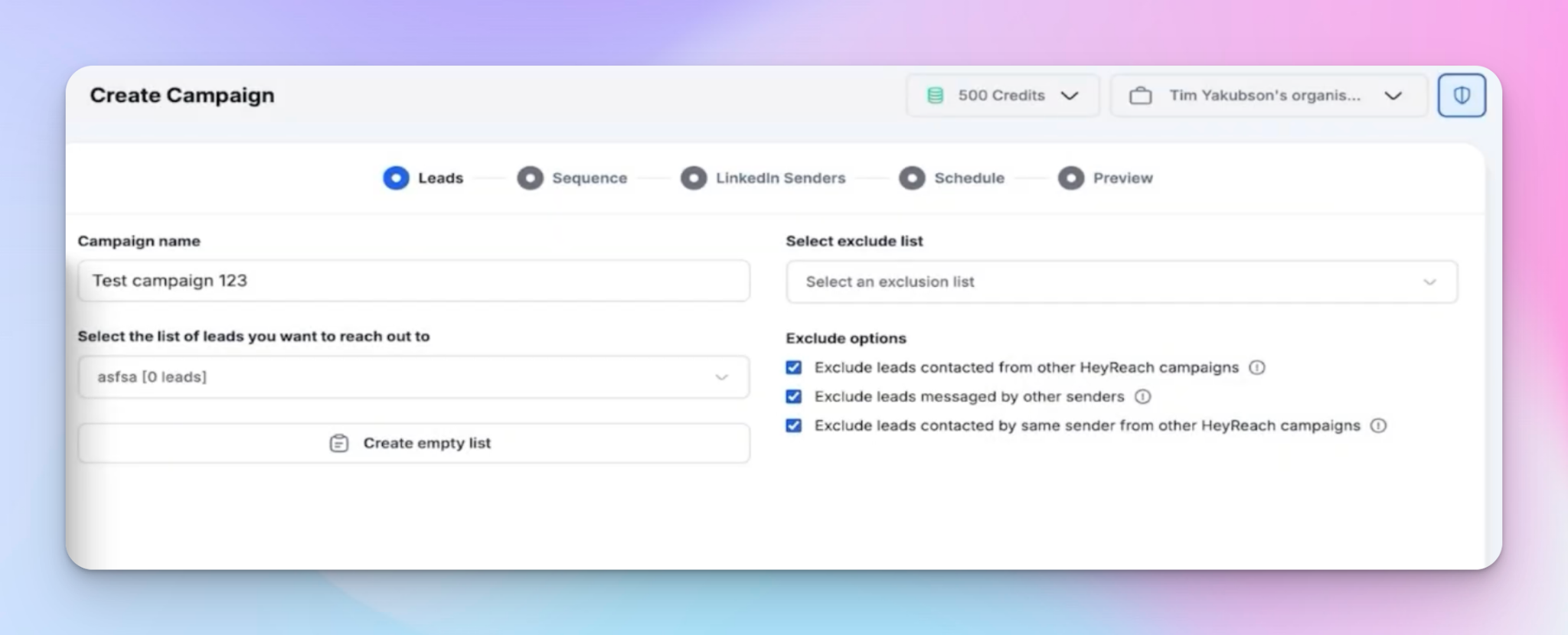
- Prompting the AI to create a campaign, add a lead list, and load in both message variants for A/B testing, all from a single instruction.
A campaign needs to be active before leads can be added to it, so that's worth checking before testing this end to end.
The "relay team" strategy for staying safe at volume
Personalized messaging solves the reply-rate problem, but sending hundreds of messages from a single LinkedIn account creates a different problem: account safety. The workaround is distributing a large lead list across several sender accounts rather than pushing it all through one profile.
This is where HeyReach's ability to run outreach across multiple sender profiles becomes the actual execution layer for everything covered above. AI can personalize a thousand messages in an afternoon, but sending all of them from one account is what gets accounts flagged. Splitting that same list across five or six sender accounts keeps volume per profile in a safe range while still getting every personalized message out.
There's a data-hygiene step that has to happen before any of this, though. A personalized message sent to the wrong data still fails — a placeholder that didn't fill in correctly, a company name pulled through as "Google, Inc." instead of "Google," or a lead who's already mid-conversation in another sequence.
Before a list gets distributed across sender accounts, it's worth validating that the data is clean, deduping against existing sequences, and routing leads to the right sender based on territory or current load. None of the personalization work upstream matters if the list underneath it is messy.
Managing replies without losing the personalization thread
Higher reply rates are a good problem to have, but they create a new one: keeping track of which detail or signal sparked which reply, especially once replies are coming in across multiple sender accounts.
A unified inbox solves this by pulling every conversation into one place regardless of which account sent the original message, so context doesn't get lost. From there, leads that reply can be pushed into a CRM to keep the sales process moving without re-entering data by hand.
AI beats manual personalization
Manual personalization at scale was never realistic — it's why most outbound eventually collapses into generic templates. AI removes that tradeoff: it can research and draft a genuinely personalized message for every lead on a list in the time it used to take to write one by hand.
Paired with a platform built to send that volume safely, this is what makes personalized outbound realistic again instead of a rate-limited effort a rep does for their ten best leads and generic-templates for the rest.

Try it for free
Frequently Asked Questions
What counts as a personalized LinkedIn message?
A message that references something specific to that individual, such as their tech stack, a recent career move, or content they've posted, rather than just their name or company.
Can AI actually personalize LinkedIn messages, or does it just sound generic?
The output depends entirely on what data it's given. Fed a full profile (headline, about section, experience, recent posts) and clear exclusions for AI-sounding phrasing, it can produce messages that read as researched rather than templated.
How do I connect AI tools to my LinkedIn outreach platform?
Through an MCP integration, using an API key generated from the outreach platform's settings, which lets the AI tool create campaigns and add leads directly.
How many personalized messages can I realistically send per day?
It depends on how many sender accounts the volume is spread across; distributing leads across multiple accounts keeps per-account volume in a safe range.
Does AI personalization still need human review before sending?
Yes. Reviewing and lightly editing the first batch of AI-drafted messages helps catch anything off-tone or inaccurate, and gives a baseline the AI can be tuned against for later batches.