How to automate LinkedIn lead generation with Claude Code and HeyReach
Published:
August 4, 2026
I've spent the last five years running outbound for over 100 different companies, first inside my own agency and then across several VC-backed and bootstrapped startups. Out of everything I've tested, the setup I'm walking through here is one of the easiest I've ever put together: Claude Code connected to a LinkedIn outreach tool, running on autopilot.
Once it's live, this system can clean your lists, build your outreach campaigns, and handle replies, so you can automate LinkedIn lead generation without doing the manual work yourself.
Here's exactly how I set it up, step by step.
Why I connect Claude Code to a LinkedIn outreach tool
The first thing you need is a LinkedIn outreach tool that Claude Code can actually plug into. I use HeyReach, because it's one of the safest and most intuitive LinkedIn automation platforms I've used out of all the options on the market. Once Claude Code and HeyReach are connected, Claude can run your outbound messaging, connection requests, and post-liking activity for you, based purely on what you prompt it to do.
If you're weighing up your options before picking a platform, it's worth comparing a few of the best LinkedIn automation tools first, since not every tool is built to be controlled through an AI agent this way.
How to connect Claude Code to the HeyReach CLI
You connect Claude Code to HeyReach using the HeyReach CLI, which gives Claude full access to your HeyReach account: creating lead lists, building campaigns, adding messages to a sequence, and more.
You don't need a button-by-button walkthrough here. All it takes is opening Claude and asking it directly: "I want to connect Claude Code to the HeyReach CLI. Tell me the commands I need to paste into the terminal to pull this off." Claude will research the MCP connection and CLI setup on its own and hand you the steps.
Here's the process in order:
- Open HeyReach and go to Settings, then Integrations.
- Find the HeyReach MCP server. If it's not connected yet, click into it to see your MCP key and MCP connection URL.
- Click New MCP key, copy it, and copy the MCP connection URL.
- Paste the full command Claude generates (with your MCP connection URL included) into your terminal and hit enter.
- Open a new terminal window and run claude mcp list to confirm HeyReach shows up alongside any other connected tools.
If you want a deeper walkthrough of what the MCP connection actually does, there's a beginner's guide to the HeyReach MCP worth reading before you start.
Once that's done, load your custom instructions into Claude Code too. I use a markdown file with my exact LinkedIn DM SOPs, which Claude reads and builds messaging around. Think of it as a recipe you can adapt to your own tone rather than a rigid script.
How to import and clean your LinkedIn lead list
With Claude Code and HeyReach connected, the next step is getting leads into the system.
- Go to Leads on the left panel inside HeyReach and click Add leads.
- Upload a CSV, or pull leads from a source like LinkedIn followers of a specific company.
- Map the key fields: LinkedIn profile URL, first name, last name, location, and company name.
- Create an empty list, name it, and import.
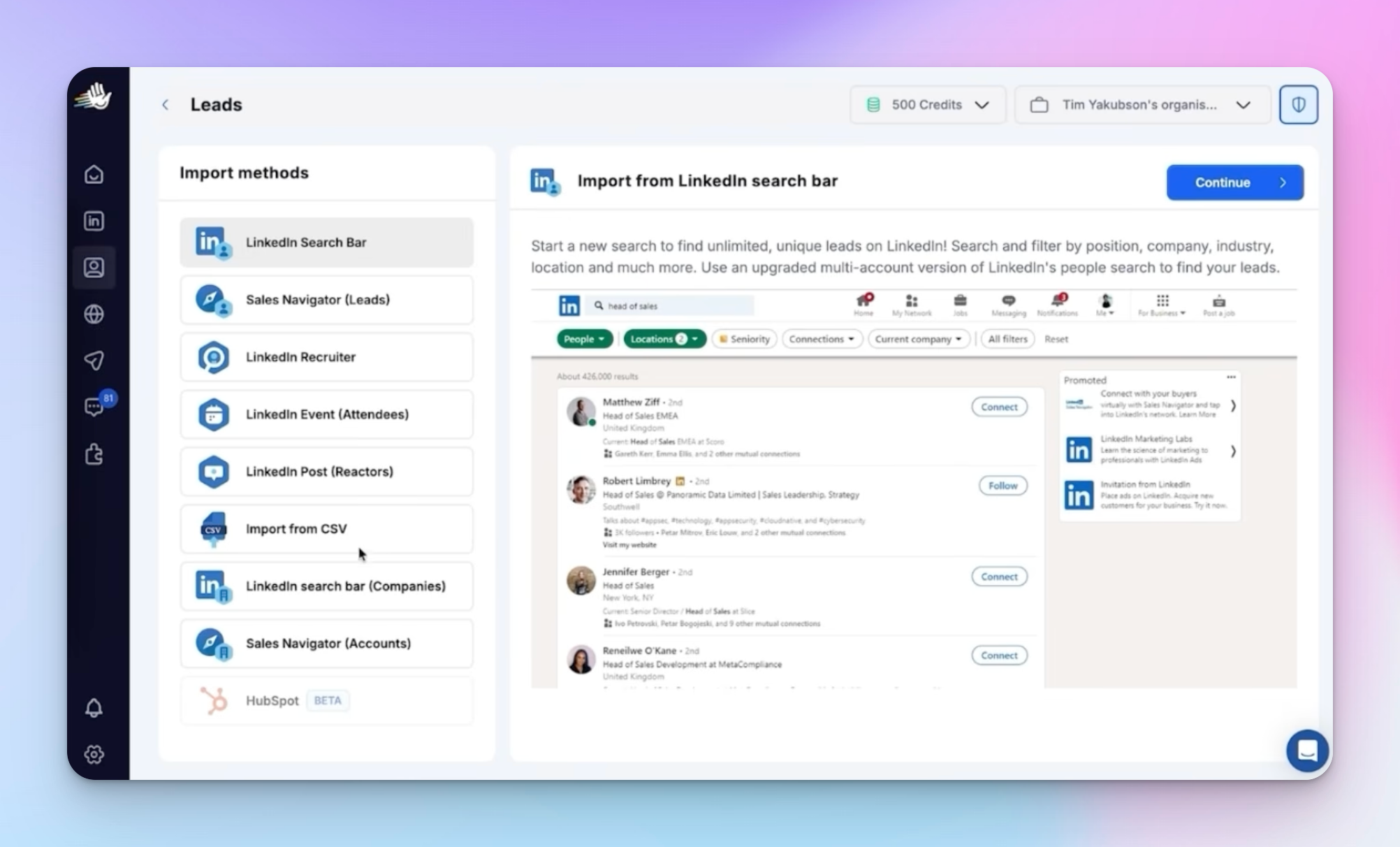
In my case, I imported a CSV of over 51,000 LinkedIn followers of a specific company and mapped the fields before creating the list. Import speed depends on volume, so a list that size will take a while to fully process.
This is really just the front end of good lead generation: the cleaner the list going in, the less cleanup Claude Code has to do before building your campaign.
How to build a LinkedIn outreach campaign with Claude Code
Once your leads are in HeyReach, go into Claude Code and prompt it directly. My prompt looked like this: enroll a named lead list into a new campaign, use three messages spaced three days apart, generate custom variables for the first ten leads based on their LinkedIn profiles using my DM SOP skill, and use the HeyReach CLI to do it.
Two things I always add to the prompt:
- "Ask clarifying questions before actioning." I don't want Claude doing anything I haven't explicitly approved.
- Plan mode instead of auto-edit. This scopes the build before execution, which saves time troubleshooting later.
Claude Code will explore your SOPs and the HeyReach CLI, ask clarifying questions if needed, and then build the LinkedIn outreach campaign. In my test, it took about 10 seconds to add 10 leads to a fresh HeyReach campaign, with each lead enriched using LinkedIn profile data.
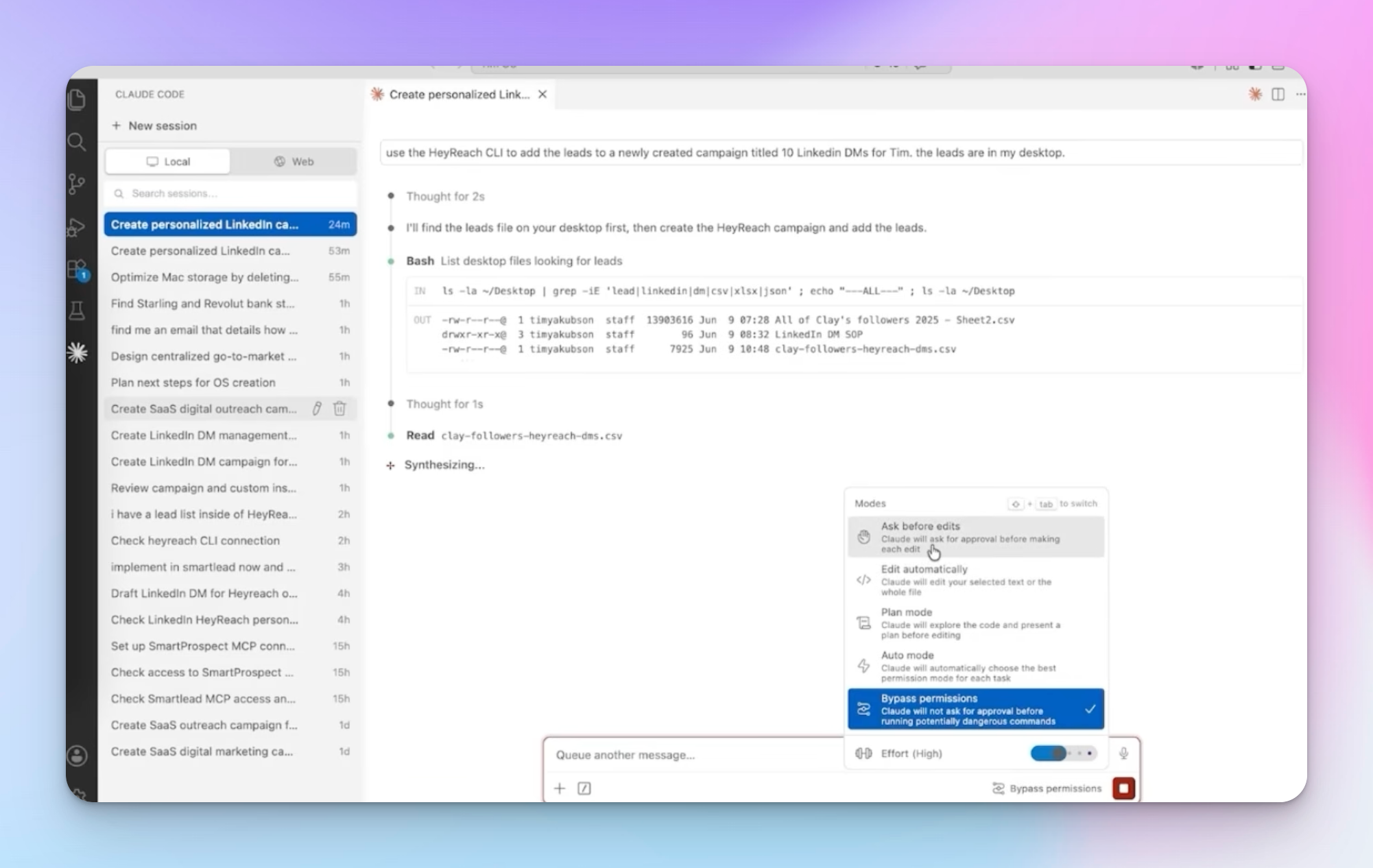
If you want to sanity-check a campaign before it goes live, running a quick campaign audit alongside Claude's build is a good habit, especially the first few times you do this.
I'd rather build a campaign this way, with Claude Code writing the sequence around real profile data, than spend hours manually drafting the same outreach strategies by hand.
My 5-message LinkedIn DM framework
Every sequence Claude Code builds for me follows the same five-message structure:
- Greeting — a natural opener based on something you share in common.
- Controlled compliment — kept to roughly five out of ten in enthusiasm, so it doesn't read as fake.
- Authority observation — a comment that shows you know the space they're in.
- Curiosity question — something that invites a reply rather than a yes or no.
- Resonance line — a closing detail tied to their location, industry, or network.
Here's what that looked like for one prospect, a founder without a listed company name:
- Message 1: a greeting referencing a shared interest, plus a light compliment.
- Message 2: an authority observation about how fast the space is moving.
- Message 3: a curiosity question about how central that topic is to what they're building.
- Final message: a resonance line tied to their location and its relevance to the industry.
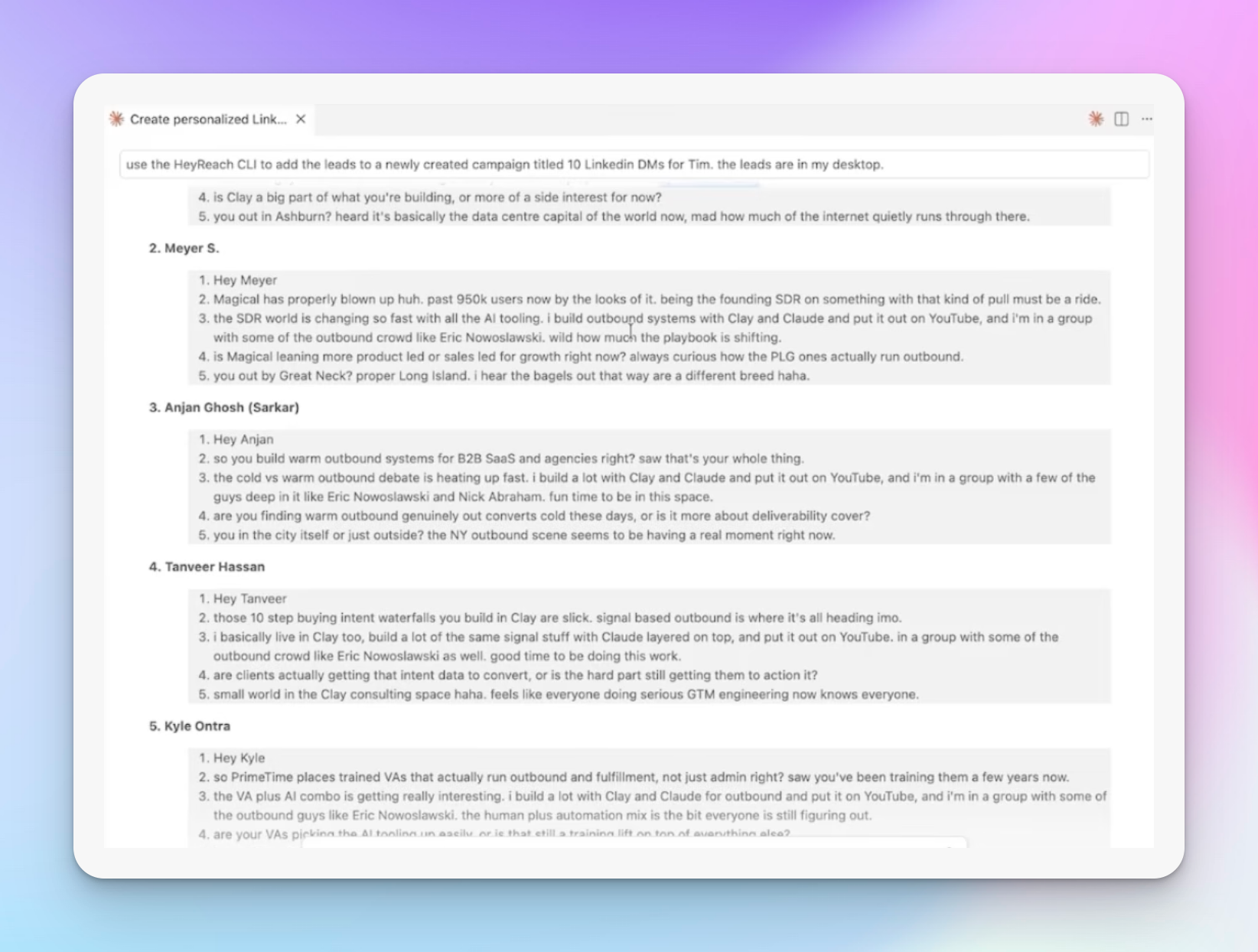
Not everyone replies to messages like this, and that's fine. You don't need a high reply rate for this to work: even one reply out of 30 or 50 leads adds up to a steady stream of conversations if you're sending in volume. This is the same logic behind most solid LinkedIn outreach templates — the goal is a consistent system, not a perfect message.
Every message in the sequence should also lead somewhere. If a prospect doesn't respond right away, pairing your LinkedIn connection message with a proper follow-up sequence is what actually moves the reply rate.
How to review, launch, and improve your campaign
Before a campaign goes live, Claude Code will pause and ask for approval. From there:
- Open Edit campaign in HeyReach to review the full sequence.
- Adjust timing between messages. I usually run three-hour gaps instead of daily ones, since the messages are short and easy to read.
- Review the copy manually before launch. First-draft outreach copy from Claude is rarely perfect.
This last point matters more than people expect. You need to give feedback, rewrite messages in your own tone, and let Claude Code learn from those edits. It updates its memory file based on that feedback, so the next campaign you build is faster and closer to your voice from the start.
Once messages start going out, keeping your LinkedIn inbox organized matters just as much as the outreach itself, since replies need to be triaged quickly to keep conversations moving toward a booked call.
Why this matters for agencies and in-house teams
I built this workflow originally to automate LinkedIn lead generation across dozens of client accounts inside my own agency, but it works just as well for an in-house sales team trying to cut down on manual prospecting hours. Once Claude Code and HeyReach are connected, the same setup can clean lists, build sequences, and manage replies for one account or several, which is exactly the kind of leverage agencies look for when they start an agency around outbound.
This kind of setup is also becoming one of the more practical entries in most people's list of best AI sales tools, simply because it removes so much of the manual back-and-forth between list building and message writing.

Try it for free
Frequently Asked Questions
What do I need to automate LinkedIn lead generation with Claude Code?
You need Claude Code, a LinkedIn outreach tool that supports a CLI or MCP connection, and a lead list. Once Claude Code is connected to the outreach tool, it can build campaigns and manage messaging based on your prompts.
Do I need to write outreach messages myself?
No, but you should review and edit them. Claude Code generates the first draft of each message based on your SOP file and the prospect's profile data, and it improves over time as you give it feedback.
How many leads should I test a campaign with first?
Start small. Testing with around 10 leads first lets you check message quality and timing before scaling up to hundreds or thousands of leads in one campaign.
How often should messages be sent in a sequence?
It depends on the message length. Short, light messages can be spaced as close as every three hours, while longer sequences are often better spread across a few days.
Is a low reply rate a sign the campaign isn't working?
Not necessarily. A reply rate as low as one in 30 or 50 leads can still generate a steady stream of conversations if you're sending in enough volume.