Expandi review 2026: Features, Pros & Cons, Alternatives
Published:
February 27, 2025
Updated:
February 23, 2026
Considering Expandi for your outreach efforts? In this Expandi review, I’m diving into what it does best, where it flops, and if it’s actually worth your time.
I’ll walk you through each aspect of the tool, so by the end of this guide, you’ll know if it’s a “yes” or “pass” for your needs.
Expandi at a glance
Expandi.io is an advanced LinkedIn automation tool designed for salespeople, marketers, recruiters, and lead-generation agencies looking to scale their outreach.
It offers smart sequence-building with connection requests, follow-ups, and InMail messaging.
Unlike Chrome extensions or API-based automation tools, Expandi operates as a cloud-based solution, mimicking human-like actions through a virtual assistant setup.
It integrates with webhooks and tools like HubSpot and Zapier for CRM updates and workflow automation. Dynamic personalization wiith data enrichment makes messages more natural and boosts reply rates.
There’s a whole library of templates, too – from product updates to event invites.

All the templates are designed to increase response rates due to well-thought-out texts. Of course, I had to tweak each one a little and give it some soul, but that's a matter of personal preference.
Expandi includes analytics, A/B testing, and IP rotation. Features like post-engagement targeting and CSV lead imports keep LinkedIn growth on point.
Pros:
- Double-channel outreach: Run outreach on LinkedIn and email simultaneously for better engagement.
- Mobile integration: Manage campaigns and track responses on the go.
- Lead generation: Automate prospecting and follow-ups to generate more leads.
- Hyperise integration: Personalize outreach with dynamic images and videos.
- Workspaces: Organize and manage multiple campaigns or teams in one place.
Cons:
- Risk of account bans: Some users have reported getting banned, especially on LinkedIn, even though Expandi claims the tool is completely safe. (Trustpilot, G2)
- Not ideal for lead gen agencies: Scaling can be tricky due to LinkedIn’s limits and potential risks, even with a Whitelabel solution.
- Inbox limitations: You can see replies but can’t respond on someone else’s behalf, which may be a downside for teams managing multiple accounts.
- Not the most impressive UX: Some users find the interface confusing or less user-friendly compared to competitors. After testing it myself, I can definitely confirm this.
- Expensive: At $99 per seat, the cost adds up quickly, even with the Workspaces feature.
Expandi feature overview
With smart targeting, customizable sequences, and live analytics, Expandi helps users prospect faster and more efficiently.
Here’s what makes it stand out. 👇
1. LinkedIn outreach
Using Expandi for LinkedIn outreach comes with plenty of perks. The whole process starts by tapping into LinkedIn’s SalesNavigator search filters to find your ideal audience and importing that information to your campaign for enrichment.
Then, instead of sending cold connection requests, Expandi warms up your prospects first by automating profile visits, endorsements, and likes.
You can follow up across multiple channels — LinkedIn, email, and InMail — using automated “if-then” sequences that trigger based on your leads’ actions.
When it comes to inbox, Expandi.io has two options:
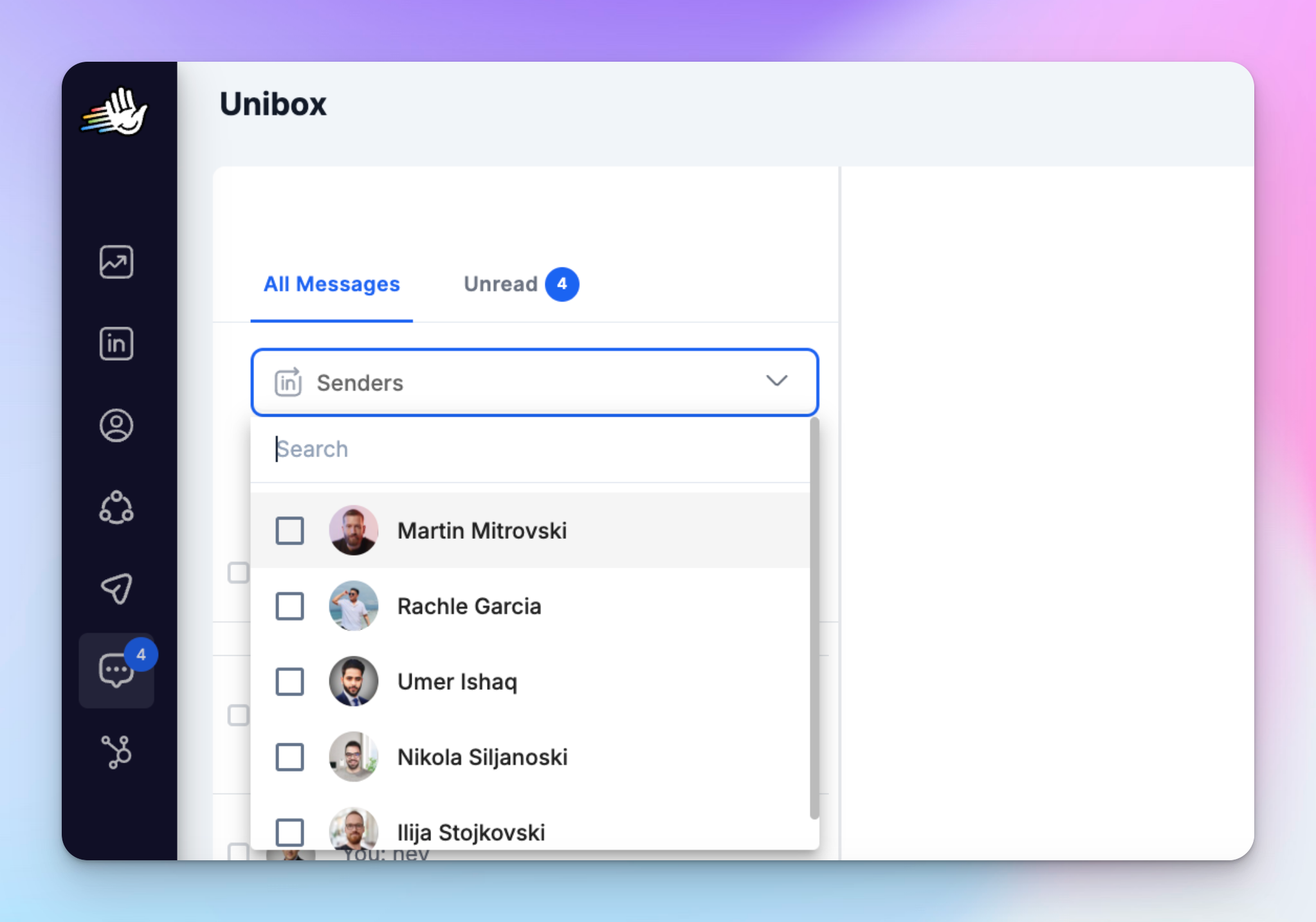
- Inbox: See all your LinkedIn and manual messages. Send messages, schedule replies, snooze or archive conversations, and view lead info.
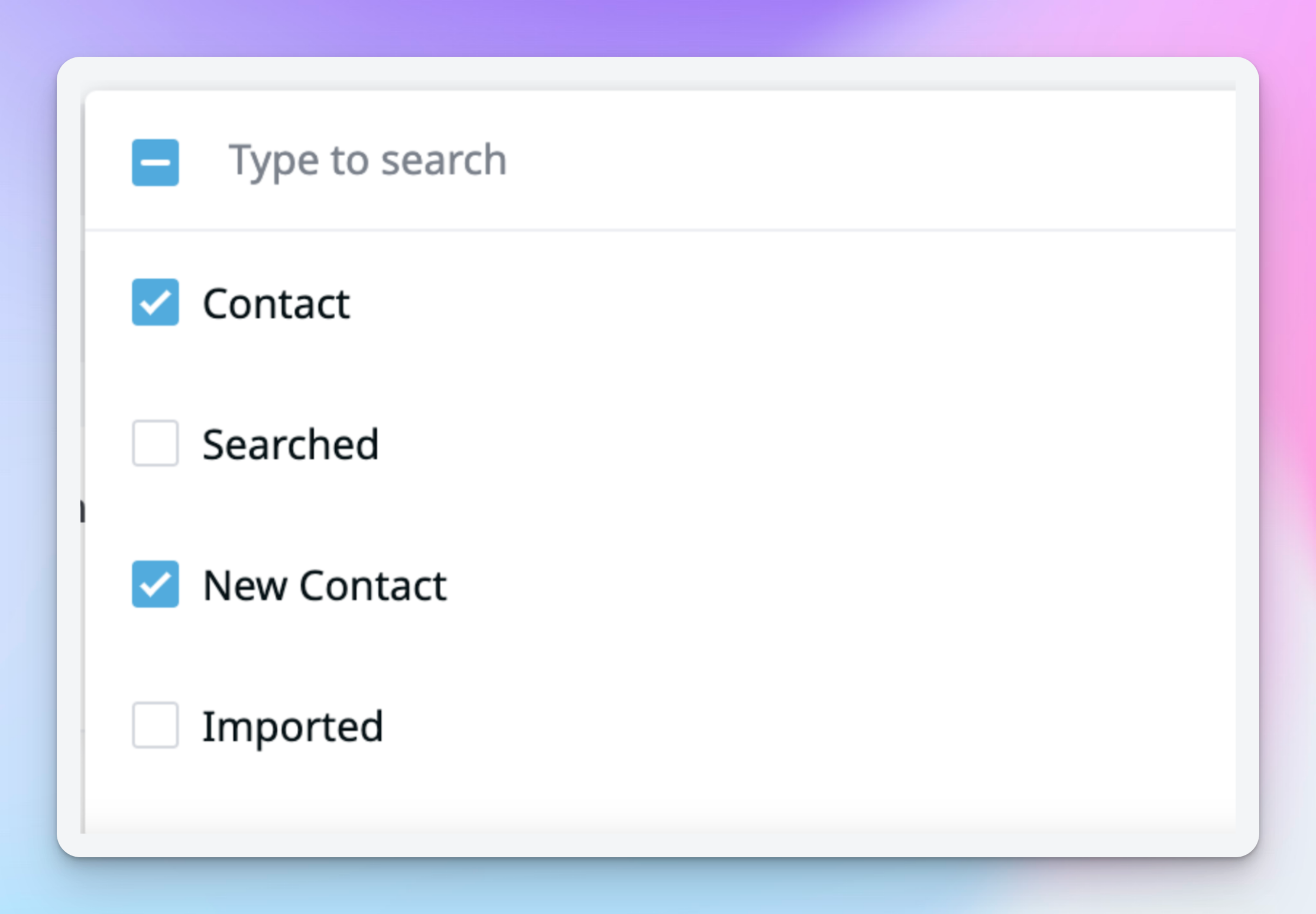
- Global Inbox: Manage messages from all workspaces in one place. Use status filters to sort leads by connection type—first connections, new connections, or pending requests.
Additional filters let you sort messages by read/unread status, interaction type, and mark them as unread for easier follow-up.
Clients can get “view-only” access to monitor campaigns, while teammates can make changes.
What I’m missing here is the ability to reply on behalf of others, just like HeyReach users can, which would definitely speed things up.
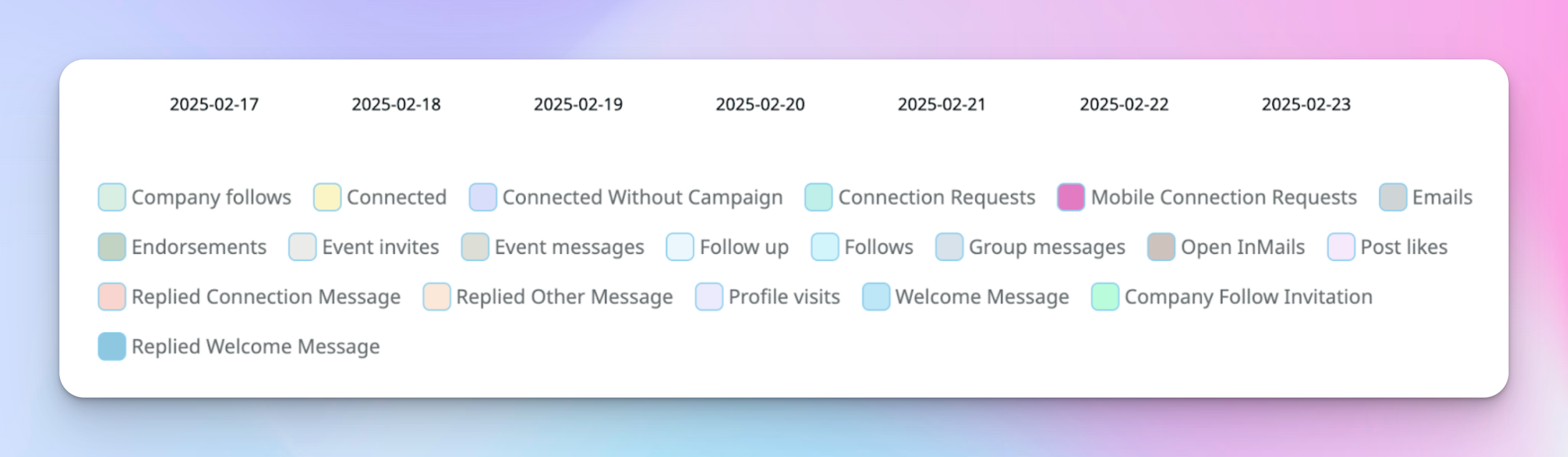
When it comes to Expandi’s LinkedIn stats, they are very detailed and track company follows, connections, requests, emails, endorsements, event invites/messages, replies, post likes, and profile visits.
2. Smart campaigns
Expandi’s Smart Sequences adapt automatically to how people respond. Each step checks conditions, so the sequence can change as needed.
For example, if a lead meets the criteria for multiple steps, the system triggers the first applicable step, regardless of where it falls in the sequence.
Just for reference, regular campaigns follow a set schedule. If a step’s conditions aren’t met at the right time, it won’t run.
With Smart Sequences, you can combine multiple actions, set time delays, and create different outcomes based on lead behavior. This makes outreach more personalized.
Plus, A/B testing lets you tweak messages to boost engagement.
AI Analyzer
The AI Analyzer is a special part of Expandi that you can use in all stages – from goal setting to generating replies and analyzing lead sentiment.
Key features include:
- Goal Setting: Tailor your campaign by defining the audience, value proposition, and specific goals like expanding your network or scheduling interviews.
- Sentiment Analysis: Uses AI to assess responses and categorize them into Interested, Maybe,or Not Interested, – perfect for smarter lead prioritization.
- AI-Generated Messages: Create personalized campaign messages with AI assistance, limited to 15 credits per day, which replenishes daily. Each message costs 1 credit.
- AI-Generated Replies: AI helps generate quick replies in the chat, with 20 credits per day for replies.
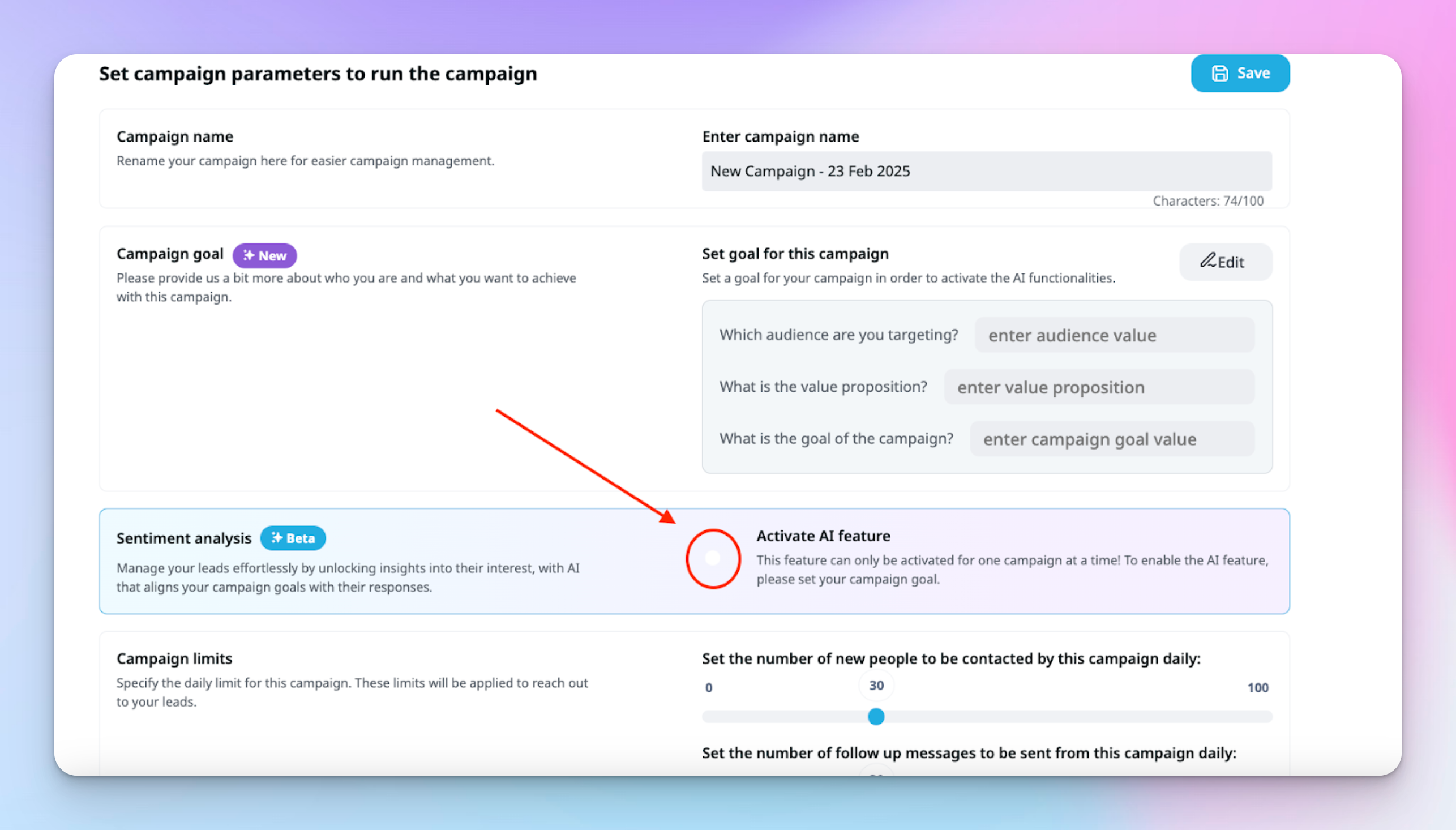
💡Note: The AI Analyzer is only available in English.
3. Image and GIF personalization
The coolest part? Ability to send super personalized messages that actually get attention.
Expandi integrates with Hyperise, so you can drop in dynamic images and GIFs to spice things up.
And no, you don’t need any coding skills at all. Easily upload your visuals or choose from hundreds of templates and stock images,or even AI-generated images.
You can integrate it with LinkedIn or your preferred email provider and use dynamic text layers with placeholders.
I liked this part overall, but I think it’d be easier if the integration didn’t involve so much back and forth and manual work – like copying the API link and figuring out where to paste it in Expandi.
It’s not super intuitive, so you pretty much have to Google how to set it up.
Let me save you some time:
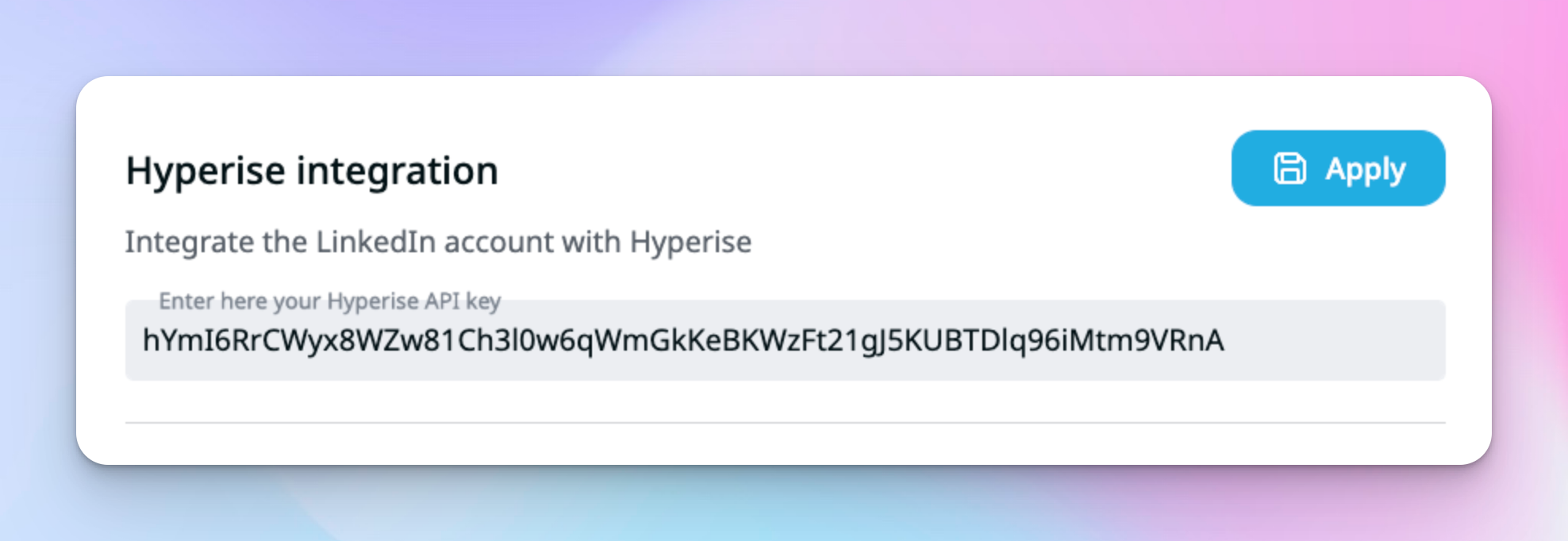
- Go to Settings in Hyperise → Select API → Create an API token and copy it.
- Head over to Expandi → Go to LinkedIn Settings → Integration Apps → Hyperise Integration → Paste the token.
(Thank me later! 💁🏻♀️)
So, once you connect it and customize your image, it’ll look something like this (okay, I might not have gone all out creatively, but just so you get the idea of how it all comes together):
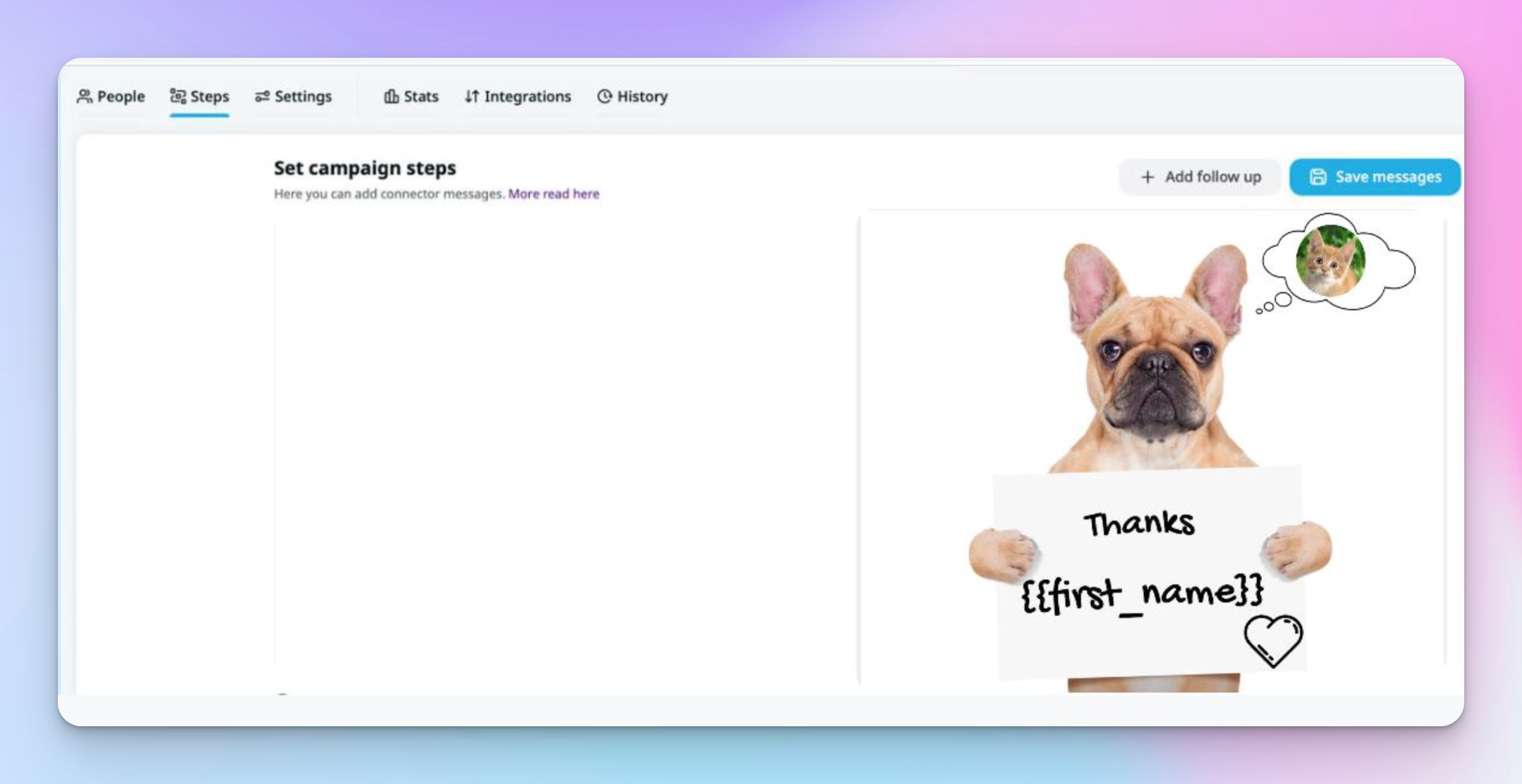
While it took me a bit to figure out where to find the API and how to connect everything, adding the image to the campaign was pretty intuitive.
Overall, I love it. A personalized GIF or image with a cute puppy face or a hilarious meme? Too good to ignore.
4. Email outreach
Expandi lets you pair up your LinkedIn messages with email follow-ups.
You can create automated email follow-ups based on how the lead responds or interacts. If they open my message but don’t reply, Expandi sends another one, all set up to trigger automatically.
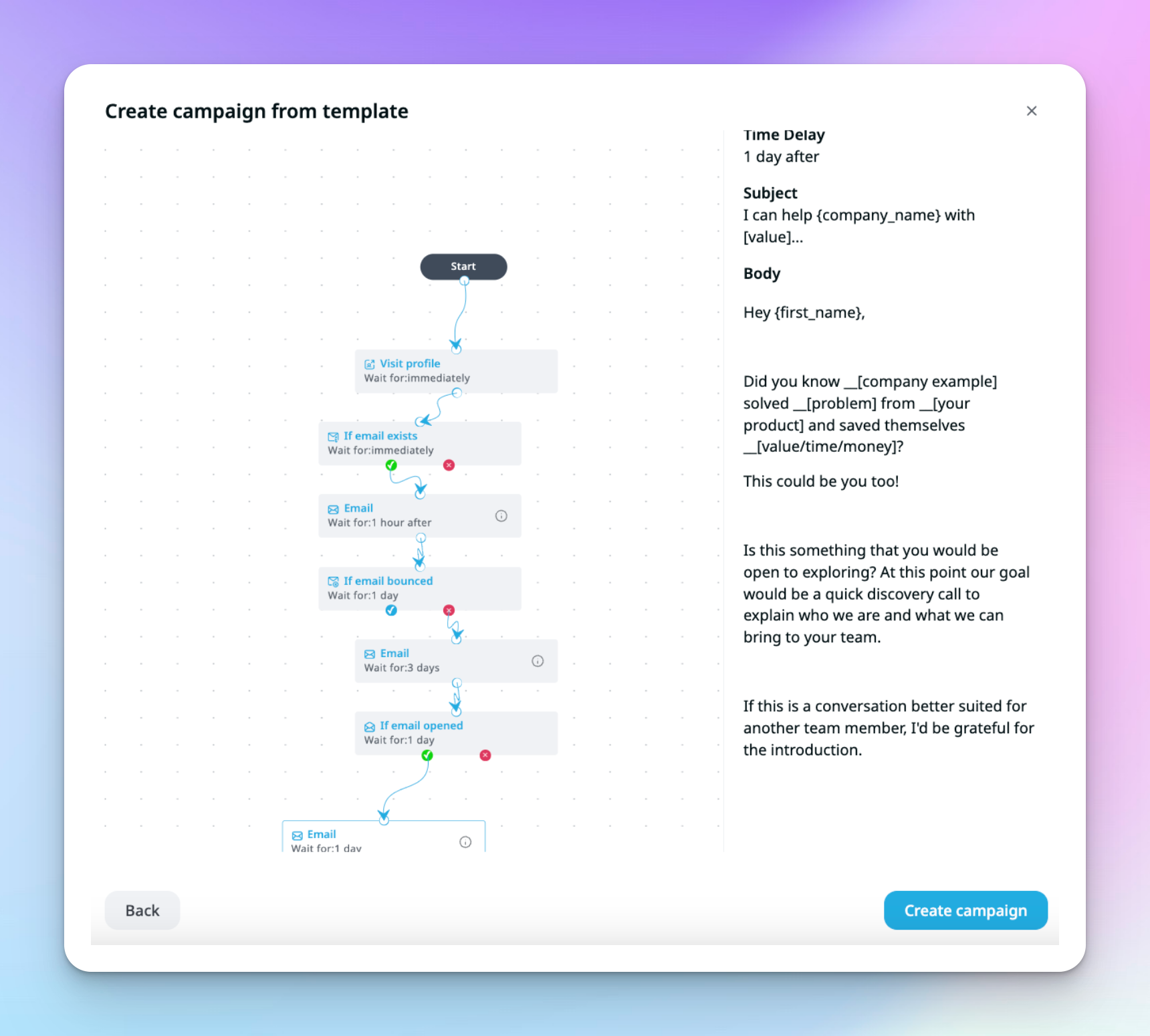
Expandi knows personalization should be more than just adding a first name to the email, so you can use dynamic placeholders like job titles, company names, or even custom variables you create.
And one of the most important things — before you start sending cold emails, you can warm up your email account to avoid getting flagged as spam.
💡Two important things to keep in mind:
- Emails with the same subject stay in one thread, while different subjects create separate threads.
- If a lead replies to an email, they will not be automatically paused in the campaign. You will need to manually check your email inbox and pause the lead to prevent sending further automated emails.
You can embed images or videos using the HTML button in the email step + add Hyperise GIFs here as well.
Every email you send gets tracked, so you can see who’s opened it and when. Also, Expandi makes sure you don’t accidentally send duplicate emails.
It lets you manage email and LinkedIn replies right within the same place, so you don’t need to switch the tabs at all.
Moreover, you don’t have to worry about connecting third-party tools. Expandi works with all the major email providers – Gmail, Outlook, Yahoo – and setting it all up takes just a few seconds.
5. LinkedIn lead generation
Expandi is solid for automating lead generation and keeping a steady flow of qualified leads coming in.
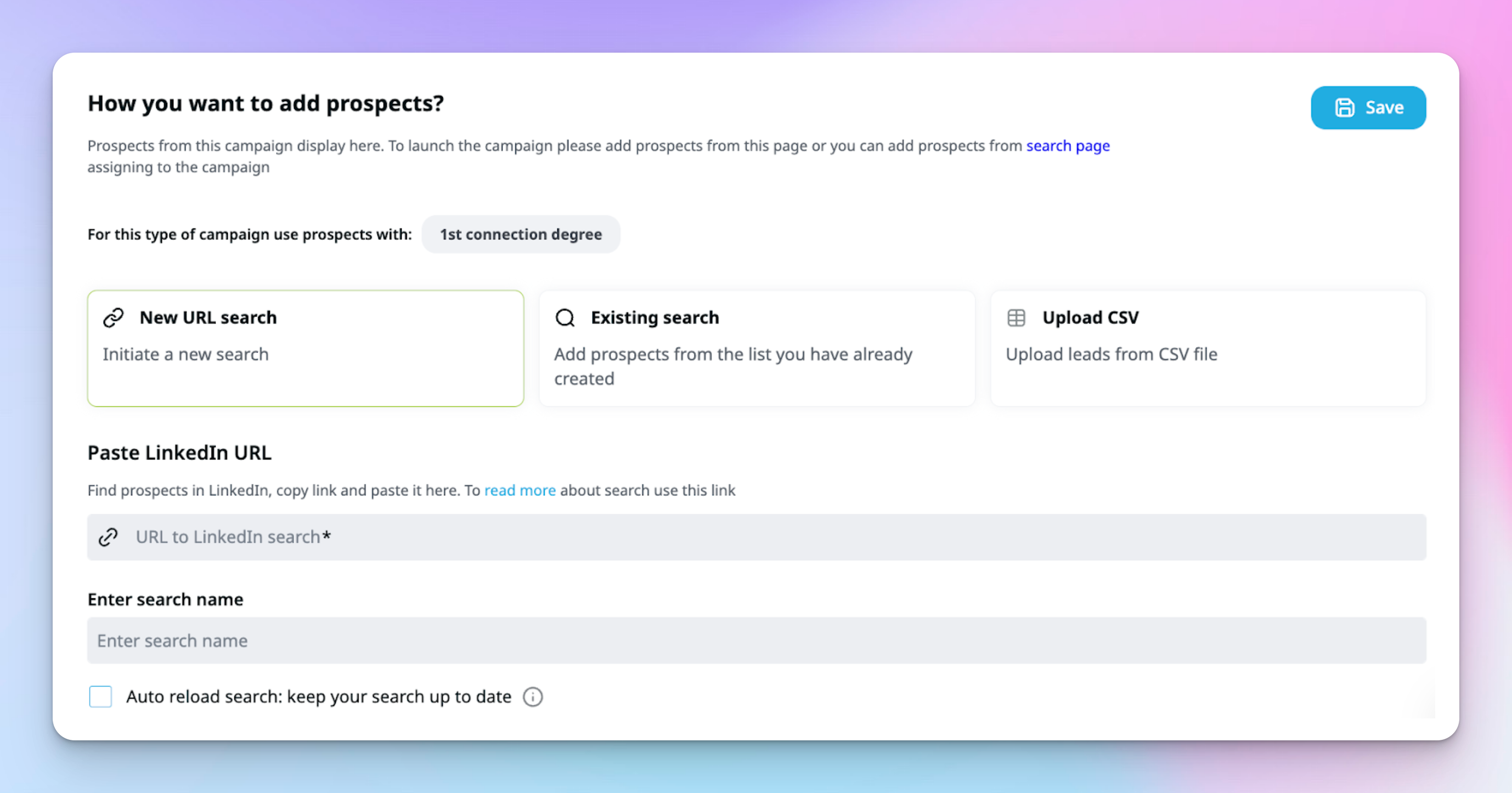
It’s quite simple to target high-intent prospects by pulling LinkedIn data directly into your campaigns. There are a few ways to do it:
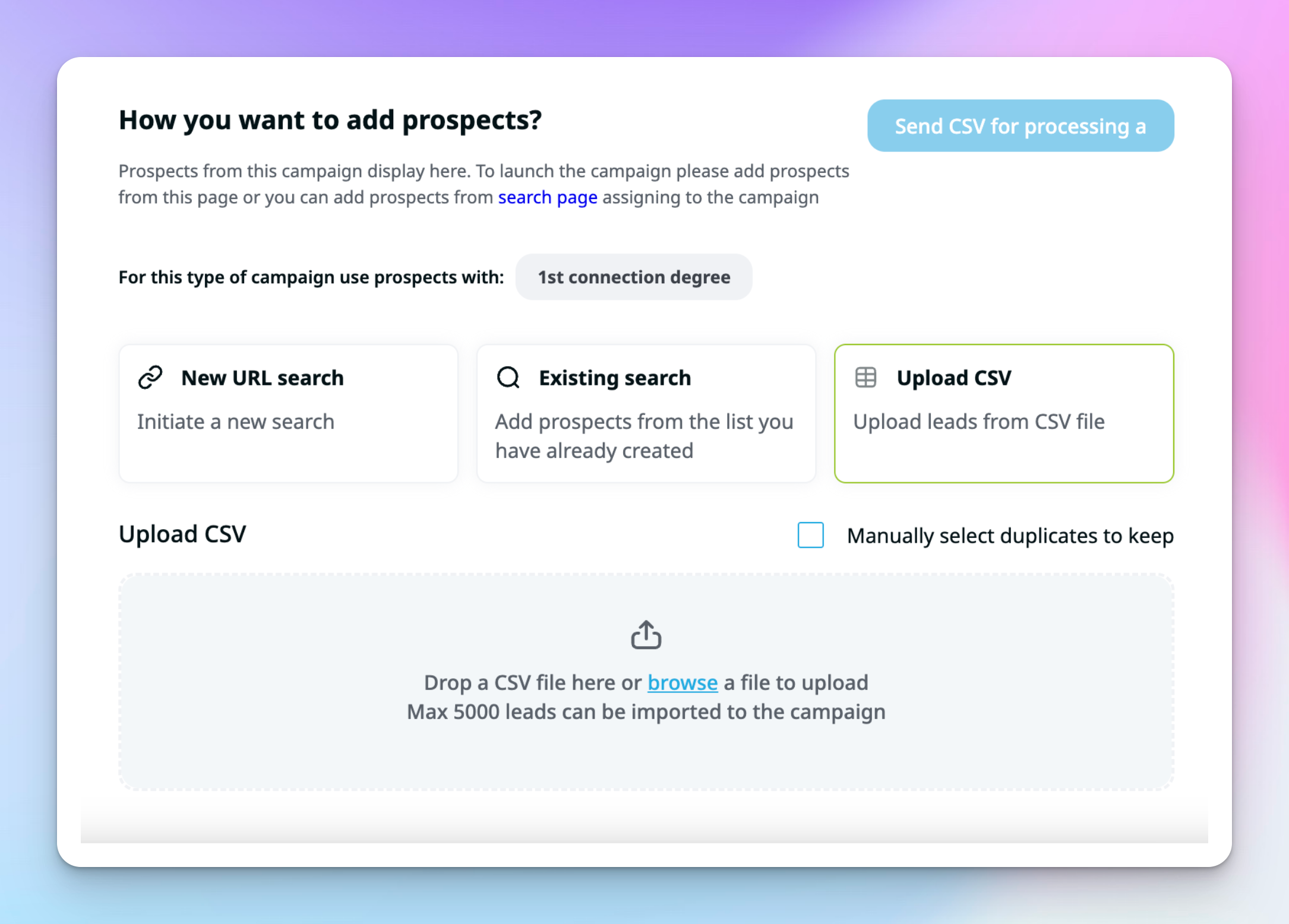
- You can paste a LinkedIn search or Sales Navigator URL into Expandi to import contacts or automate outreach.
- You can also import your 1st-degree LinkedIn connections, though hidden emails won’t be visible.
As mentioned earlier, Expandi takes care of follow-ups, too.
You can create automated sequences that adapt to how prospects respond and set specific times for each follow-up to increase conversion rates.
✅Pro tip: Expandi’s Mobile Connector Campaign lets you send more LinkedIn connection requests than the usual limit. It simulates mobile requests directly from the platform, so you don’t actually have to use your phone.
You can safely send 70-105 requests a week and control this in your account settings. Unfortunately, it can’t personalize connection requests, but you can still send follow-up messages.
6. Workspaces
Each account gets a Workspace, and you can invite team members to join. Keep in mind that:
- Only one LinkedIn profile can be linked per Workspace, but you can create separate Workspaces for other profiles.
- Switching between Workspaces doesn’t require logging in again.
- You can assign roles (Admin or Member) and control what team members can see, edit, or delete.
One limitation: team members can’t reply on each other’s behalf like in HeyReach’s Unified Inbox.
Expandi pricing
Although there’s no free plan, there’s an Expandi free trial, giving you 7 days to test the tool.
Here are the two pricing plans to choose from:
- Business – $99/mo: Unlimited campaigns, LinkedIn + email outreach, smart automation (IP, warm-up, human-like behavior), GIF & video personalization (add-ons), detailed analytics, blacklist, integrations, duplication prevention.
- Agency – Custom pricing (10+ seats): Everything in Business, team roles & permissions, centralized campaign management, client reports, import options, white-label branding, dedicated support, Customer Success Manager.
Honestly, I’m not a fan of non-transparent pricing, and when I tried getting pricing details from support, I had to schedule a call.
Another downside is that 7 days isn’t really enough time to measure the success of your outreach.
On the flip side, HeyReach is completely transparent with pricing and comes with a 30-day trial.
Expandi reviews
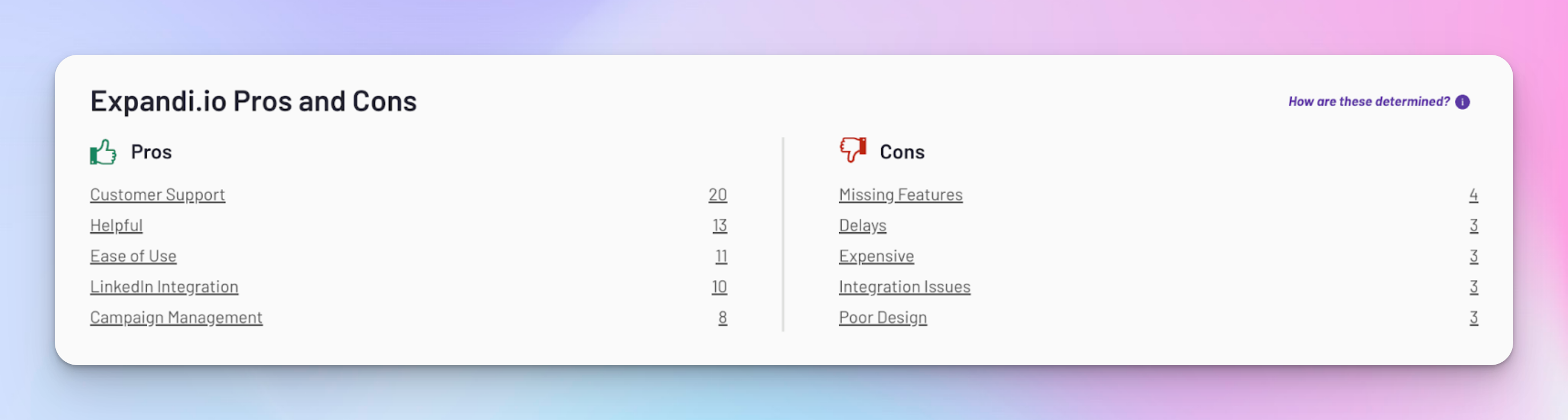
According to G2 reviews, Expandi’s top features are campaign management, LinkedIn integration, customer support, and its automation tools.
Some users struggle with advanced workflows, CRM connections, and navigation. Other complaints: high price, Sales Navigator limits, and occasional LinkedIn bans.
Still, a 4.2 rating proves Expandi’s strengths outweigh the drawbacks.
Expandi alternative
Think this might not be the best choice for your automated LinkedIn outreach? Take a look at these Expandi alternatives with some seriously competitive features. 👇
HeyReach
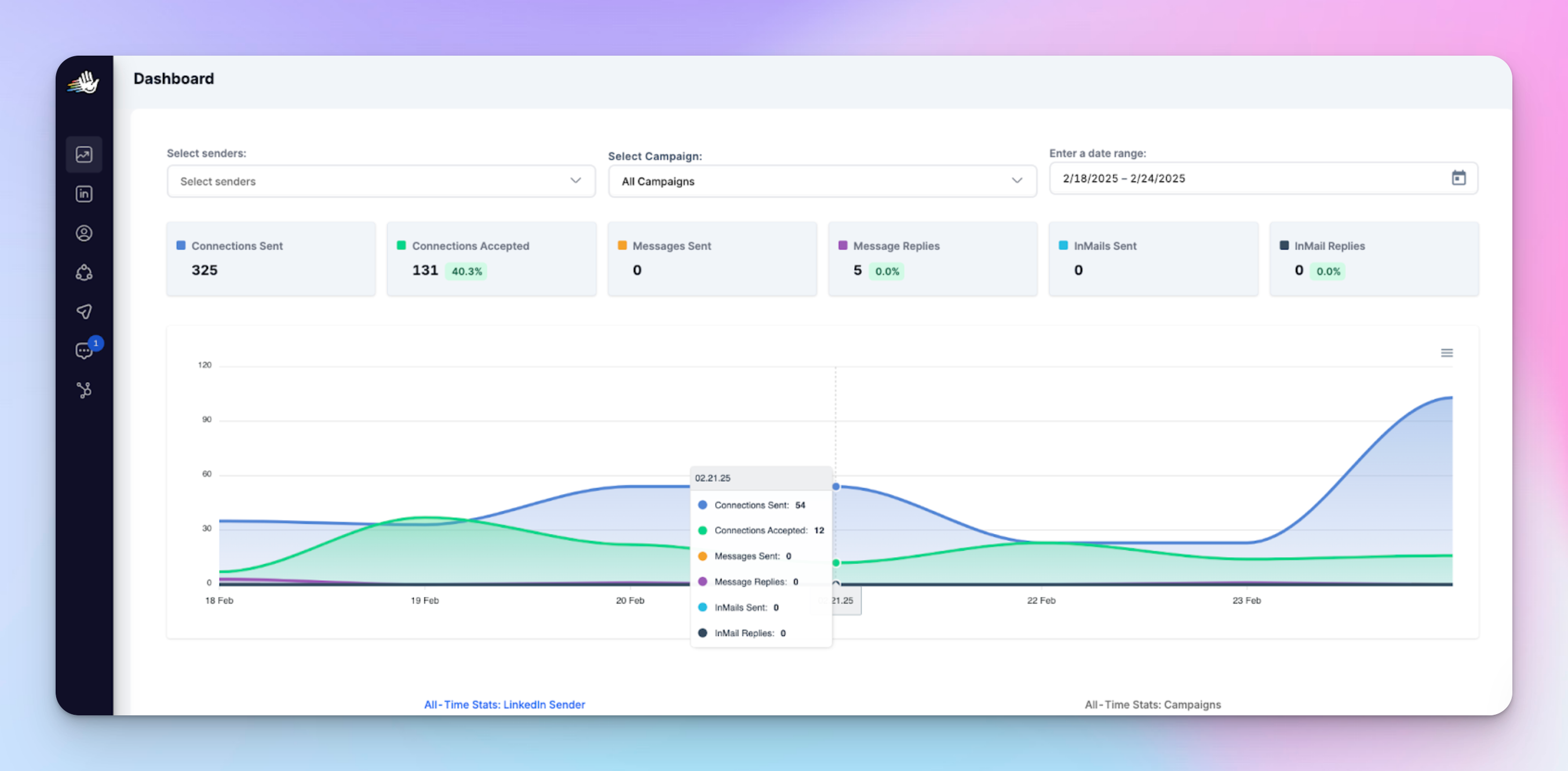
HeyReach makes automating multiple LinkedIn accounts simple, letting you connect with over 1,000 prospects each week.
It’s built for lead-gen agencies and sales teams who want to scale fast and don’t have time for a steep learning curve. ✅
Here’s why it outshines Expandi:
- Easier to scale and auto-rotate accounts.
- More affordable with no per-user fees, so you can grow without draining your budget.
- Built for agencies in the first place, making client and team management a lot easier.
- A cleaner, more user-friendly interface.
- A unified inbox lets you respond on behalf of others.
A few extra powerful features 👇
- Workspaces: Organize multiple client accounts securely, control access, and track conversations clearly.
- Master View: Get a full overview of campaign performance and key metrics in one dashboard.
- MCP: Quickly update lead statuses, filter out uninterested prospects, and manage campaigns across accounts—all with easy commands through Claude or some other LLM.
- Native multichannel support: Run LinkedIn and email campaigns together using tools like Instantly or Smartlead.
It’s super intuitive to create automated sequences and manage a few LinkedIn inboxes at the same time. You can track lead drop-offs, analyze campaign performance, monitor lead statuses, and compare results across accounts.
Other Expandi competitors
Objectively speaking, HeyReach is one of the strongest Expandi competitors, but you might want to explore these alternatives as well ⤵️
Expandi: worth a shot or not?
Looking for a solid cold outreach tool? Expandi has good features, but it comes with a steep learning curve and lots of guides—you might not want the hassle.
Its inbox isn’t collaborative enough if you want to reply on behalf of others—HeyReach wins a point here.
For agencies, Expandi’s pricing isn’t clear upfront; you usually need a call to get numbers. HeyReach, on the other hand, is transparent and straightforward.
In short, Expandi has solid tools for outreach, but HeyReach takes the lead with an intuitive dashboard, better inbox features, clear pricing, and faster scalability.

Try it for free
Frequently Asked Questions
What is Expandi?
Expandi is a cloud‑based LinkedIn outreach and automation tool that businesses, sales teams, and recruiters use to automate and scale their LinkedIn lead generation and messaging campaigns.
How much does Expandi cost?
Expandi costs $99 / month per LinkedIn account with agency/custom pricing for larger teams.
What are the alternatives to Expandi?
Other tools for LinkedIn and sales automation include HeyReach, Linked Helper, Dripify, Waalaxy, MeetAlfred, SalesFlow, lemlist and PhantomBooster.
Is Expandi safe to use?
Yes. Expandi includes safety features like human‑like delays, daily limits, and activity randomization to reduce risk.
What is the difference between Expandi vs HeyReach?
Expandi focuses on advanced, single‑account LinkedIn + email automation with smart sequences and personalization, while HeyReach is built for scaling multiple LinkedIn accounts, offering a unified inbox (reply on behalf of others), easier agency management, transparent pricing, and faster growth without per‑seat costs.