PhantomBuster Review 2026: Features, Pros & Cons, Alternatives
Published:
February 27, 2025
Updated:
August 13, 2026
If you’re looking for a PhantomBuster review to help decide if this lead generation and automation tool fits your outreach needs, you’ve landed in the right spot. This article breaks down PhantomBuster’s features, pricing plans, strengths and weaknesses, and some solid alternatives to consider.
Whether you’re thinking about using PhantomBuster for LinkedIn outreach campaigns or connecting with leads across multiple platforms, it’s important to understand how the tool actually works and if it aligns with your growth plans. We've spent time inside PhantomBuster and cross-checked our take against verified user reviews on G2 and Capterra. Here's the quick verdict before we get into the detail about the full potential of PhantomBuster.
PhantomBuster at a Glance
PhantomBuster is a cloud-based automation tool that helps you collect lead information and automate various actions across multiple platforms. From LinkedIn to Twitter, Instagram, and beyond, PhantomBuster’s “Phantoms” and “Flows” can gather publicly available profile details, collect valuable data, and even trigger outreach (though its true native outreach features are mostly available via its HubSpot integration).
Whether you want to gather leads from a Sales Navigator search, monitor job changes in your network, or systematically message your LinkedIn connections, PhantomBuster promises to reduce manual data-collection tasks and speed up your sales funnel.
Below is a concise look at the good and the not-so-good
Pros
- Social Media bundle automation. You can set up automated actions like follows, likes, and comments on various social channels to help with brand building and nurturing.
- Multichannel data collection. PhantomBuster can help you gather lead information from multiple platforms such as LinkedIn, Sales Navigator, Instagram, and other social media platforms.
- LinkedIn prospecting and enrichment. You can automate some LinkedIn lead generation steps, from collecting publicly available profile information to sending messages and enriching data.
Cons
- UX and learning curve. Users often mention that they need technical skills to use PhantomBuster’s advanced features effectively.
- Risk of bans. Some users reported account bans, especially if automation runs aggressively or violates platform policies.
- Tough for lead gen agencies. Managing multiple client accounts and running large-scale campaigns with PhantomBuster can be challenging due to its execution time and phantom slot limitations. Agencies might find it difficult to balance automation needs with cost-effectiveness and risk mitigation.
- There is no native outreach automation (except via HubSpot). You must rely on their HubSpot integration or other workaround for a seamless multi-step outreach sequence.
PhantomBuster Feature Overview
PhantomBuster is best known for its “Phantoms” (individual automation) and “Flows” (ready-made multi-step automation).
One particularly powerful feature is the ability to chain Phantoms and Flows together. For example, you can start with a Phantom that collects leads from LinkedIn company posts, then feed its CSV output directly into a Flow that sends personalized connection requests and follow-up messages.
Chaining works best when both automations operate on the same platform, ensuring that the input and output data remain compatible. Using the “My Phantoms” option in the input settings lets you link one task to another, so that it creates an end-to-end workflow that minimizes manual intervention.

This workflow helps you gather new group members, and help you connect with fresh prospects as they join
Below, we’ll investigate the main features and typical user profiles that benefit from PhantomBuster.
Use Cases & Ideal Audience
- Sales and marketing teams looking to automate lead generation, gather real-time data on prospects, or feed fresh leads into a CRM.
- Recruiters and HR professionals who scour LinkedIn for top talent and want to automate manual tasks like gathering publicly available profile details or follow-up messages.
- Growth hackers running advanced multi-platform strategies to scale their pipeline and test out new channels quickly.
- Startup founders & SMB owners seeking a cost- and time-effective way to build and maintain prospect lists without hiring large teams.
Despite its broad functionality, PhantomBuster tends to be more appealing to users who are comfortable tweaking automation parameters, setting up custom workflows, and generally tinkering under the hood.
1. Multichannel Data Collection
One of PhantomBuster’s biggest selling points is its multichannel data collection capability. As we mentioned, rather than focusing solely on LinkedIn, PhantomBuster also offers automation for Twitter, Instagram, Sales Navigator, YouTube, and even the Yellow Pages and Google Maps.
This comes in handy when you need leads from different social networks or want to collect data from various places. It saves you from the tedious copy-paste routine and keeps your data up to date.

Each platform has templates, like “LinkedIn Search Export” or “Instagram Followers Extractor”, to help you get the data you need.
The system operates entirely in the cloud, meaning your tasks run on PhantomBuster’s servers rather than your local machine. Once your automation is set up, you can easily export the collected data to tools like Google Sheets for further processing.
Reddit Phantoms 🔥: Scrape Reddit posts and comments by keyword, enrich with engagement data, and filter users by karma and activity. Tap into real conversations without manual scrolling.
2. LinkedIn Prospecting & Enrichment

To connect your LinkedIn account, you’ll need to install an extension or provide your session cookie
Many of PhantomBuster’s most popular automations revolve around LinkedIn. For example, the tool is widely used for data collection, messaging connections, and gathering publicly available profile information for emails.
One key feature is automated lead data and email enrichment, which allows you to gather publicly available data from LinkedIn profiles, including job titles, current employers, and sometimes verified work emails through Dropcontact credits.
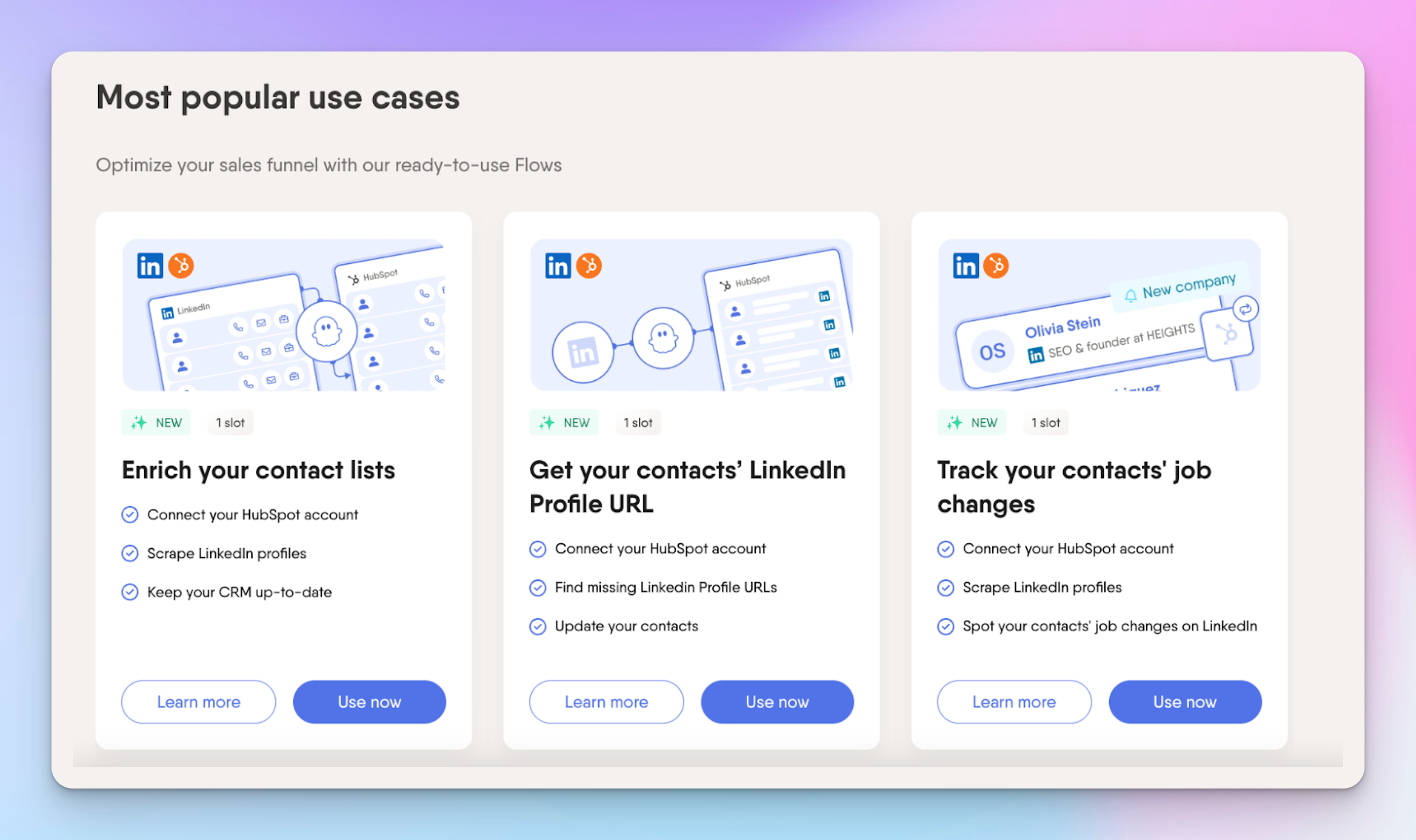
Additionally, PhantomBuster’s Flows allow you to send personalized connection requests, track who accepts them, and deliver pre-configured follow-up messages, which makes the process of managing connections much smoother. There are also automations designed to monitor your network’s activity, such as tracking when individuals change roles or engage with posts relevant to your niche.
For lead generation agencies or growing sales teams, manually messaging thousands of prospects is simply not practical, and PhantomBuster significantly speeds up that process.
As LinkedIn is known for its strict policies on automation, you have to be cautious. Over-automation or sending too many messages in a short time can raise red flags and potentially result in bans.
3. Social Media Bundle Automation
PhantomBuster’s automation capabilities go way beyond LinkedIn, covering X, Instagram, Slack, GitHub, and Facebook. Its no-code templates and API integrations make it reasonably easy to set up automation, even for non-developers.
For example, if you want to grow your Instagram following, you can use PhantomBuster to automatically follow or like posts based on specific hashtags or competitor profiles.
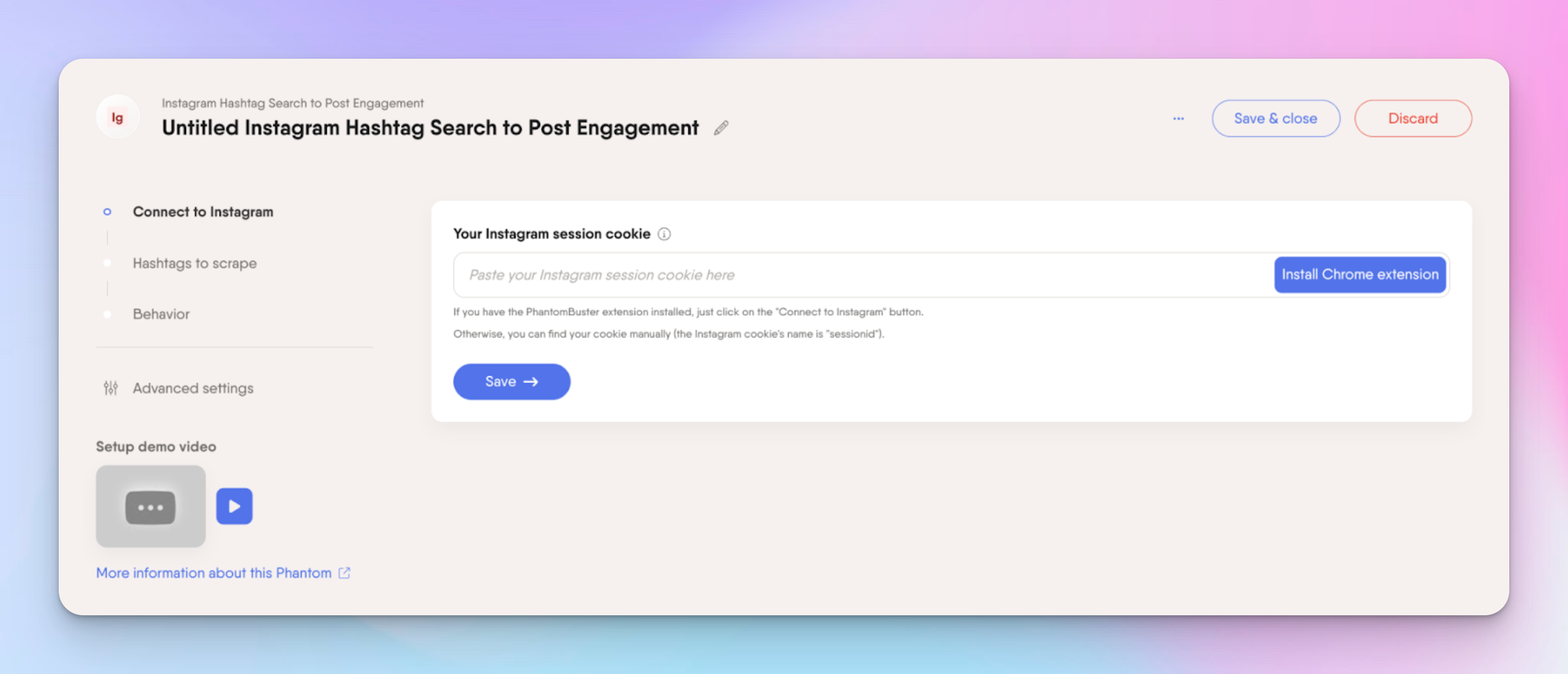
On X, you can collect followers from key accounts, filter for quality leads, and run engagement sequences—all exportable to a CSV for easy outreach.
PhantomBuster also lets you export up to 4–5k members from public or joined Facebook groups, including profile and image info for further use.
Data can be collected from multiple platforms, but actions like messaging or connection requests must happen on the same platform.
🫶🏼 I love how PhantomBuster comes with a Zapier integration. It makes connecting your favorite apps easy, as it is completely code-free. With custom Zaps, you can trigger actions automatically after a Phantom launch or even initiate a Phantom when an event occurs in another app. For instance, every new LinkedIn profile collected can instantly create a contact in HubSpot or notify your sales team on Slack when someone visits your Sales Navigator profile.
PhantomBuster Pricing
Phantom's automation slots are like “task spaces” for your automations. Each Phantom you run (data collection, messaging, follow-ups, etc.) uses one slot. If you want multiple automations running at the same time, you need enough slots to hold them all.
- Trial — Free for 14 days: 2h execution, 5 automation slots, 50 email credits, 1k AI credits, 100 URL finder credits. Exports capped at 10 rows.
- Start — €69/month: 20h/month execution, 5 slots, 500 email credits, 10k AI credits, 1k URL finder credits, unlimited exports.
- Grow — €159/month (Most popular): 80h/month execution, 15 slots, 2,500 email credits, 30k AI credits, 10k URL finder credits, unlimited exports.
- Scale — €352/month: 300h/month execution, 50 slots, 10,000 email credits, 90k AI credits, 20k URL finder credits, unlimited exports.
PhantomBuster Reviews
Before deciding if PhantomBuster is for you, it’s wise to check user feedback. Many user reviews praise PhantomBuster as a powerful LinkedIn automation tool, especially for small businesses looking to optimize repetitive tasks.
However, some negative reviews (particularly 1-star ratings) mention a risk of bans on LinkedIn or other platforms when users try to automate too aggressively. Others point out a steep learning curve.
This isn’t surprising given the nature of automation tools. They require careful throttling to avoid raising flags with social networks.
⚠️ Note: We won’t address customer support feedback here, as that often shifts over time, and experiences vary widely.
PhantomBuster Alternatives
Now, let’s explore some PhantomBuster alternatives that might offer similar or even better features, depending on your needs.
HeyReach
HeyReach is built to make large-scale LinkedIn outreach simple, safe, and scalable. Unlike PhantomBuster, which spans multiple platforms and requires careful management of execution hours and Phantom slots, HeyReach focuses on LinkedIn, giving agencies and sales teams a streamlined, high-impact solution.
Key features:
- Multi-account automation: Send messages from dozens of LinkedIn accounts in one campaign while staying within limits.
- Workspaces: Organize clients or teams securely with role-based permissions and controlled visibility.
- Unified Inbox: Track leads, set reminders, and manage hundreds of conversations in one place.
- Native integrations & MCP: Sync LinkedIn with CRMs and email tools like Instantly and Smartlead; automate tagging, move leads, and manage outreach with AI-powered commands (with Claude or your preferred LLM).
Also, the Master View gives you a clear snapshot of campaigns, KPIs, and team performance across all workspaces, helping you make smarter decisions faster.
Other PhantomBuster Competitors
There are quite a few PhantomBuster competitors in the LinkedIn automation and lead generation space:
Each tool has its own pros and cons, so the best choice often depends on your budget, use case, and tech savviness.
Final Thoughts
PhantomBuster is a powerful automation suite for enriching lead data and jumpstarting your outreach efforts, especially on LinkedIn.
Its biggest draw is the broad spectrum of platforms it supports and how it centralizes multiple “Phantoms” into integrated “Flows.” On the flip side, the risk of bans is real, and new users can find the interface intimidating if they lack technical know-how.
If you’re searching for a robust, cloud-based automation solution, PhantomBuster might fit the bill, particularly if you’re comfortable with careful throttling and mindful of platform policies.
For users seeking more advanced native outreach features or for agencies needing to manage dozens of accounts without complex limitations, tools like HeyReach may be more appealing.
In the end, it’s all about finding the right balance between raw automation power, safe usage, and user-friendly features. With PhantomBuster’s free trial and alternative solutions, you’re well-equipped to explore the options and discover which automation platform best supports your growth strategy.

Try it for free
Frequently Asked Questions
What is PhantomBuster?
PhantomBuster is a cloud-based tool that automates lead collection and tasks across platforms like LinkedIn, Instagram, X, and YouTube. Its “Phantoms” and “Flows” let you gather and enrich lead data, and trigger outreach via integrations like HubSpot.
How much does PhantomBuster cost?
Plans range from a free 14-day trial to €439/month for the Scale plan. Pricing depends on execution hours, number of automation slots, and additional credits for AI or email tasks.
What are the alternatives to PhantomBuster?
Alternatives include HeyReach, Expandi, Linked Helper, Meet Alfred, Dripify, and Waalaxy. Each focuses on LinkedIn or multichannel outreach with different levels of automation and ease of use.
Is PhantomBuster safe to use?
Yes, but aggressive automation can trigger bans, especially on LinkedIn. Managing execution times, slots, and platform limits is essential to stay safe.
What is the difference between PhantomBuster vs HeyReach?
PhantomBuster is great for multichannel automation and lead enrichment across platforms. HeyReach focuses on high-volume, safe LinkedIn campaigns with multi-account management and AI-powered workflows.