Meet Alfred Review 2026: Features, Pros & Cons, Alternatives
Published:
February 13, 2025
Updated:
February 23, 2026
Thinking about using Meet Alfred for your LinkedIn outreach campaigns? I tested it out, so you don’t have to.
In this review, I’m diving into the tool’s features, functionality, and overall effectiveness. I’ll cover how Meet Alfred works and its pros and cons, as well as share insights from user experiences.
By the end of this article, you’ll have a clearer idea of whether this LinkedIn automation tool is the right fit for your LinkedIn strategy.
Meet Alfred at a glance
Meet Alfred is a user-friendly LinkedIn automation tool designed to improve your outreach, lead generation processes, and sales efforts. It lets you automatically send hundreds of personalized follow-up messages daily across LinkedIn, email, and X.
Probably the best thing about it is its ability to create a multi-channel sales pipeline and connect it with most applications and tools through Zapier integration.
The built-in CRM makes managing leads easier, helping you save 10+ hours a week, according to the Meet Alfred team.
Pros of using Meet Alfred:
- Lead filtering and management
- Multichannel outreach—reach prospects via LinkedIn, email, and X
- Easy-to-follow steps for connecting with potential clients
- Built-in CRM
- Clear and straightforward reports on campaign performance
Cons of using Meet Alfred:
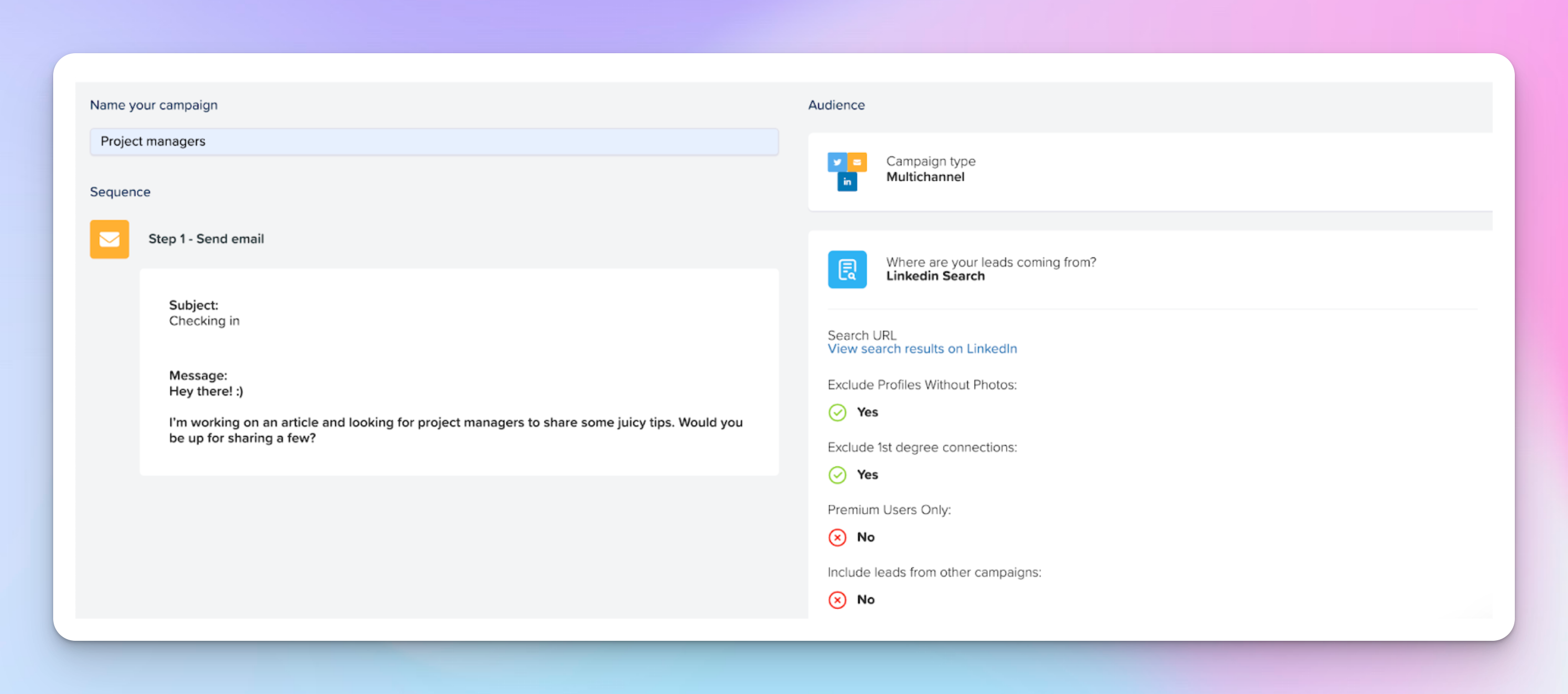
- The interface feels a bit off and might take some time to get used to. For example, when you click something in the toolbar, like campaigns, nothing happens until you select an option that appears below.
- You can’t reply on behalf of other LinkedIn senders in shared campaigns, which can slow things down. This is maybe one of the key advantages HeyReach has over MeetAlfred as it gives you a very powerful unibox.
- Risk of being banned due to aggressive automation practices
Meet Alfred reviews
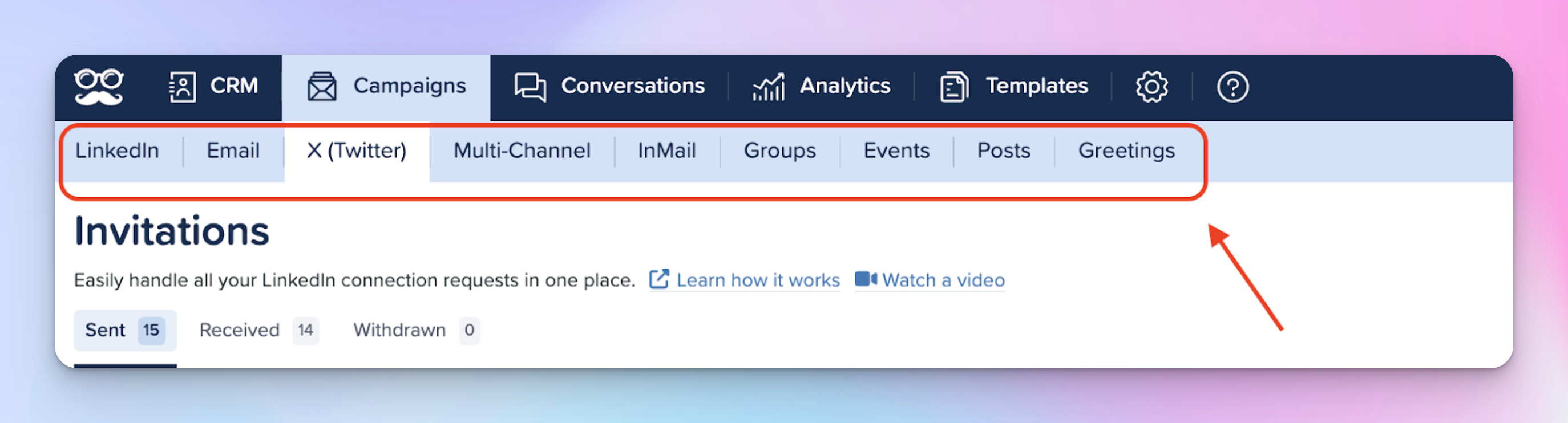
User feedback on G2 highlights that many love Meet Alfred for its user-friendly automation features and effective campaign management. On the other hand, users on Trustpilot find it helpful for reaching leads and nurturing connections.
However, some users report issues with LinkedIn red flags caused by automation, account blocks when running multiple accounts, and limited campaign options. Others also want more competitive Pro pricing and a stronger email campaigning feature.
I think that’s why the overall rating is pretty average, sitting at 3.4.
Meet Alfred feature overview
Meet Alfred is built for salespeople, marketers, and recruiters who want to elevate their LinkedIn outreach as a core part of their business plan and strategy.
It helps you set up campaigns to automatically send connection requests, follow-ups, and messages to your target audience on the social media platform of your choice as well as email campaigns.
Let’s break down each feature in detail.
Lead generation, filtering & lead management
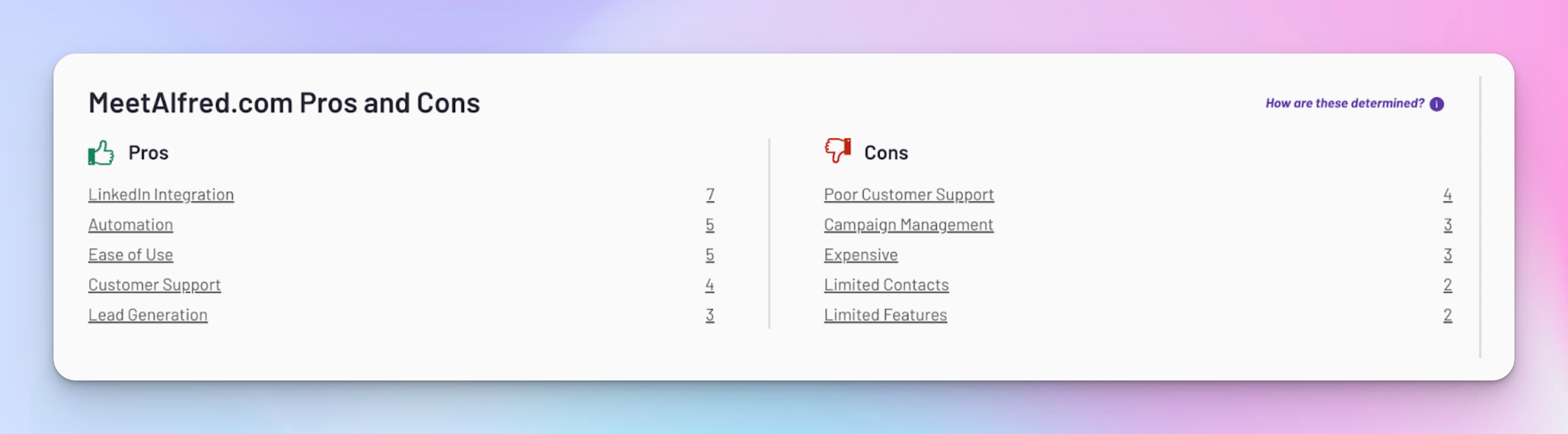
I used Meet Alfred to connect with LinkedIn event attendees by importing a CSV file with their profiles.
- I picked a marketing event that matched my audience.
- I collected attendee profiles and uploaded them as a CSV to Meet Alfred.
- The platform removed duplicates and verified profiles automatically.
- I filtered out profiles without photos or missing details and focused on premium users.
- I started with light engagement (profile views, follows, likes).
- Then I sent personalized messages using templates with small custom touches.
- Messages were scheduled with natural delays to keep everything organic.
Once the campaign went live, I tracked responses, handled follow-ups, and managed leads. Overall, the process was pretty straightforward.
Multichannel outreach
Another good thing about Meet Alfred is how seamlessly it lets you create multi-channel campaigns. For example, I set one up to reach out to project managers, hoping to gather quotes for an article I’m working on.
The process was smooth—after connecting LinkedIn, email, and X, I used LinkedIn Search to target my audience.
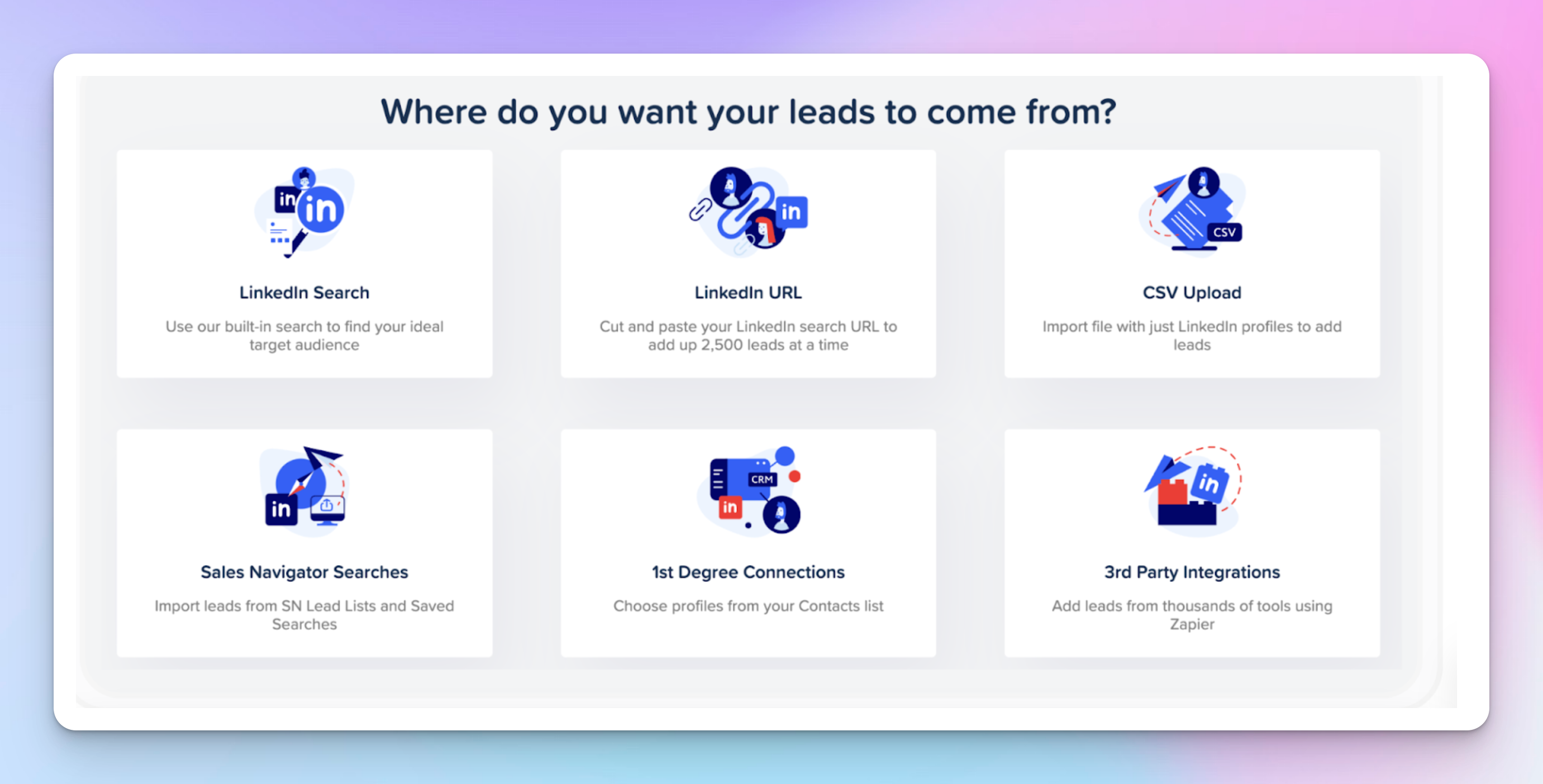
And then in the sequence-building step, I created a mix of LinkedIn connection requests, email follow-ups, and X messages for extra reach.
It was important to get the LinkedIn connection right, though, because if they didn’t accept, the rest of the steps wouldn’t trigger.
I also made sure my email was authorized, which is a key step to avoid any issues with sending follow-ups within campaign sequences.
One thing to note is that the X option only works if your lead has an X handle on their profile—something I realized halfway through. Quite a hassle.
LinkedIn prospecting and all the steps
I wanted to connect with marketers for virtual coffee chats to exchange ideas, so I tested Meet Alfred’s prospecting feature.
Here’s how I set it up:
- First, I clicked “Create” and selected “LinkedIn Campaign.”
- Then, I imported a clean list of marketing specialists and decision-makers from Trigify.
- After that, I applied filters to keep my outreach targeted.
- Next, I added light engagement by viewing profiles, following, and sending connection requests to warm up prospects.
- For messaging, I wrote short, personalized notes using their name and a friendly tone.
- I also turned on auto follow-ups, sending a message 15 minutes after a request was accepted.
- To stay organized, I tagged leads as “Marketers” for easier inbox navigation.
- Finally, I named my campaign “Virtual coffee with marketers ☕️” and hit Publish to start connecting with new leads.
Since things started happening, I checked out the inbox to see how it worked.
In their streamline inbox, I could reply to messages, use emojis, and attach files — including visuals.
On the right side, I could quickly view the contact’s LinkedIn profile, which is another positive aspect.
However, compared to HeyReach, I’m missing the Unibox feature here, which allows me to reply on all LinkedIn messages from the profiles included in one campaign. No need to switch between accounts, log into each LinkedIn profile, or remind others to check their inboxes. It’s a big time-saver for SDRs or VAs managing multiple LinkedIn accounts within one team when doubling down on LinkedIn lead generation.
So it’s definitely something I’d love to see added here.
As I scrolled down, I used the Alfred tags I had created to organize my contacts and add notes for easy reference later.
It was easy to find specific conversations by searching for keywords or names, and I could filter messages by tagged, archived, or unread.
Built-in LinkedIn CRM integration
The CRM has features for managing team members, allowing multiple LinkedIn profiles, assigning roles, and accessing campaign performance stats collectively.
It is fully cloud-based, so there's no need to download a desktop app or keep LinkedIn open. Users can set custom working hours for the platform to operate independently.
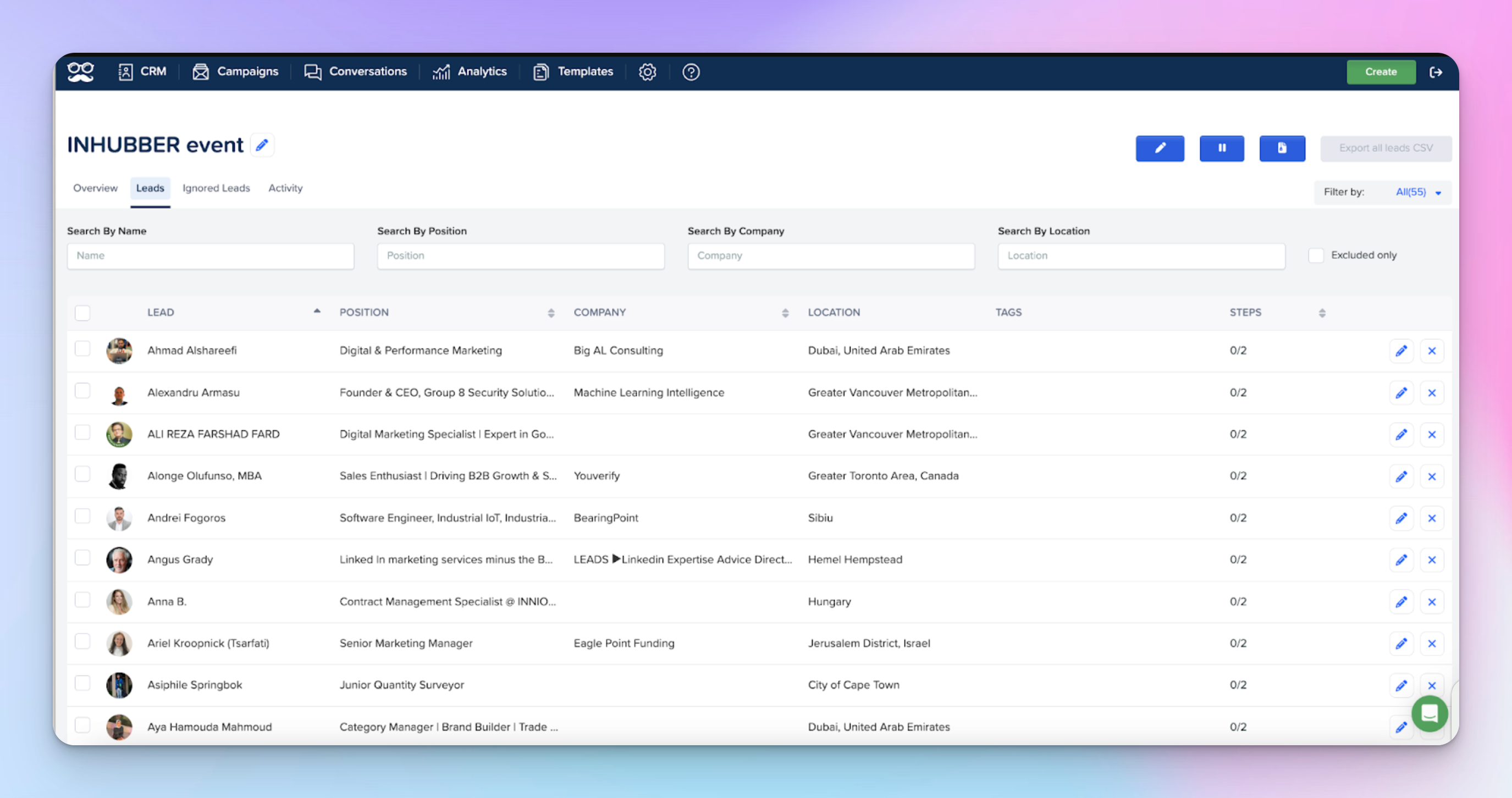
You can easily filter leads by name, company, job title, location, campaign tags, and whether they're included or excluded from your campaigns.

One feature I found especially handy is the bulk selection tool. It allows you to manage multiple leads at once, which saves a ton of time when you need to add tags or exclude several leads in one go.
Tag Manager
As I’ve mentioned earlier, Tags in Meet Alfred help you organize and categorize your connections and leads. You can quickly identify specific groups or segments within your contacts.
To access your tags, go to 'CRM' > 'Tag Manager.' Click 'Create Tag' to name your tag and select a color; it will appear in your Tag Manager right away.
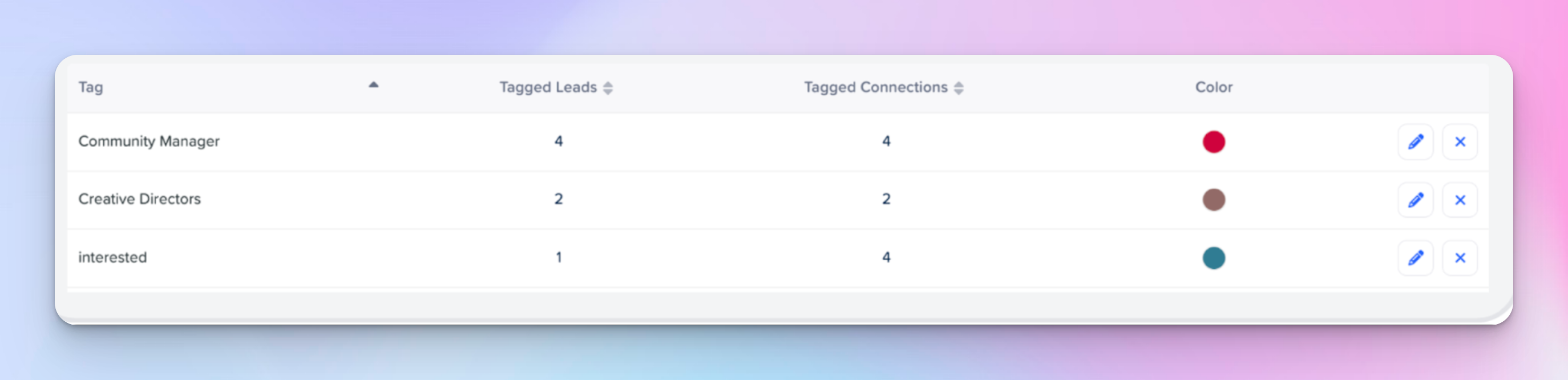
You can also delete and edit tags whenever you want. After saving, your changes will update all contacts associated with that tag.
Integrations
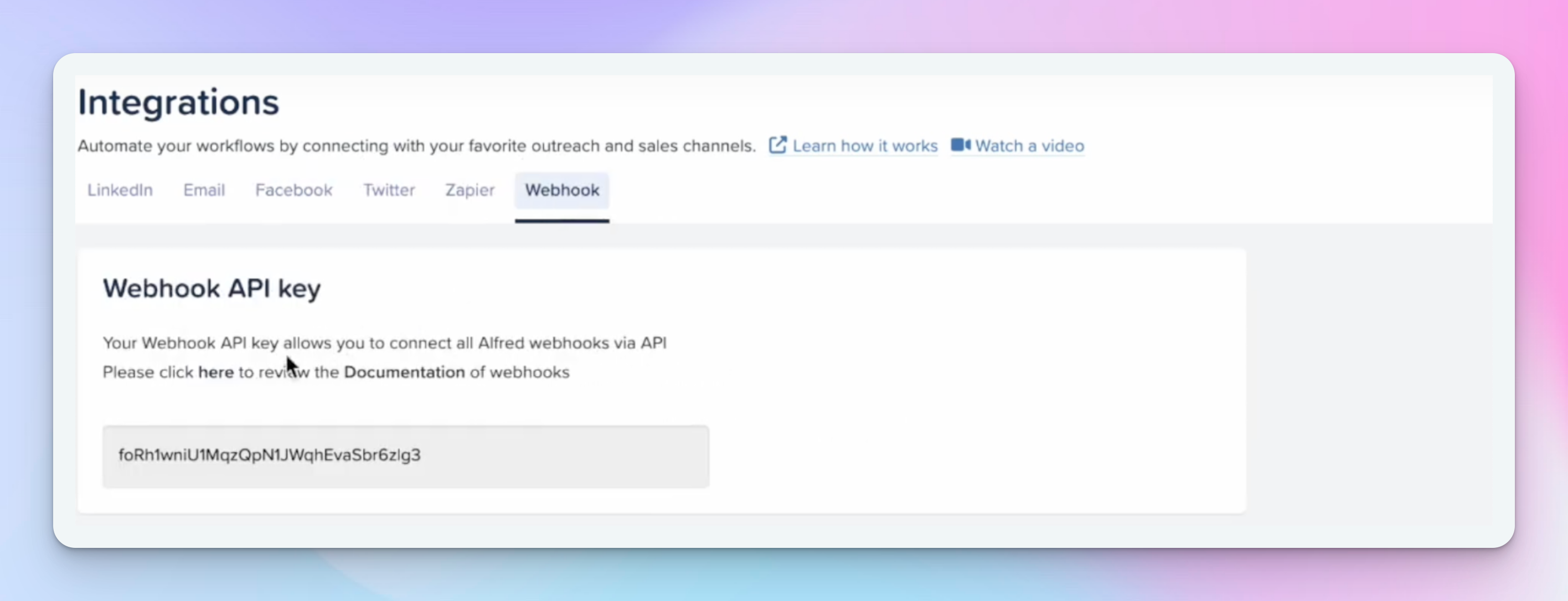
Meet Alfred connects with various LinkedIn account types (Basic, Premium, and Sales Navigator), and supports integration with CRM platforms like Salesforce and HubSpot via Zapier or Webhook.
Users can also automate email outreach using Google or Microsoft accounts and manage social media posts across Facebook, Instagram, and X.
Reports
Meet Alfred’s reports and analytics give clear insights into what’s working and what’s not.
- Go to Analytics > Dashboard to track campaign performance and conversion rates in real time.
- You can easily sort data by today, yesterday, this week, this month, or custom dates.
Key features include:
- Campaign stats: See total campaigns, invitations, connections, profile views, messages, and InMails.
- Team campaigns: Track performance across multiple accounts.
- Segmented overview: Analyze activity over specific date ranges.
- Campaign insights: Use analytics to understand customer behavior and engagement for better decisions.
Meet Alfred pricing
Meet Alfred has three pricing plans and each of them comes with a free trial (no credit card approach), which is a great way to explore the features without any commitment:
- Basic: $59/user/month for automated LinkedIn outreach, including 3 active campaigns, basic CRM, smart inbox, message templates, automated greetings, custom tags, and notes.
- Pro: $99/user/month for unlimited campaigns and advanced features like Sales Navigator support, multi-channel automation, advanced CRM, InMail automation, content retargeting, and data export.
- Teams: $79/user/month (minimum 3 users) for larger teams, offering all Pro features plus volume discounts, advanced settings, team inbox management, and priority support.
What I don’t like here is the fact that Meet Alfred’s costs shoot up as you scale, and that per-sender pricing can eat into your profit margins pretty quickly.
I think they could have focused more on agencies when putting together their pricing structure, just like HeyReach did.
For instance, HeyReach offers package with a flat monthly fee for unlimited senders, which is way more budget-friendly for teams to scale their outreach. No need to stress over per-sender fees or hidden add-ons at all.
This predictable, cost-effective setup makes HeyReach a smarter—and safer—choice for agencies that want to scale efficiently.
Meet Alfred alternatives
Feeling like Meet Alfred isn't the best fit? Not a fan of the interface? Finding it expensive or missing some desired features?
Then let’s explore some of the best Meet Alfred alternatives.
HeyReach
With features that let you automate multiple LinkedIn accounts at once, HeyReach connects with over 1,000 prospects each week. I dare to say it’s a real breakthrough for lead gen agencies and sales teams that need a tool that supports team collaboration.
Managing 50+ accounts is super easy even for beginners, leading to an impressive average revenue growth of 4.2 times. You get a handy unified inbox for all your accounts + seamless CRM integrations and agency-focused analytics and reports.
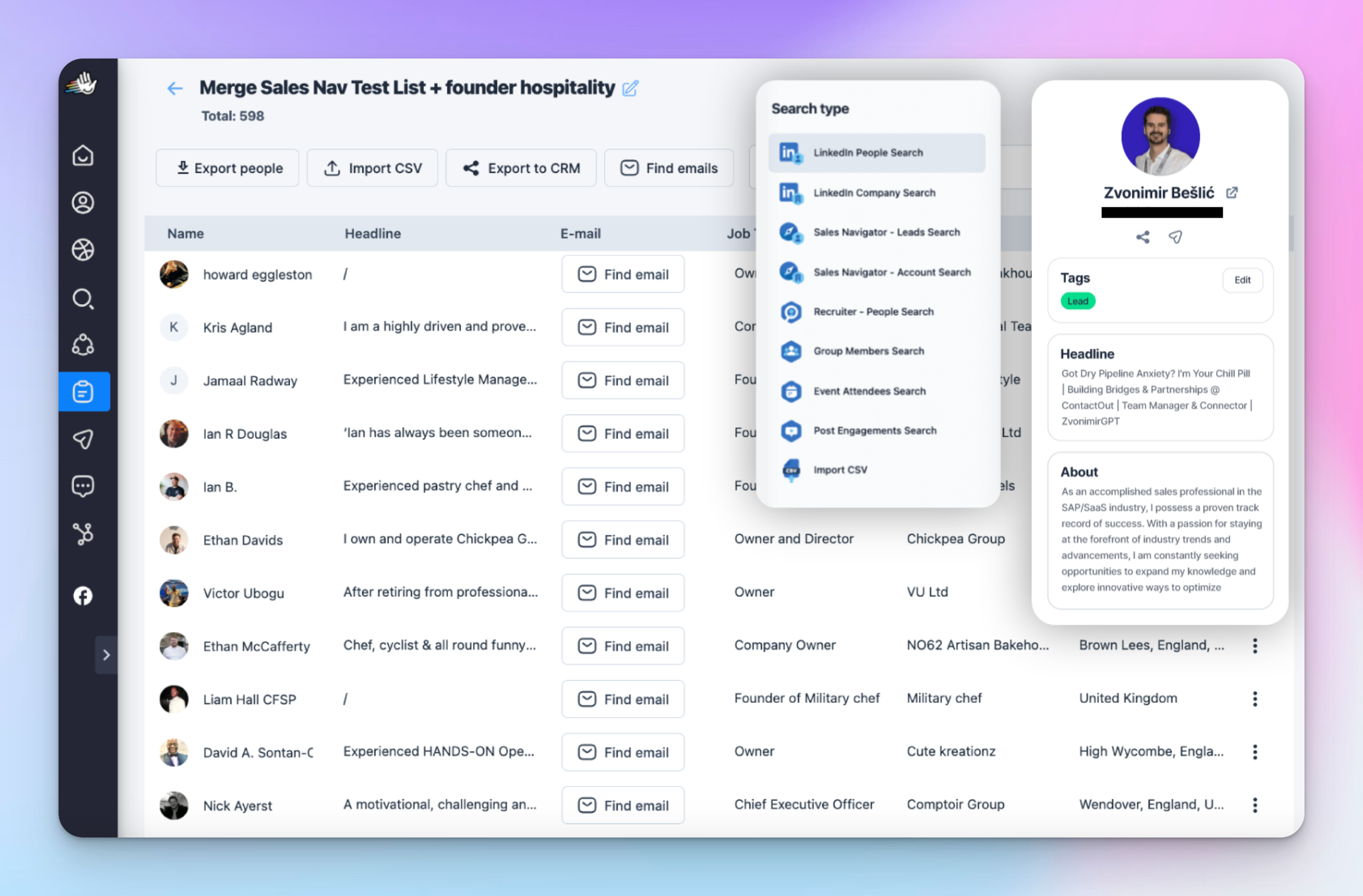
Also, you can create smart automated sequences and manage tons of LinkedIn inboxes all in one place.
HeyReach lets you track where your leads are dropping off, see which messages are hitting the mark, check the current stage of each lead, and compare how each account is performing against the others.
And here’s what makes it different from Meet Alfred:
- MCP: Easily organize leads, update their status, filter out uninterested prospects, and control campaigns across multiple accounts—all with simple commands through Claude or your preferred AI.
- Workspaces: Keep multiple client accounts organized and secure, with customizable access levels and clear visibility over conversations.
- Master View: See campaign performance, monitor key metrics, and manage all messages from one central dashboard.
- Designed for agencies: Built for teams, with tools that make client and team management easier.
- Budget-friendly: Flat pricing with no per-seat fees, making it simple to scale without extra costs.
- Unified inbox: All chats in one place, unlike Meet Alfred where conversations stay in LinkedIn inboxes.
- Native multichannel integration: HeyReach is LinkedIn-first but works easily with email tools like Instantly and Smartlead, so you can run LinkedIn and email campaigns together.
Other Meet Alfred competitors
Although HeyReach is among the strongest Meet Alfred competitors, you might also want to check out options like
Not seeing the tool you want to compare reviews? Head on to 36 best Linkedin automation tools of 2026.
Is Meet Alfred for you?
Now that you know all prons and cons, I hope it’s easer for you to weight on your decision. But if you need additional help - schedule a one-on-one strategic call with one of our experts, and scale your LinkedIn outreach asap.

Try it for free
Frequently Asked Questions
What is Meet Alfred?
Meet Alfred is a LinkedIn automation platform built for sales teams and agencies looking to scale outreach. It lets you automate connection requests, profile views, and personalized messages, track responses, and monitor campaign performance.
How much does Meet Alfred cost?
Pricing starts at $49–$99 per account per month, with options for teams and agencies. All plans include automation, analytics, and campaign management features.
What are the alternatives to Meet Alfred?
Other tools for LinkedIn and sales automation include HeyReach, lemlist, LinkedHelper, Expandi, Dripify, and Waalaxy.
Is Meet Alfred safe to use?
Yes. Meet Alfred includes features to keep your LinkedIn activity within safe limits, schedule natural delays between actions, and reduce the risk of account restrictions.
What is the difference between Meet Alfred vs HeyReach?
Meet Alfred focuses on team-friendly LinkedIn automation, offering multi-account management, campaign scheduling, and smart inbox tracking. HeyReach is built for high-volume LinkedIn outreach, with AI-powered workflows, a unified inbox that lets you manage and reply across multiple accounts without switching, and agency-level tools for scaling campaigns efficiently.